

Activity timeline for SuiteCRM 8 and 7: calls, meetings, tasks, emails, events and change log in one filterable view, with contact roll-up on Accounts.
Installation Guide
This addon working good on SuiteP theme & SuiteCRM greater or than v7.0
Install
1) On the Administration page, click on “Module Loader” to install the package.
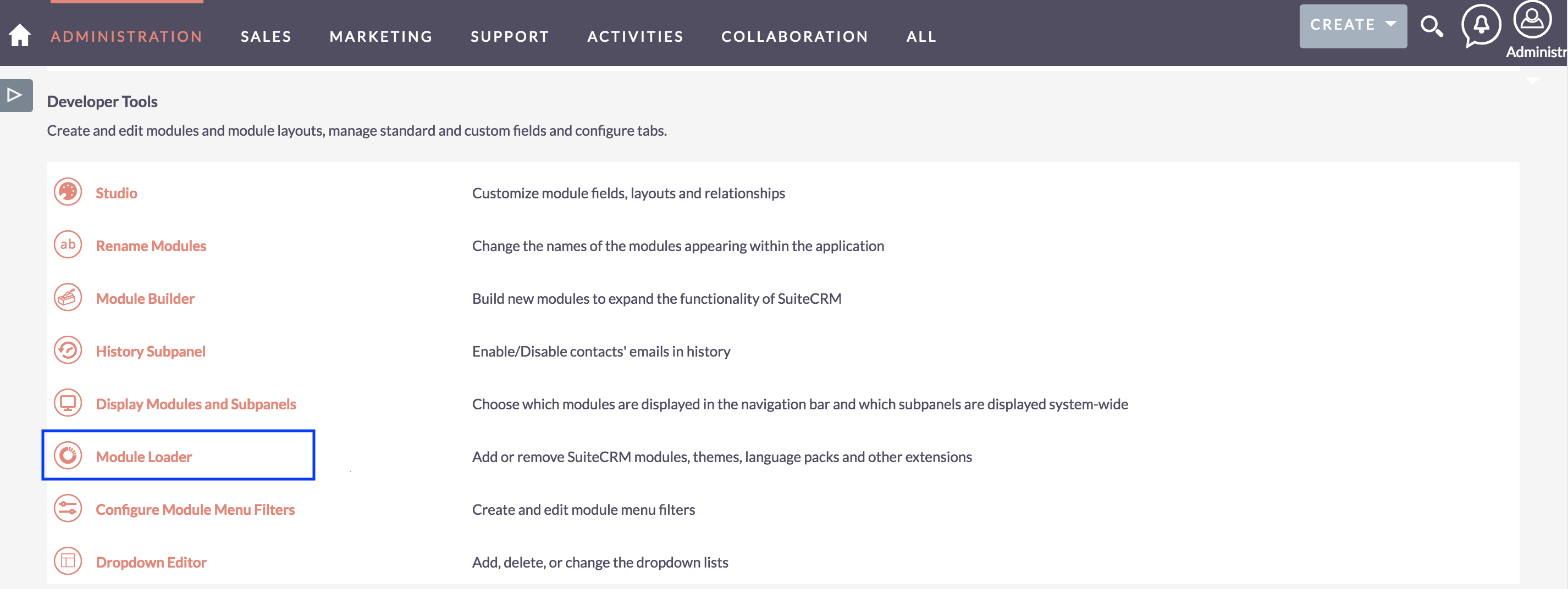
2) Click the 'Browse...' button under Module Loader Screen and select the .zip file you downloaded in Step 1.
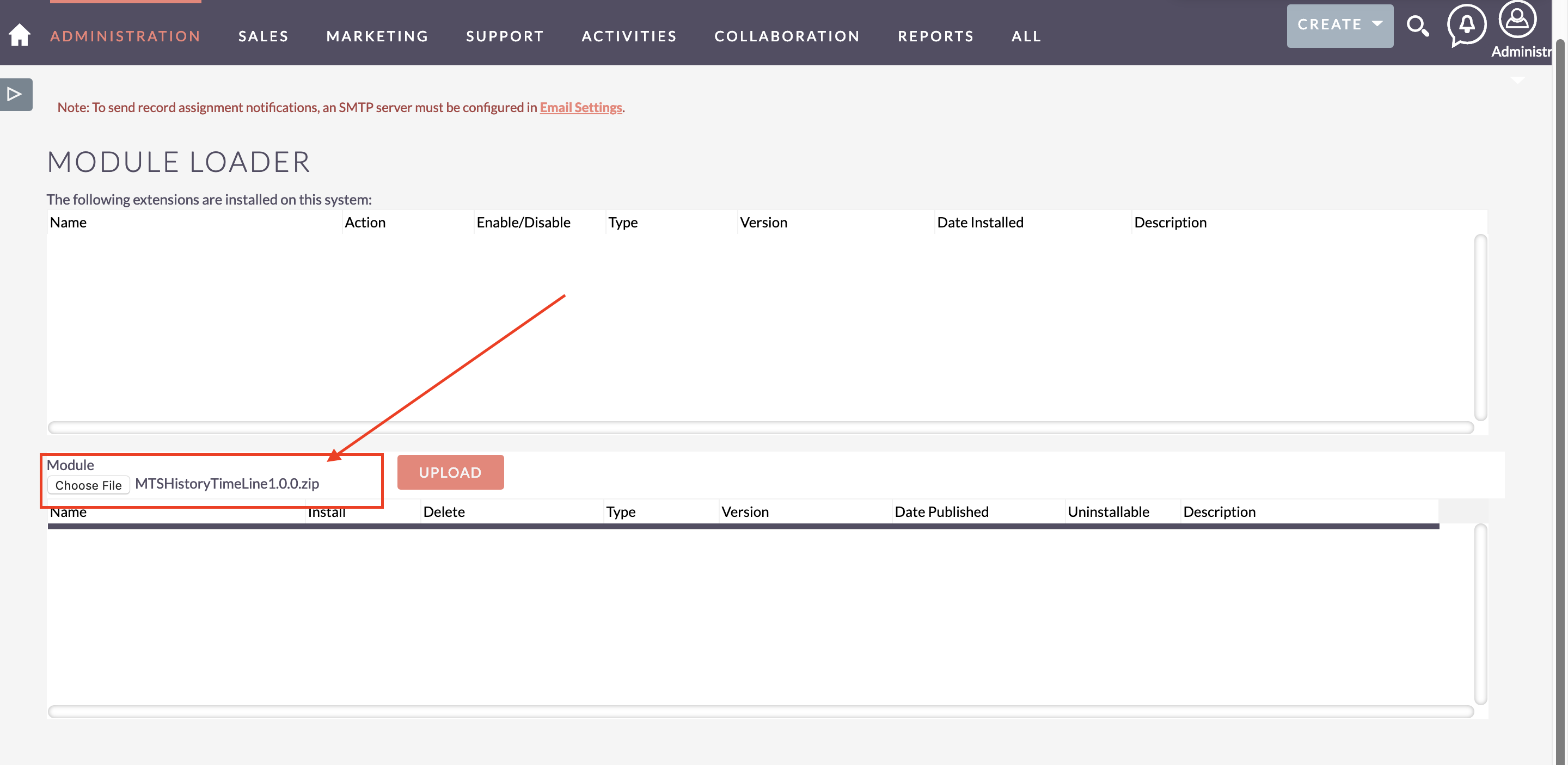
3) Click the "Upload" button to transfer the .zip file to your SuiteCRM server. 4) Click the "Install" button next to the newly uploaded MTS History TimeLine module 5) Step through the installation wizard.
Uninstall
1) On the Administration page, click on “Module Loader” to Uninstall the package.
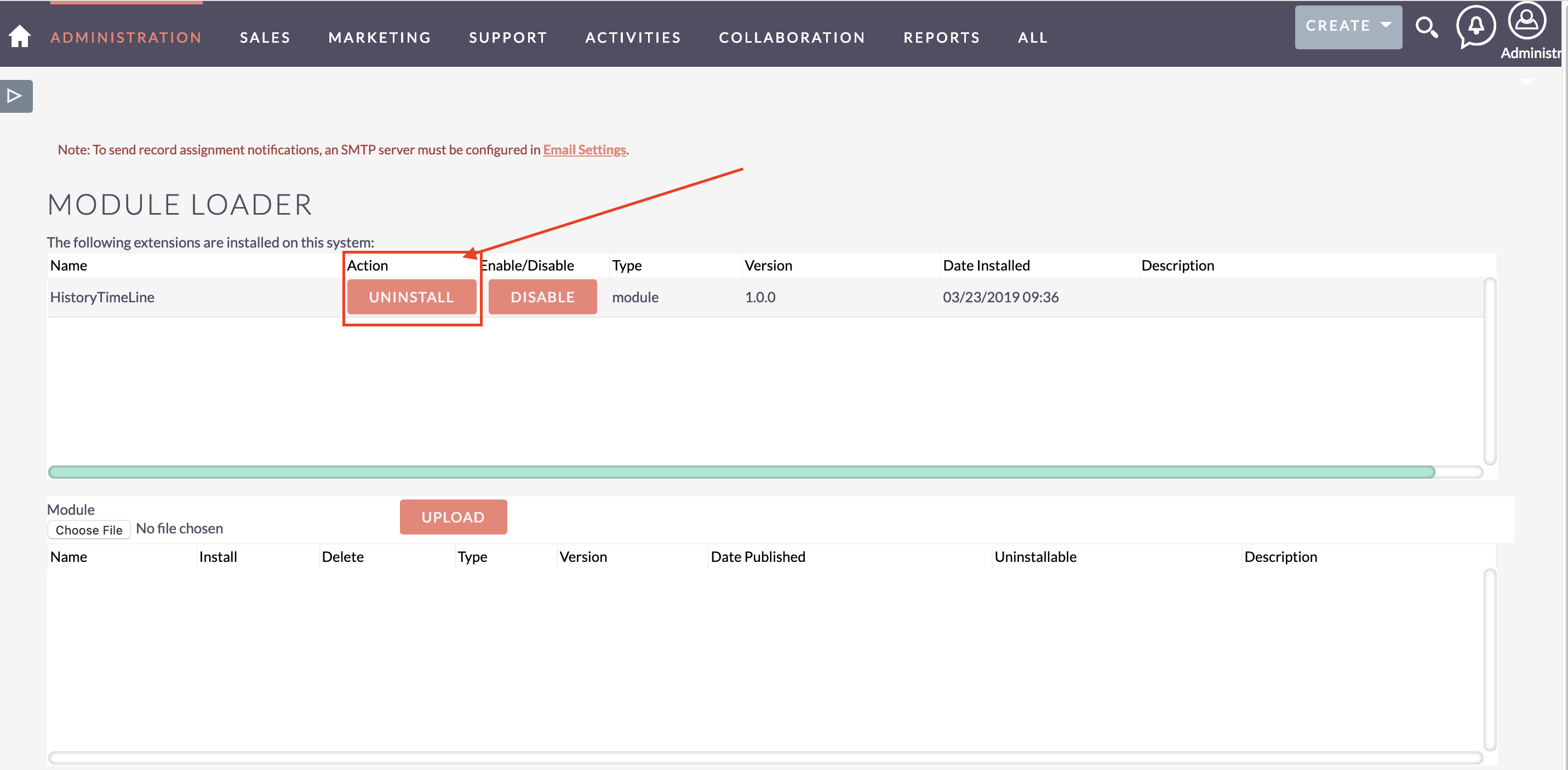
2) Click on Uninstall button. 3) Package will be deleted successfully.
 Saving Comment...

-
"Excellent plugin displaying the history timeline of communications. I am really pleased. It should be incorporated of the main-line code of SuiteCRM t..." - R&D Tax Solutions
Read More Reviews
- Most Recent Love from Users
 ghansen
- lodevlayen
- R&D Tax Solutions