
Quick Updater makes it possible for you to Update the Module Record information from Listview, Update Related Field & Parent Relate Field information directly from Modules Create/Editview where Related fields Display. This will help you to quickly update records as you no longer need to save and then click into each related record to edit and save again.
Installation Guide SuiteCRM 8.x
Steps For Installing Quick Updater Plugin:
Notes: Before installing Quick Updater Plugin, please take your SuiteCRM and Database backup first.
Step 1:
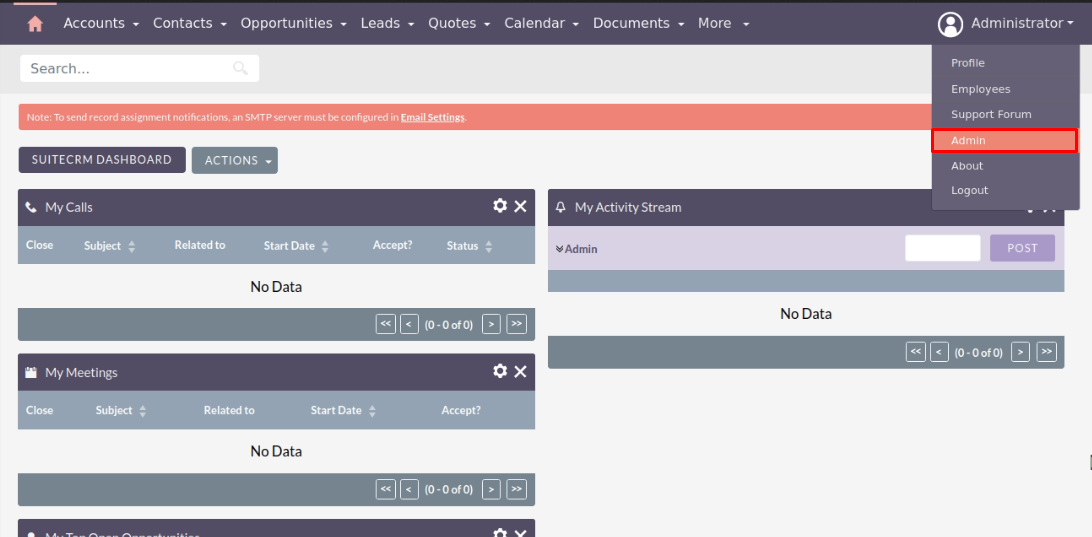
To open the Administration Page,Click on Admin tab, as shown in below screenshot.
Step 2:
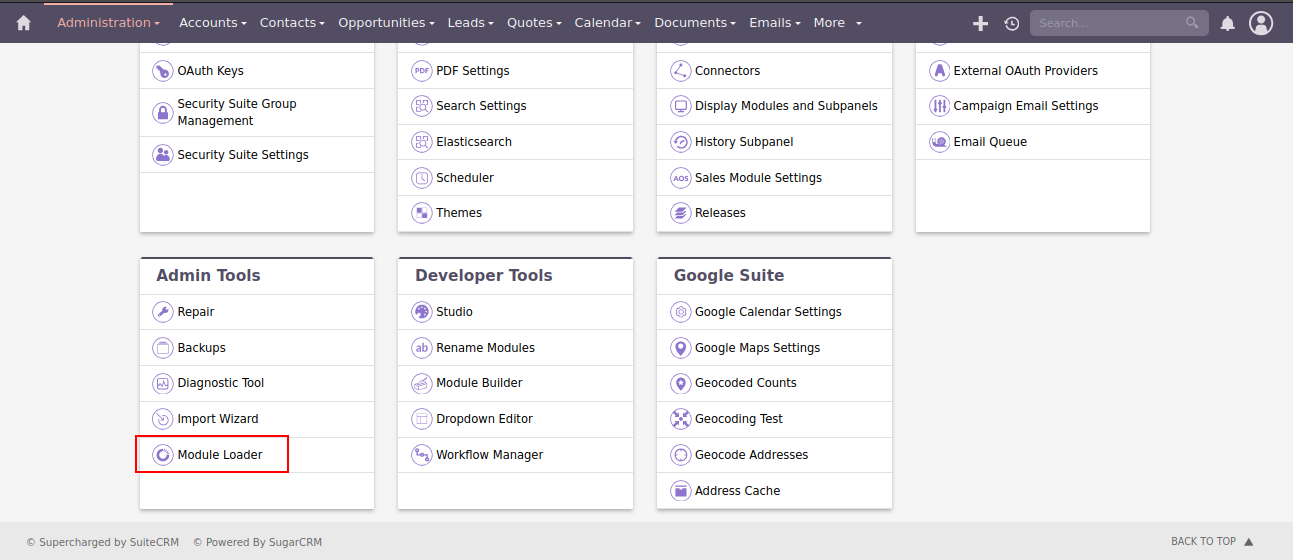
To install Quick Updater plugin, Click on Module Loader from the Developer Tools section.
Step 3:
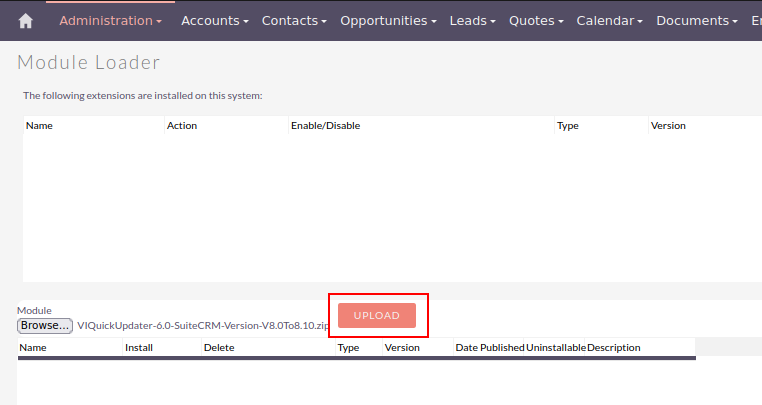
In Module Loader Page → Click on Browse button to select zip file → Click on UPLOAD button to upload the Quick Updater plugin(zip file).
Step 4:
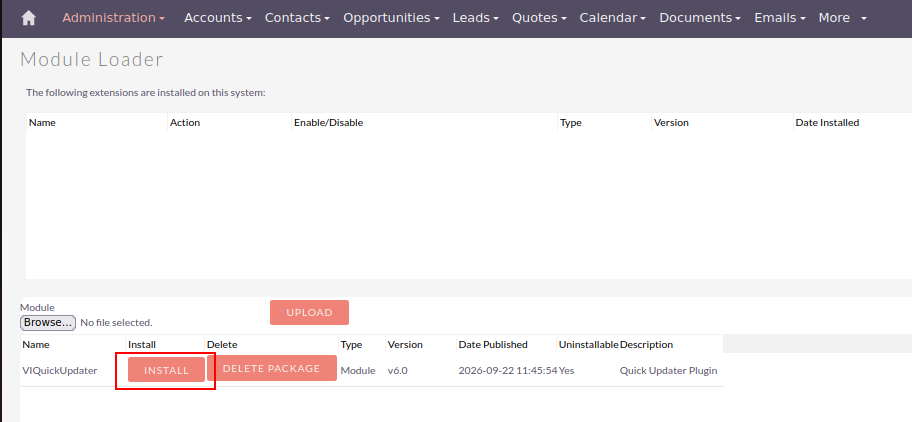
In Module Loader page → Click on INSTALL button to install Quick Updater plugin.
Step 5:
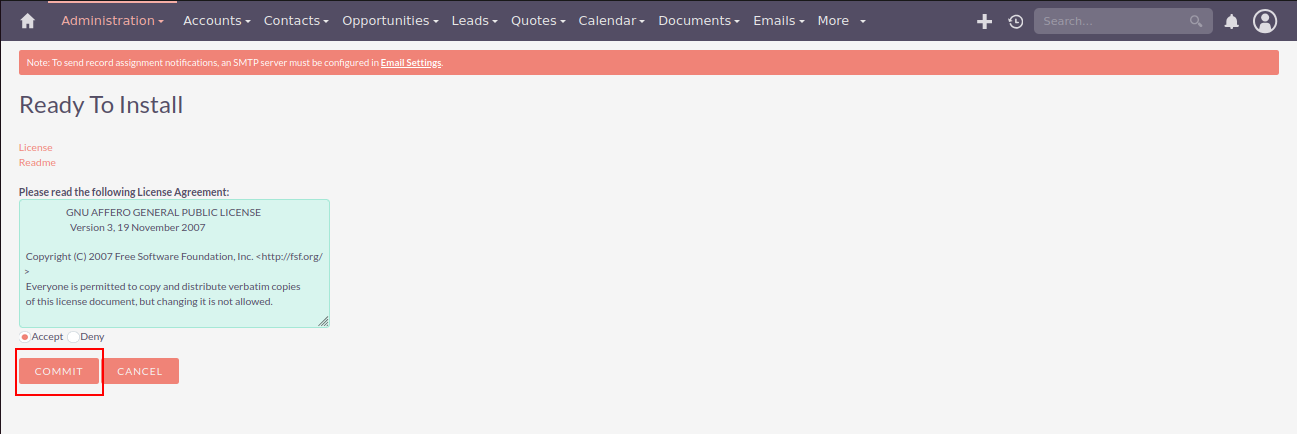
To accept Terms and Conditions, click on Accept radio button → Click on COMMIT button.
Step 6:
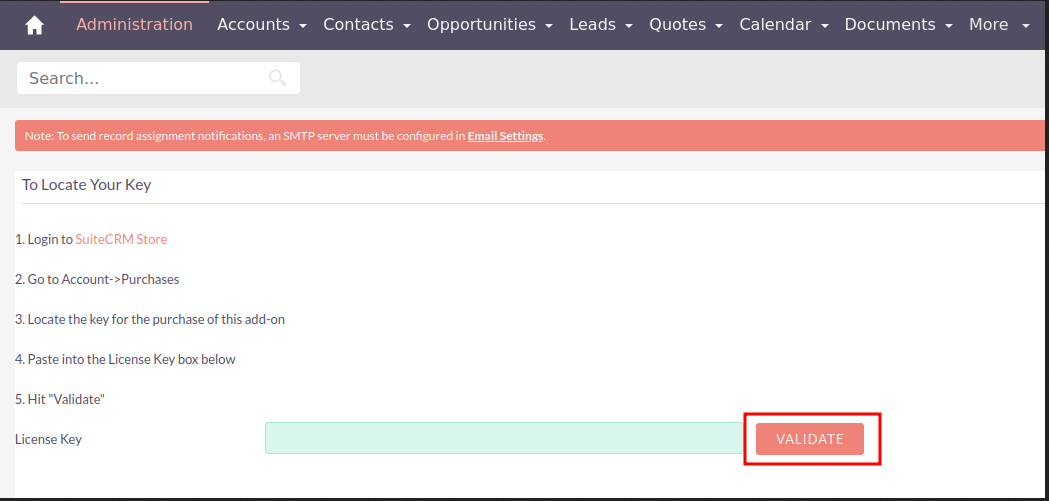
After successful installation → it redirects you to validate License Key → enter valid License Key and click on VALIDATE button → if key is valid then it will show CONTINUE button → click on CONTINUE button.
Step 7:
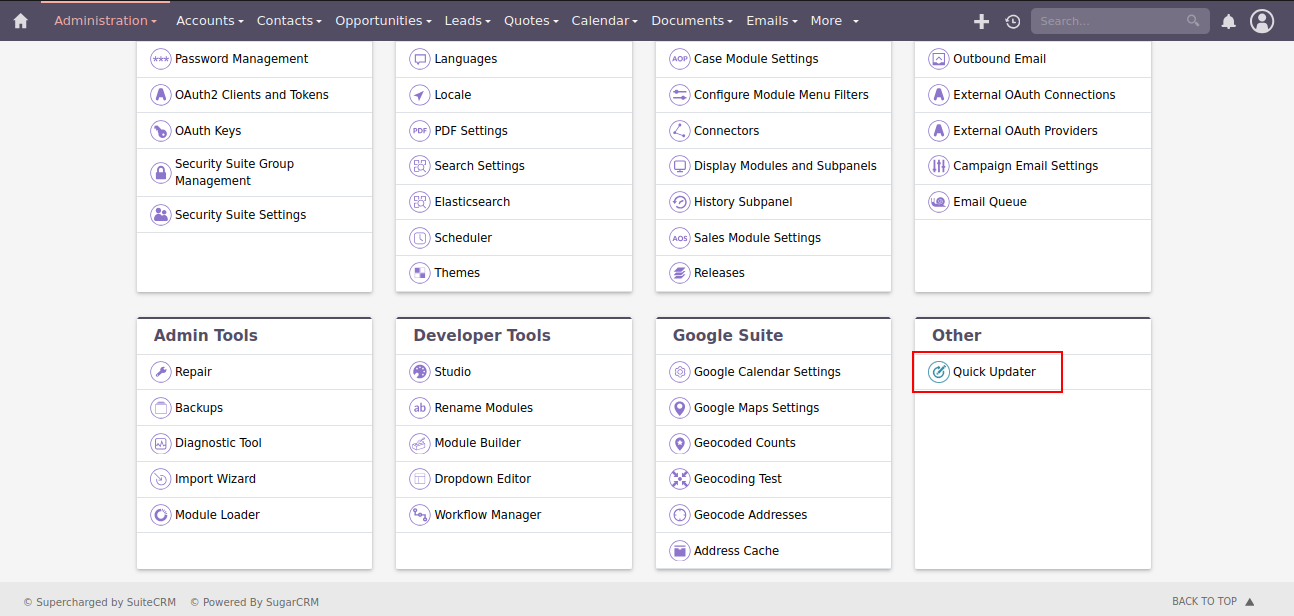
After Installation you can see link “Quick Updater” on Administration page, as shown in the below screenshot.
Download Core file Changes for Quick Updater (SuiteCRM-8.0 To SuiteCRM-8.2)
Download Core file Changes for Quick Updater (SuiteCRM-8.3)
Download Core file Changes for Quick Updater (SuiteCRM-8.4)
Download Core file Changes for Quick Updater (SuiteCRM-8.5)
Download Core file Changes for Quick Updater (SuiteCRM-8.6)
Download Core file Changes for Quick Updater (SuiteCRM-8.7)
Download Core file Changes for Quick Updater (SuiteCRM-8.8)
Download Core file Changes for Quick Updater (SuiteCRM-8.9)
Download Core file Changes for Quick Updater (SuiteCRM-8.10)
Note :
Before modifying any core files, ensure that you create a complete backup of the original files. This helps prevent data loss or system issues in case something goes wrong.
When uninstalling the Quick Updater plugin, ensure that all modifications made to the core files during the installation or configuration process are reverted to their original state.
 Saving Comment...

-
"Funciona bien gracias" - gabriel1
Read More Reviews
- Most Recent Love from Users
 gabriel1
- afcmasteruser