
The Find and Replace extension enables you to find a specific word and replace it with a different word all from the list view. Run the replace against one record or as many as you would like. No longer do you need to slowly go from record to record to make wholesale changes.
Installation Guide SuiteCRM 8.x
Steps For Installing Find And Replace Plugin :
Notes: Before installing Find And Replace Plugin, please take your SuiteCRM and Database backup first.
Step 1:
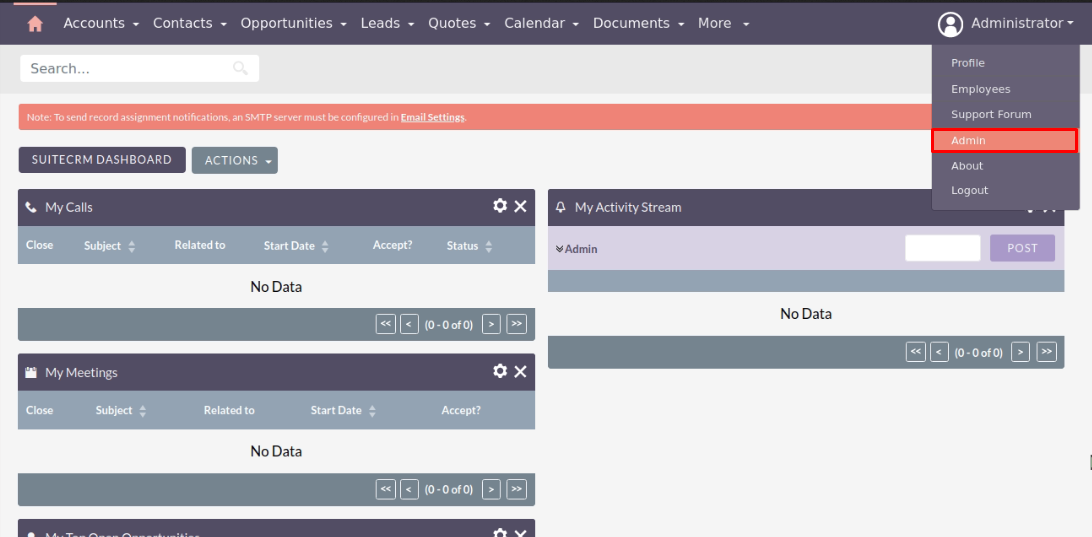
To open the Administration Page, Click on the Admin tab as shown in below screenshot.
Step 2:
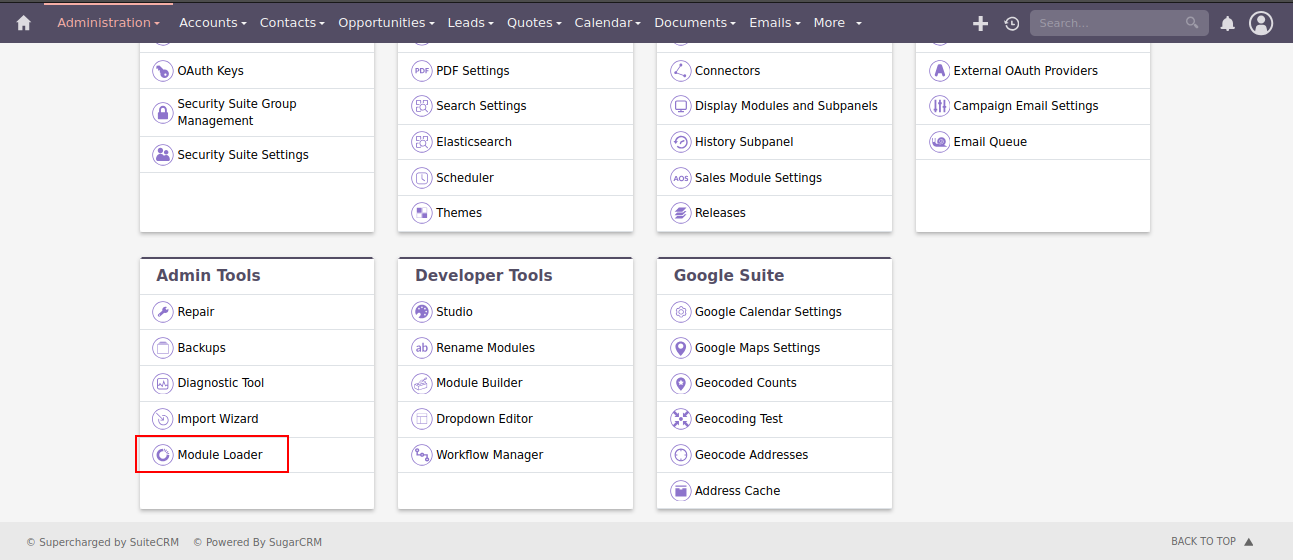
To install the Find and Replace plugin, Click on Module Loader from the Developer Tools section.
Step 3:
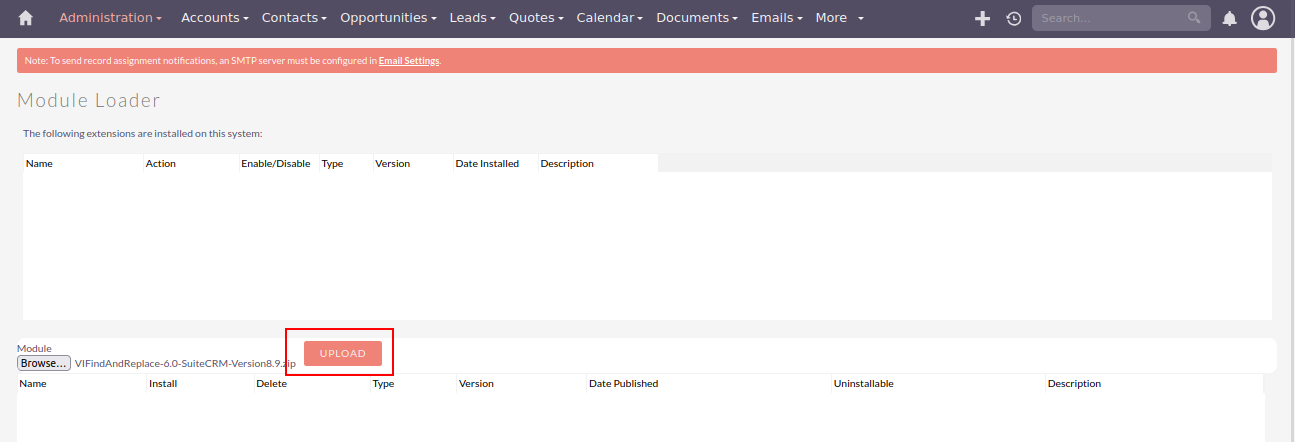
In the Module Loader Page → Click on the Browse button to select zip file → Click on UPLOAD button to upload the Find And Replace plugin(zip file).
Step 4:
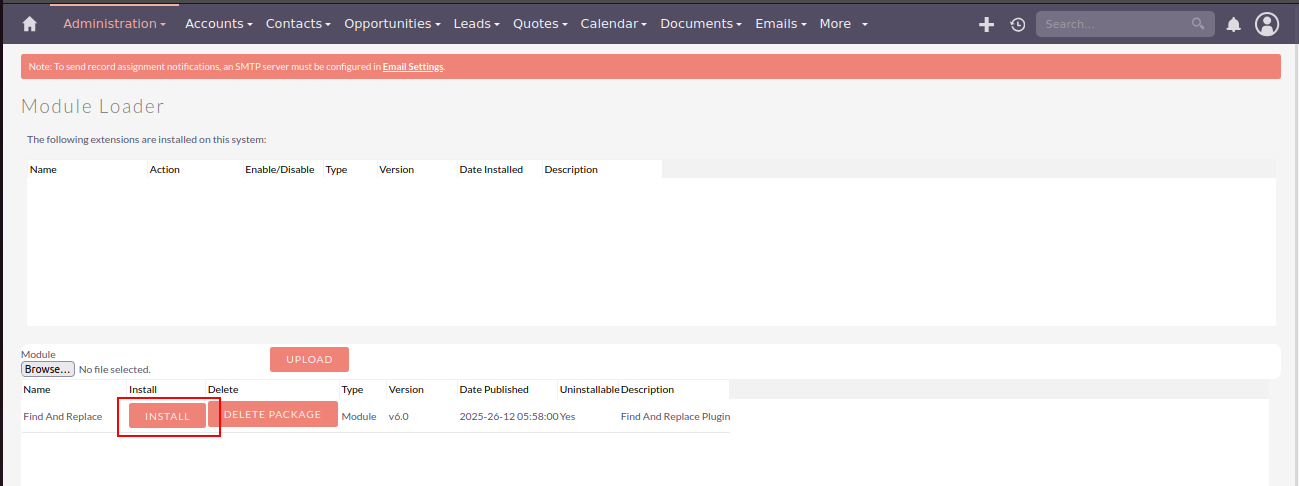
In Module Loader page → Click on the INSTALL button to install the Find And Replace plugin.
Step 5:
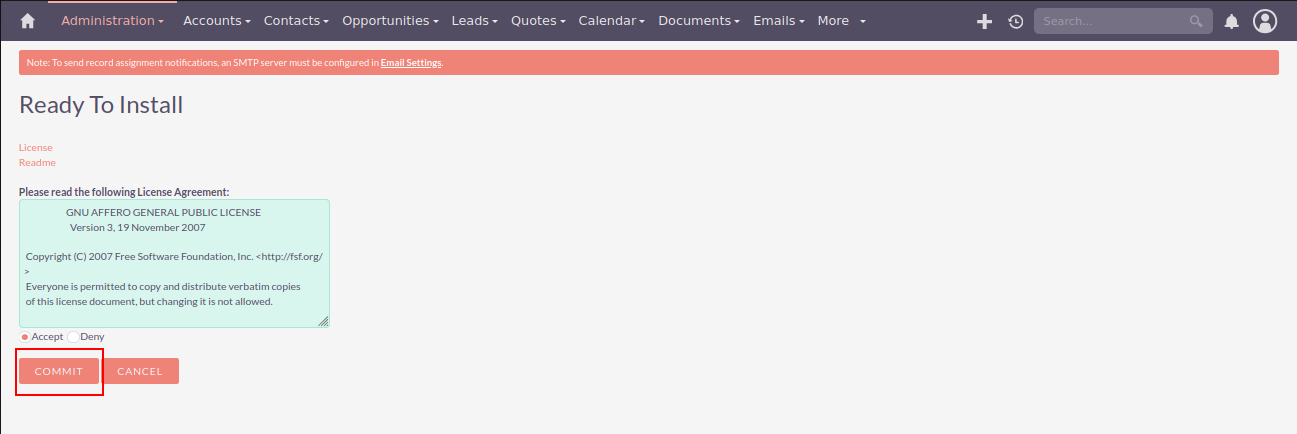
To accept the Terms and Conditions, click on Accept Radio button → Click on COMMIT button.
Step 6:
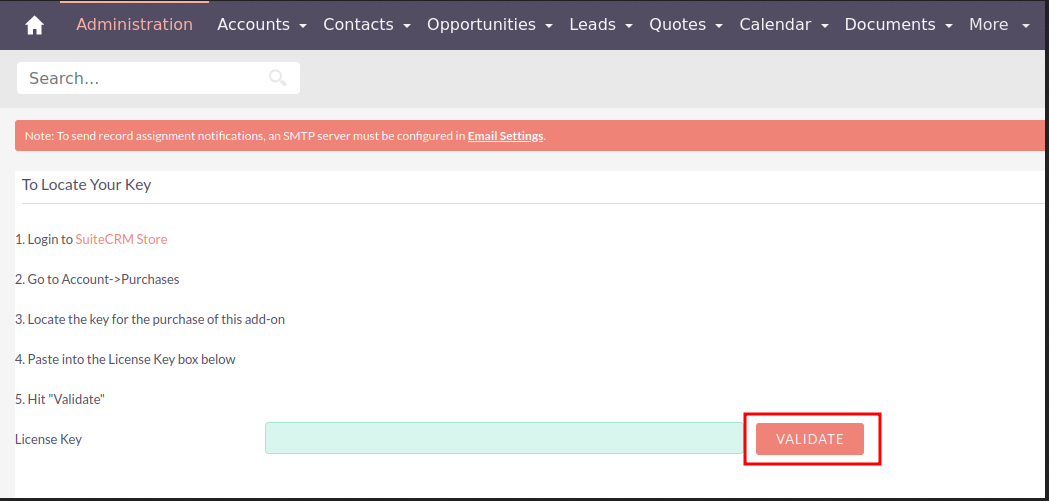
After successful installation → it redirects you to validate License Key → enter valid License Key and click on VALIDATE button → if key is valid then it will show CONTINUE button → click CONTINUE button.
Step 7:
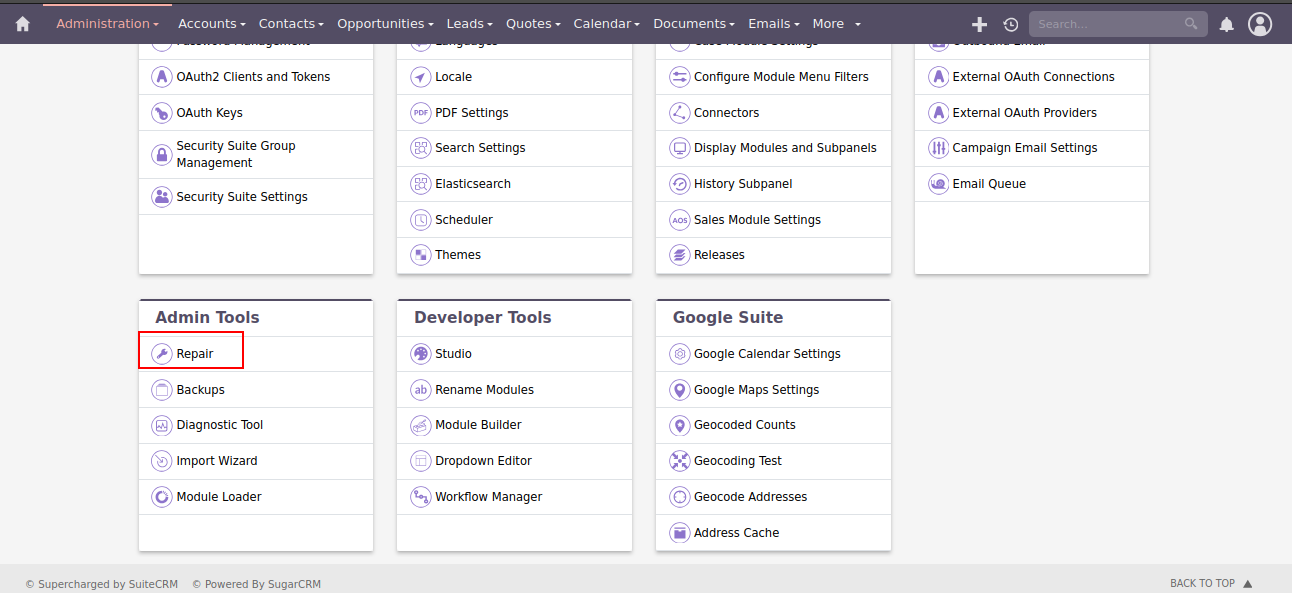
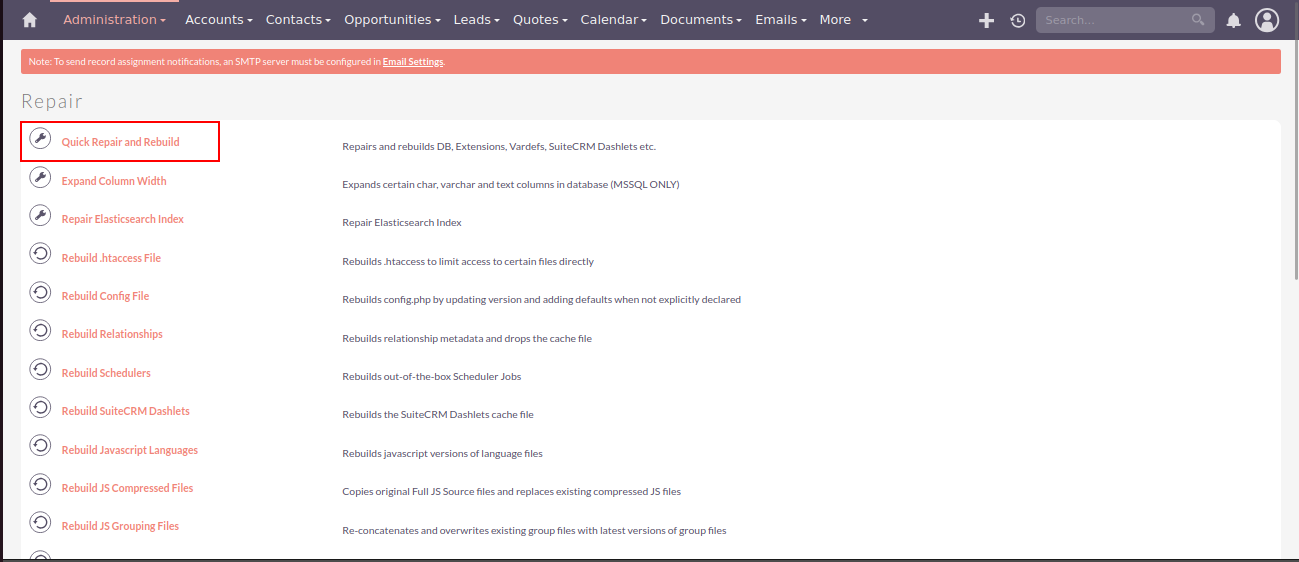
Open Administration page, Click on Repair from the System Section → Click on Quick Repair & Rebuild.
Step 8:
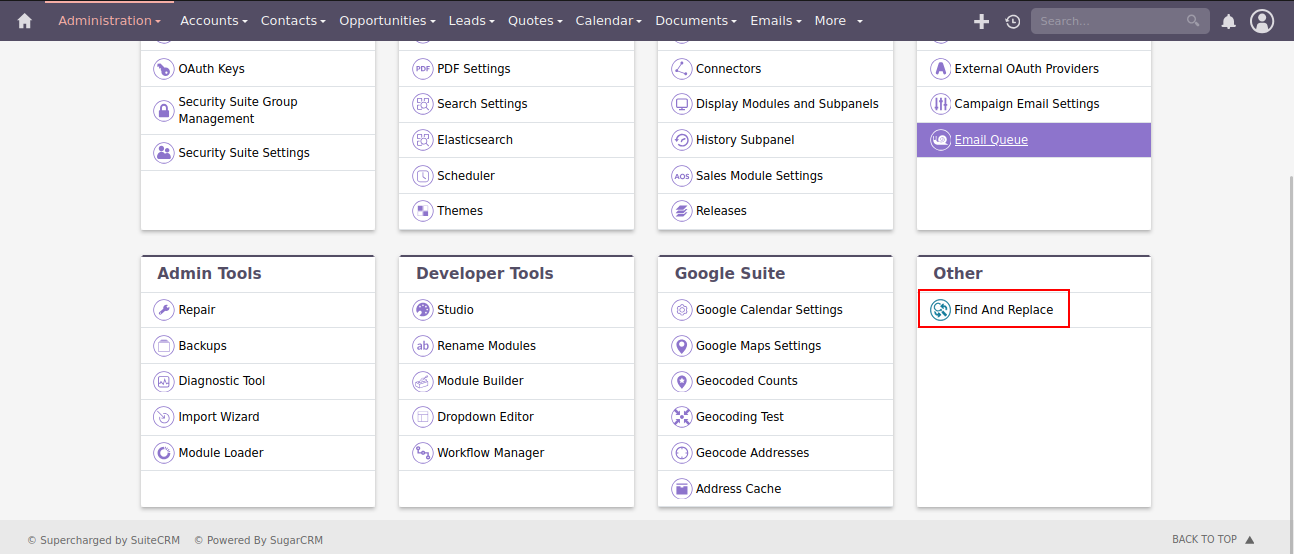
After Installation you are able to see Link “Find And Replace” on Administration page, as shown in the below screenshot.
Download Core file Changes for FindAndReplace (SuiteCRM-8.2 To 8.0)
Download Core file Changes for FindAndReplace (SuiteCRM-8.3)
Download Core file Changes for FindAndReplace (SuiteCRM-8.4)
Download Core file Changes for FindAndReplace (SuiteCRM-8.5)
Download Core file Changes for FindAndReplace (SuiteCRM-8.6)
Download Core file Changes for FindAndReplace (SuiteCRM-8.7)
Download Core file Changes for FindAndReplace (SuiteCRM-8.8 To 8.9)
Download Core file Changes for FindAndReplace (SuiteCRM-8.10)
Note :
Before modifying any core files, ensure that you create a complete backup of the original files. This helps prevent data loss or system issues in case something goes wrong.
When uninstalling the FindAndReplace plugin, ensure that all modifications made to the core files during the installation or configuration process are reverted to their original state.
 Saving Comment...