


This post was contributed by Mien Trung Software, a SuiteCRM add-on developer with over 20 plugins focused on productivity, workflow, and administration tools.
If your team manages deals, cases, or approvals in SuiteCRM, you know the routine: open a list view, click into a record, update its stage, save, go back, and repeat. That workflow gets the job done, but it doesn't give you a clear picture of where things stand across your entire pipeline. MTS Kanban for SuiteCRM by Mien Trung Software brings drag-and-drop Kanban boards into your CRM so your team can see, organize, and advance records without leaving one screen.
Your Pipeline at a Glance
Instead of scanning rows in a list view, MTS Kanban arranges your records into columns based on a status or stage field. Each column represents a step in your process -- Prospecting, Proposal, Negotiation, Closed Won -- and every record appears as a card you can drag from one column to the next. The result is an immediate, visual snapshot of where every deal, case, or task sits right now.
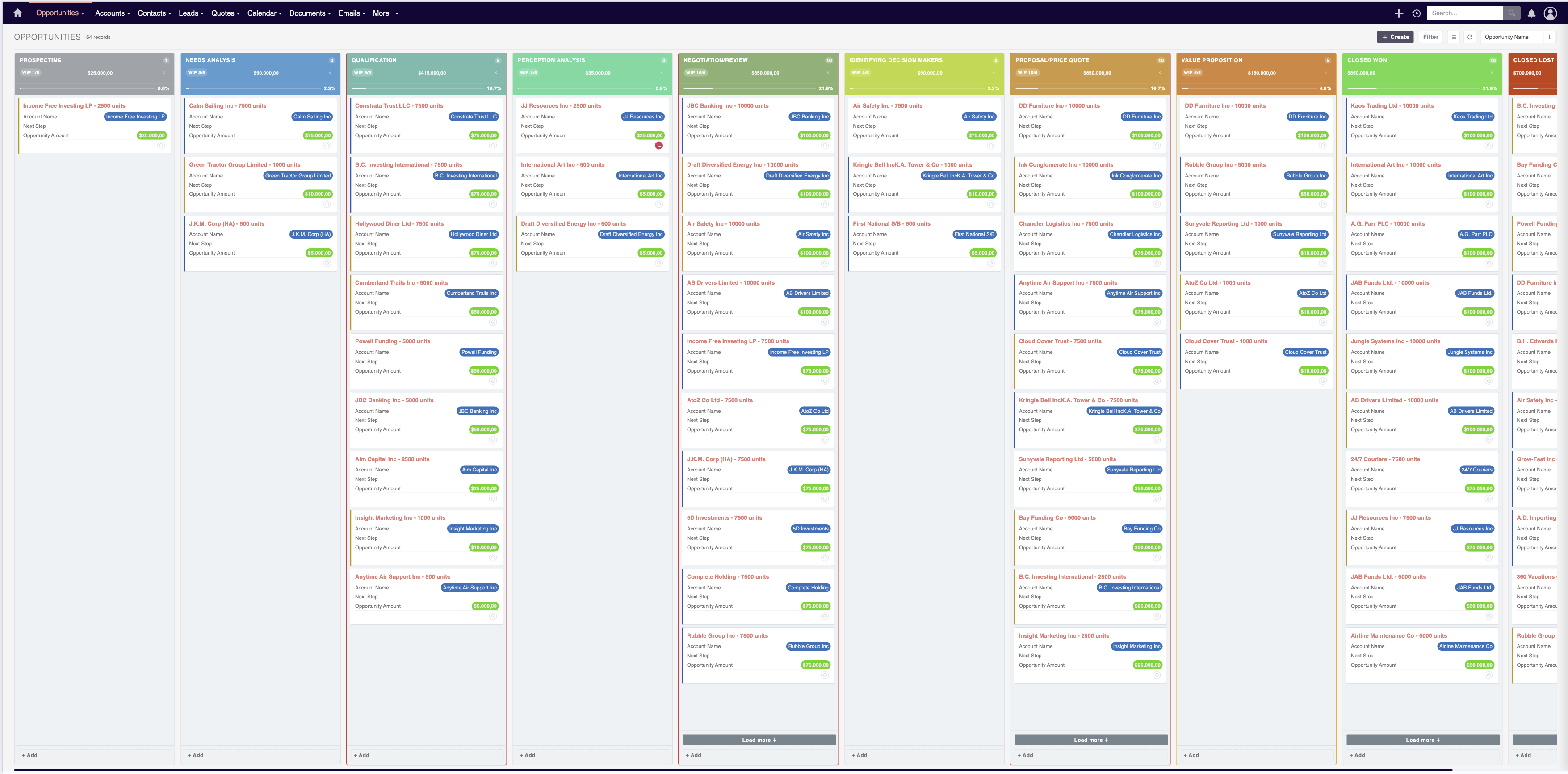
The board updates in real time, so when a rep advances an opportunity or a support agent escalates a case, the rest of the team sees the change without refreshing or navigating away.
Work Directly on the Board
Dragging a card to a new column is only part of the story. MTS Kanban also lets you edit record details directly from the board. Click into a card to update fields, add notes, or change assignments without opening the full record view. That means fewer page loads, fewer clicks, and less context-switching for your team throughout the day.
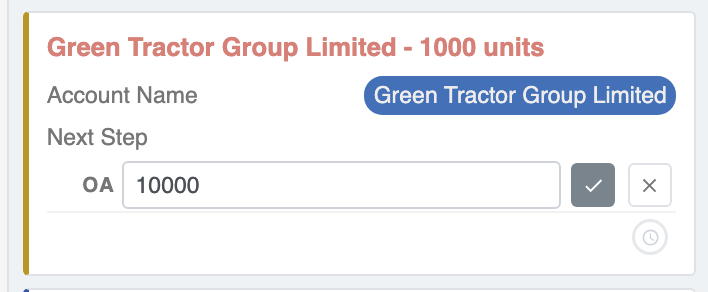
For sales teams working through a high volume of opportunities, this kind of inline editing keeps the focus on moving deals forward rather than navigating between screens.
Control How Work Moves
Not every stage transition should be a free-for-all. MTS Kanban includes transition rules that let administrators define which moves are allowed and which are not. You might require that deals pass through a qualification step before reaching the proposal stage, or prevent cases from jumping directly to "Resolved" without going through review first.
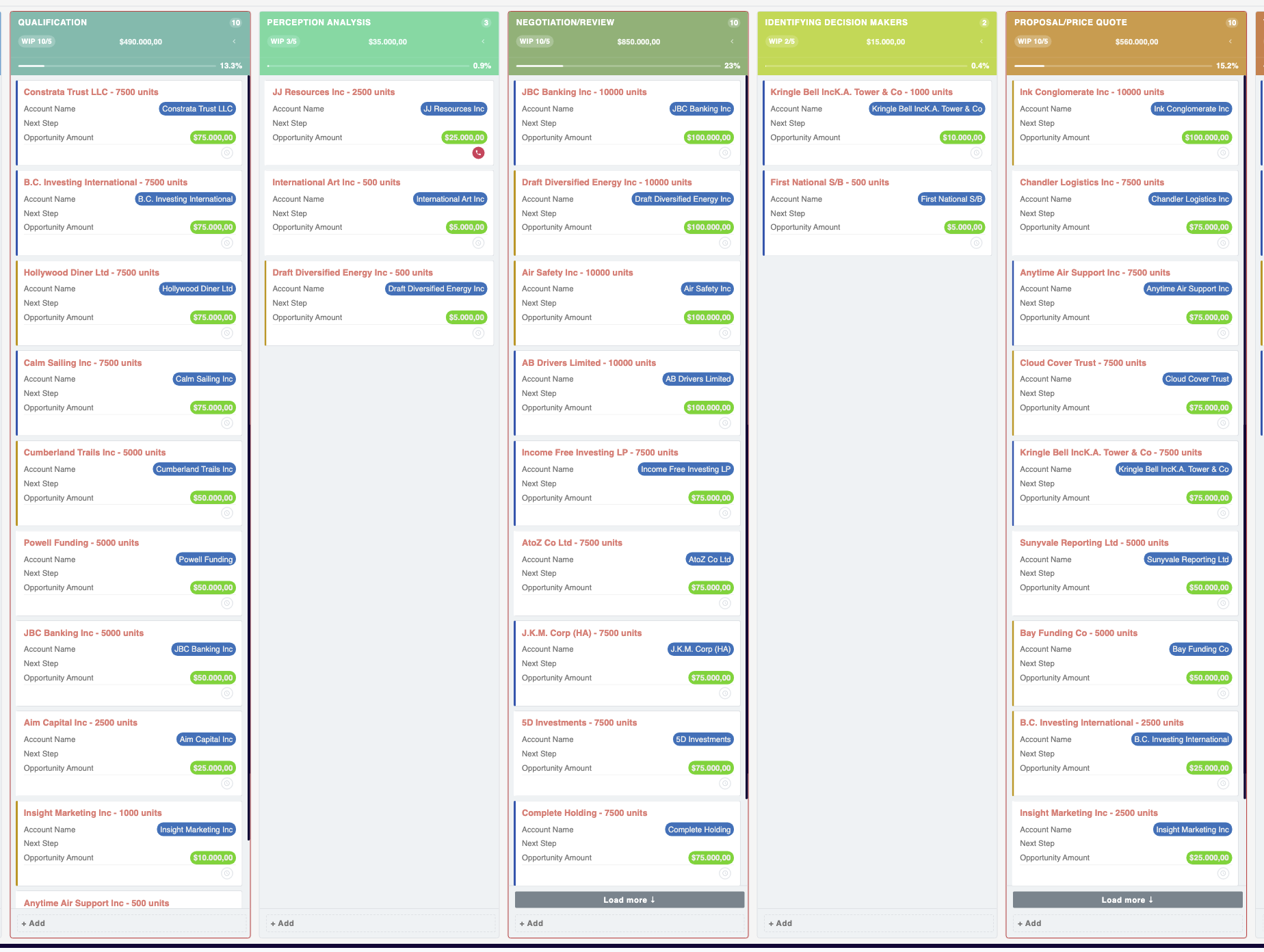
These rules are configured through an admin panel, so your process stays consistent even as new team members come on board. The guardrails are built into the board itself rather than relying on training documents or verbal reminders.
Spot Bottlenecks Before They Stall Your Pipeline
When work piles up in one column, the board makes it obvious. If your "Needs Approval" column is overflowing while "In Progress" sits nearly empty, you can see the imbalance at a glance and reallocate resources before it slows down the whole pipeline. That kind of visibility is difficult to get from a filtered list view, but it's the natural output of a well-organized Kanban board.
Built for Multiple Use Cases
MTS Kanban is not limited to sales pipelines. Any SuiteCRM module that uses a status or stage field can be displayed as a board. Support teams can track cases from "New" through "Resolved." Project managers can move tasks through planning, execution, and review phases. Operations teams can manage approvals or onboarding steps. The board adapts to whatever process you build in SuiteCRM, including custom modules.
To learn more about this solution, go to MTS Kanban for SuiteCRM or search for "kanban" on the marketplace.
-
MTS Dynamic View (SuiteCRM 8)

The ultimate plugin for SuiteCRM 8 that revolutionizes how you interact with your CRM. Tailor your CRM interface to meet your specific needs with unparalleled ease and precision.
-
Share Search Results

The Share Search Results add-on for SuiteCRM will make your users’ lives easier by allowing them to share List View Search filters over email, Slack, IM, WhatsApp or your favorite messaging tool.
-
Suite Feed

Suite Feed is a powerful add-on for SuiteCRM that transforms your CRM into an internal collaboration hub. It introduces a secure, CRM-native social feed where teams can share updates, create events, run polls, and publish company announcements — all without leaving SuiteCRM.
- Show more addons