


This post was contributed by Mien Trung Software, a SuiteCRM add-on developer with over 20 plugins focused on productivity, workflow, and administration tools.
Duplicate records are one of those problems that start small and get expensive fast. A sales rep creates a new contact without realizing the person already exists under a slightly different name. A web form imports a lead that matches an existing account. Over time, these duplicates multiply — and with them come split histories, conflicting data, wasted outreach, and reports that overcount your pipeline. By the time someone notices the mess, cleaning it up manually is a project in itself.
MTS Duplicate Check by Mien Trung Software tackles this problem at both ends: it prevents new duplicates from being created and helps you find and merge the ones that already exist. Instead of relying on users to remember to search before creating a record, the add-on watches for matches automatically and gives your team the tools to resolve them cleanly.
Catch Duplicates Before They Are Created
The most effective way to deal with duplicates is to stop them from entering the system in the first place. MTS Duplicate Check runs a real-time comparison whenever a user creates or edits a record, checking the new data against existing records across configurable fields. If a potential match is found, the user sees a warning popup before the save completes.
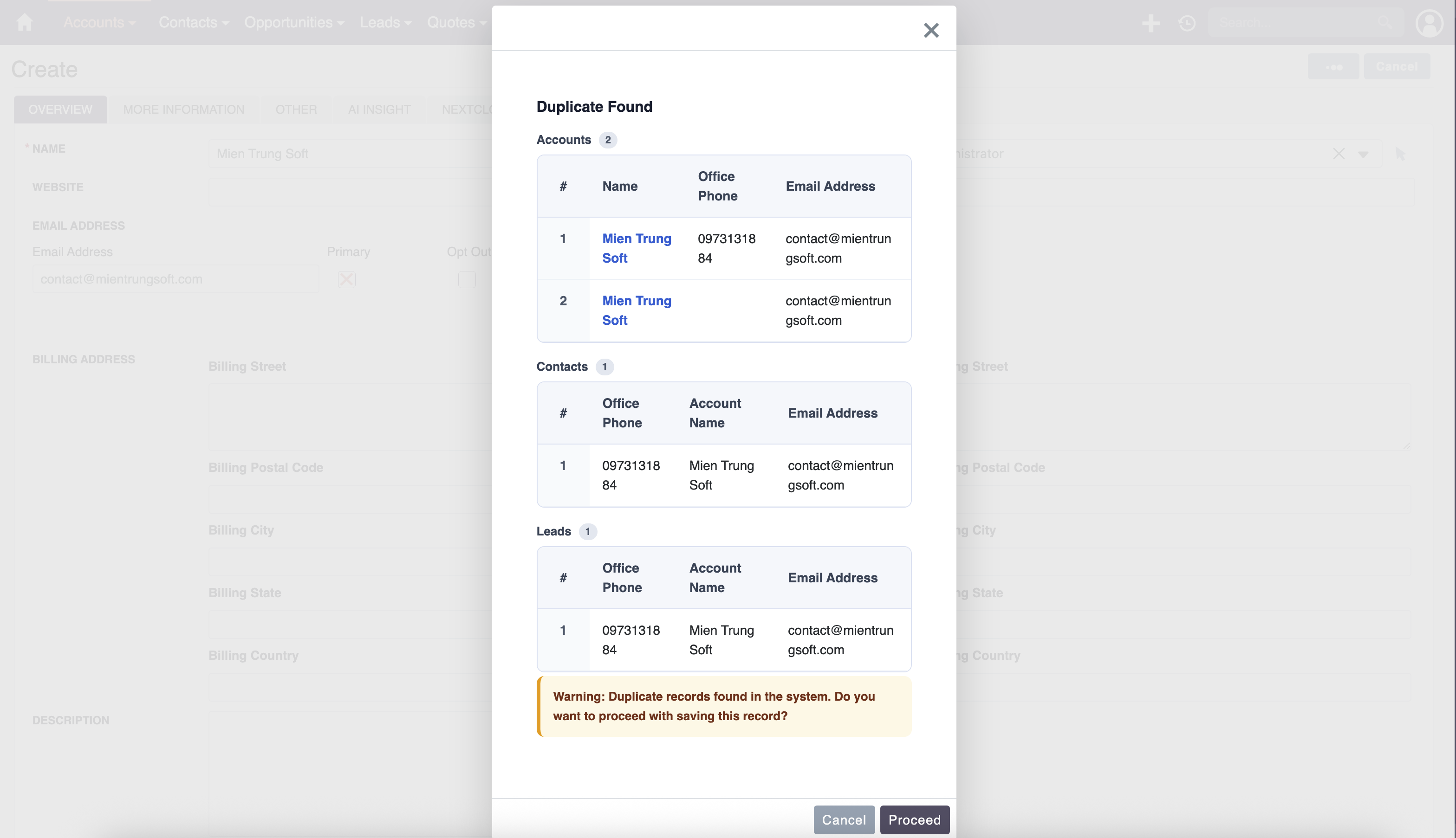
This is not a blunt "exact match" check. The add-on supports fuzzy matching, so it catches near-duplicates like "Jon Smith" and "John Smith" or "ABC Corp" and "ABC Corporation." You configure the matching rules and sensitivity per module, so the duplicate detection fits your data patterns rather than generating false positives on every save.
The warning does not block the user entirely — it presents the potential matches and lets the user decide whether to proceed with the new record or open the existing one instead. This keeps the workflow moving while making sure duplicates are a conscious choice rather than an accidental oversight.
Find and Merge Existing Duplicates
Prevention handles the future, but most CRM instances already have duplicates that accumulated before any checking was in place. MTS Duplicate Check includes a search and merge workflow that lets you scan for duplicates across your existing data and resolve them without losing information.
The merge interface shows both records side by side, field by field, so you can choose which values to keep for each attribute. If one record has a more current phone number but the other has a more complete address, you pick the best data from each and merge them into a single clean record.
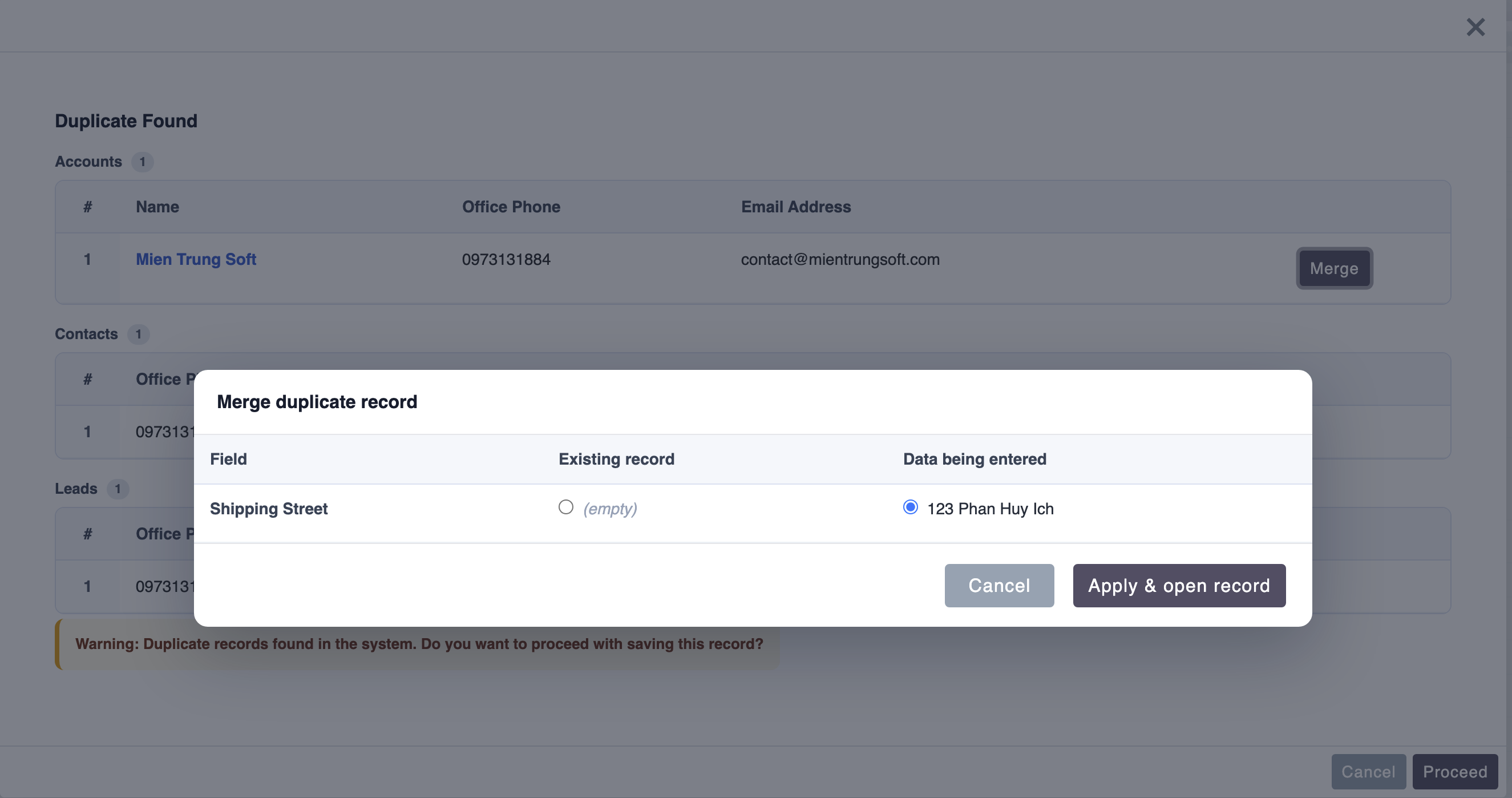
Related records — calls, emails, tasks, opportunities, cases — are reassigned to the surviving record during the merge, so you do not lose any history. This is critical for maintaining a complete picture of customer interactions. A merge that drops related activities is barely better than deleting one of the duplicates outright.
Search Across Modules
Duplicates do not always stay within a single module. The same person might exist as both a Lead and a Contact, or a company might appear as an Account in one place and a Target in another. MTS Duplicate Check searches across modules, so cross-module duplicates surface alongside same-module ones.
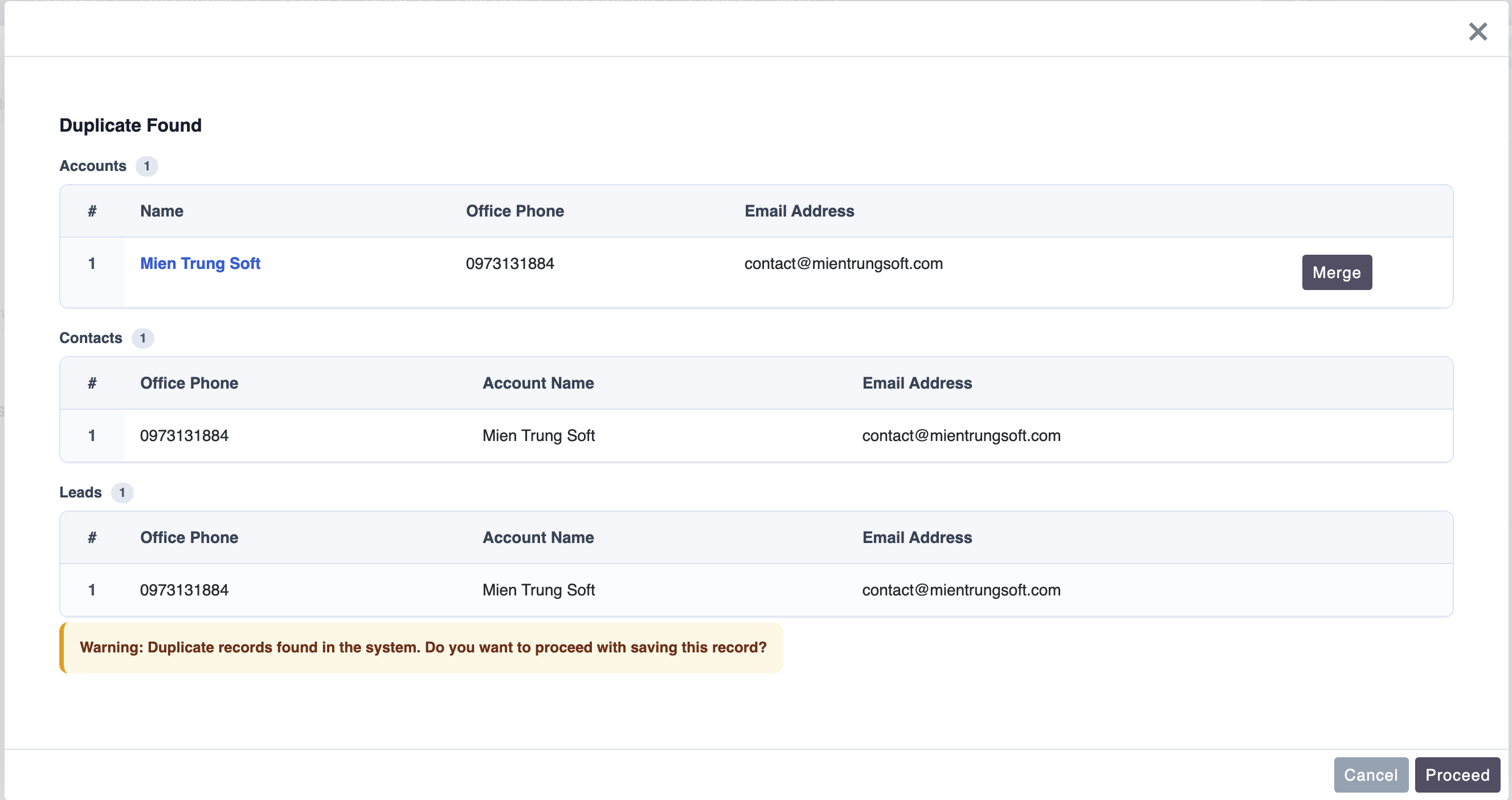
This cross-module visibility is especially valuable during lead conversion workflows. Before converting a lead to a contact, you want to know whether that contact already exists. Without cross-module checking, the conversion creates a duplicate that then needs to be manually identified and merged later — exactly the kind of cleanup that should never have been necessary.
Configure to Match Your Data Patterns
Every organization's data has its own quirks. Some companies use abbreviations heavily, others have contacts with common names that would generate too many false positives with aggressive matching. MTS Duplicate Check lets you configure which fields to check, how strict the matching should be, and which modules to include in the comparison.
The admin panel provides granular control over the duplicate detection rules. You can set different configurations for different modules — tighter matching on Contacts where email address is a strong unique identifier, looser matching on Accounts where company names vary more. This per-module configuration means the duplicate checking is useful rather than noisy.
Keeps Your CRM Trustworthy
Clean data is the foundation of every CRM function — forecasting, reporting, marketing segmentation, customer support. When duplicates inflate your contact count, split your activity history, and create conflicting records, every downstream process that relies on that data suffers. MTS Duplicate Check addresses the root cause rather than the symptoms.
The add-on supports SuiteCRM 7.10 through 8.9 and installs without core file modifications.
To learn more about this solution, go to MTS Duplicate Check or search for "duplicate" on the marketplace.
-
Privacy Module

The new GDPR, which enters into force on May 25, 2018, gives data subjects extensive possibilities to exercise control over their personal data. This results in a variety of obligations for data controllers. In order to be able to pursue this in a compliant and controlled manner KINAMU has developed...
-
WhatsApp Integration with SuiteCRM

WhatsApp add-on automation makes your business available anytime. Send WhatsApp from SuiteCRM at one click from any module. Easy to user Single conversation view. You can also create a workflow WhatsApp Message and get a reply back as an Inbound WhatsApp Message. With WhatsApp, you'll get fast,...

-
Duplicate Cleaner

Duplicate Cleaner is a SuiteCRM add-on that allows you to set up rules to find duplicate data in your SuiteCRM and helps you eliminate duplicates manually or automatically by our cleaner process. It supports multiple numbers of duplicate detection rules that you can configure from the admin.
Featured - Show more addons