


Optimize routes, reduce travel time, and increase daily customer visits — directly inside SuiteCRM.
Plan field activities faster, help sales reps perform 2–3 more visits per day, and stop wasting time driving between unstructured meetings.
Requirements and Data Readiness
Compatibility
- SuiteCRM: 7.10 → 8.x
- Stack: PHP 7.4–8.1; MySQL/MariaDB
Data Requirements
- Accounts must have geocodable addresses (street, city, postal code, country) or stored latitude/longitude.
- Meetings should include start date/time and a duration (e.g., 30 minutes, 1 hour,...).
Google Map External Key
Even if Route Planner is SuiteCRM-native plugin, it relies on the Google Map API Key you need to activate here.
If needed, you can find additional information at the following link: Additional info.
1) To use the Maps JavaScript API, you must enable billing on the project.
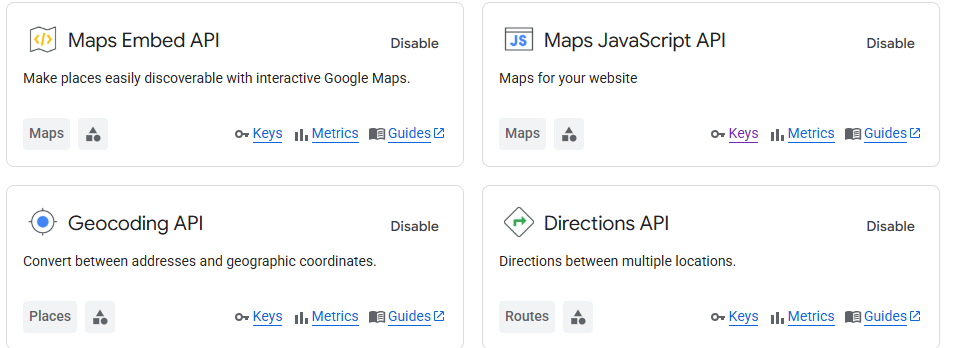
2) It's necessary to enable the following APIs:
- Maps Embeded API (to show a Map on an IFrame)
- Maps JavaScript API (to show groups and markers on a Map)
- Geocoding API (to get latitude and longitude from a given address)
- Directions API (to get directions)
We encourage users to set daily quota limits on their API requests in order to keep usage costs fully under control. Once the limits are configured, the setup should look like this:
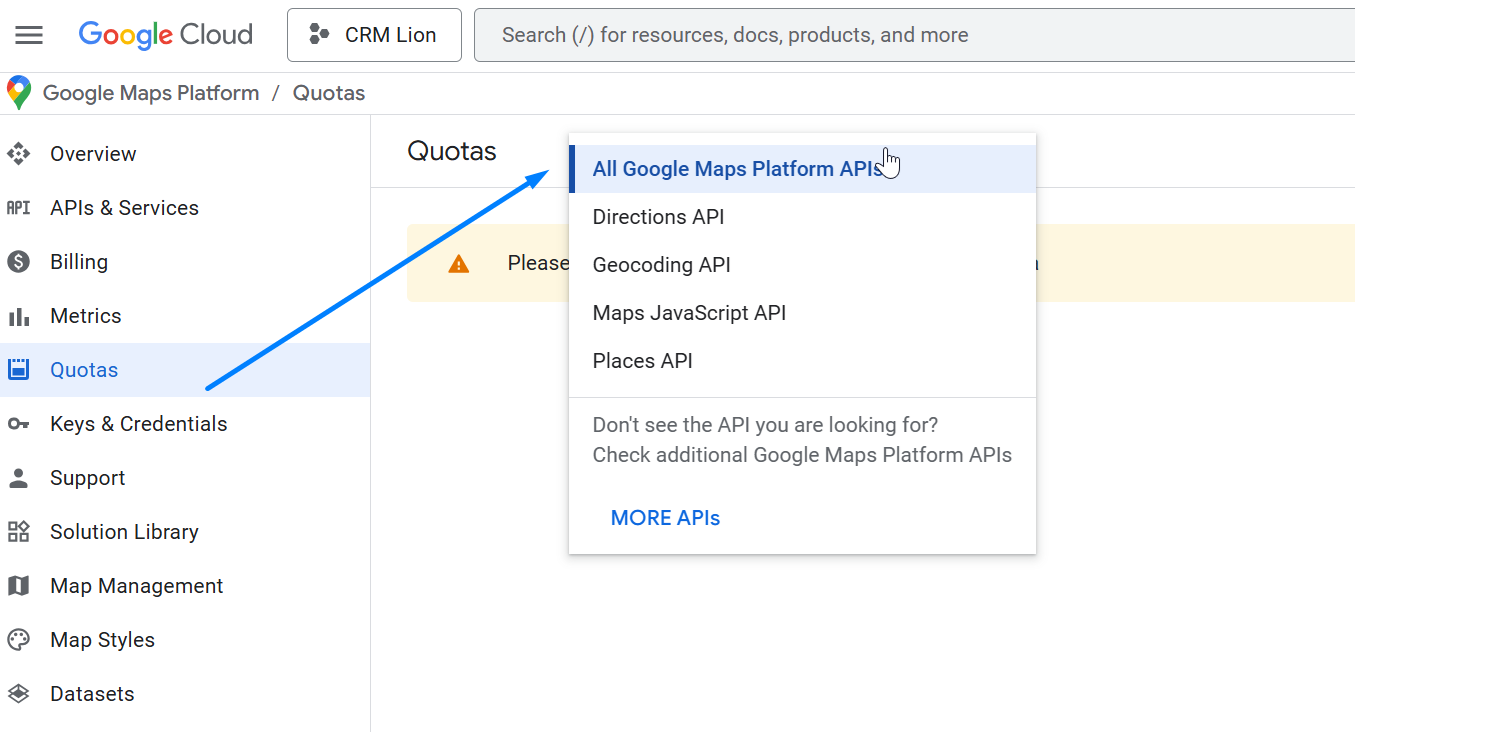
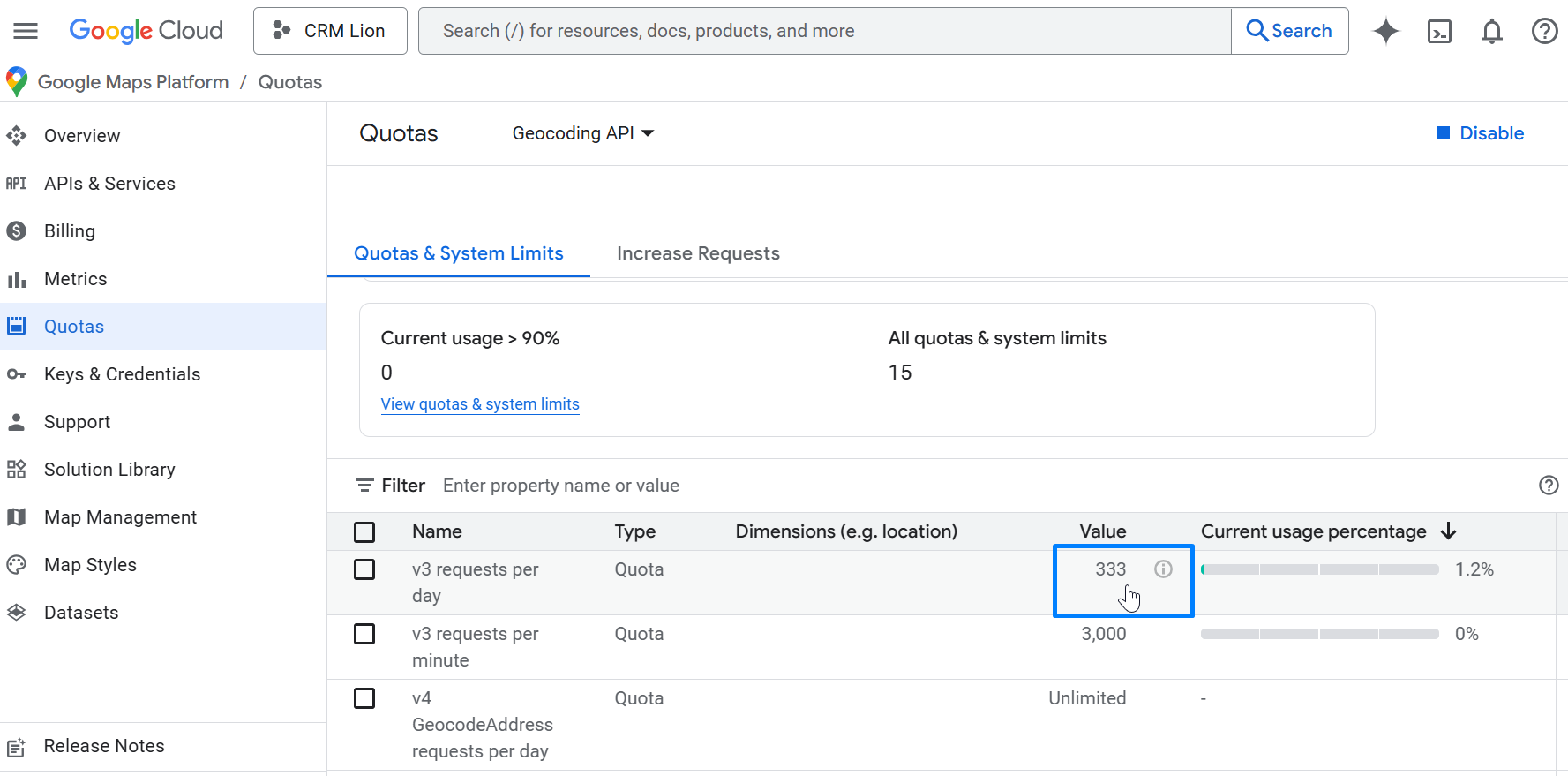 In this example we set 333 requests per day in order to stay under 10,000 requests / 30 days = 333 requests/day
Even if this is a one-time or occasional cost, you may also consider open-source alternatives, such as a combination of OpenStreetMap, Leaflet, and MapLibre. We are available to evaluate and deliver custom development solutions tailored to your specific needs.
Recommended Data Hygiene
- Keep addresses complete and standardized.
- Validate imported data with small pilots before wide rollout.
 Saving Comment...
