


Optimize routes, reduce travel time, and increase daily customer visits — directly inside SuiteCRM.
Plan field activities faster, help sales reps perform 2–3 more visits per day, and stop wasting time driving between unstructured meetings.
Quick Start
Goal: build today’s visit plan in minutes.
- Anchor Meeting: create or open a meeting for a chosen day with a known customer.
- Open Route Planner: go to the Map view.
- Radius Search: choose a radius (e.g., 25 km) to list nearby Accounts or Leads.
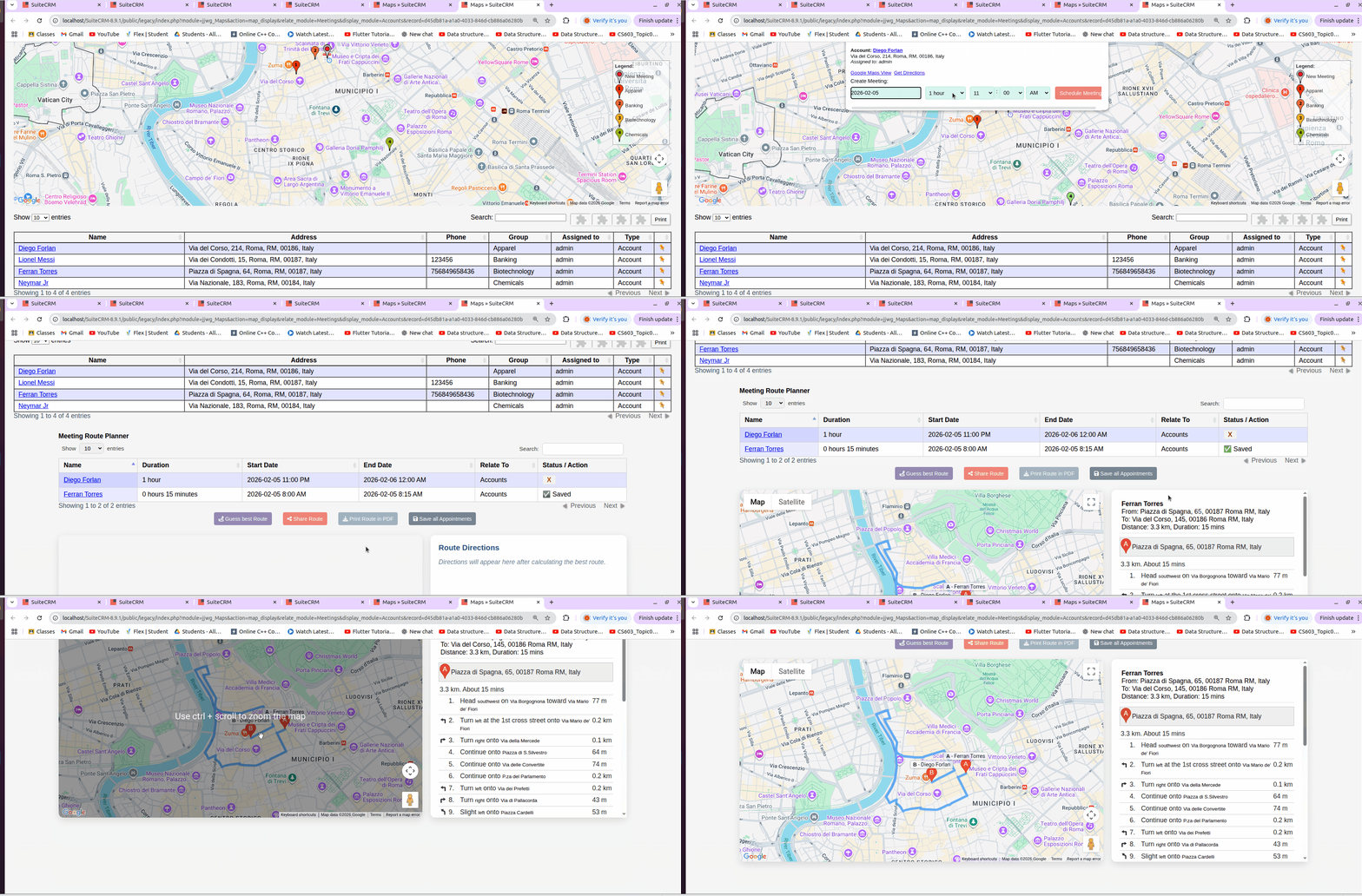
- Select Pins: click a pin → set assigned user (from Team version)**, date, time, duration** → add to the Appointments Table (status: “In cache”).
- Calculate Best Route: compute the optimal visit order. Drag & drop to adjust; recalculate anytime.
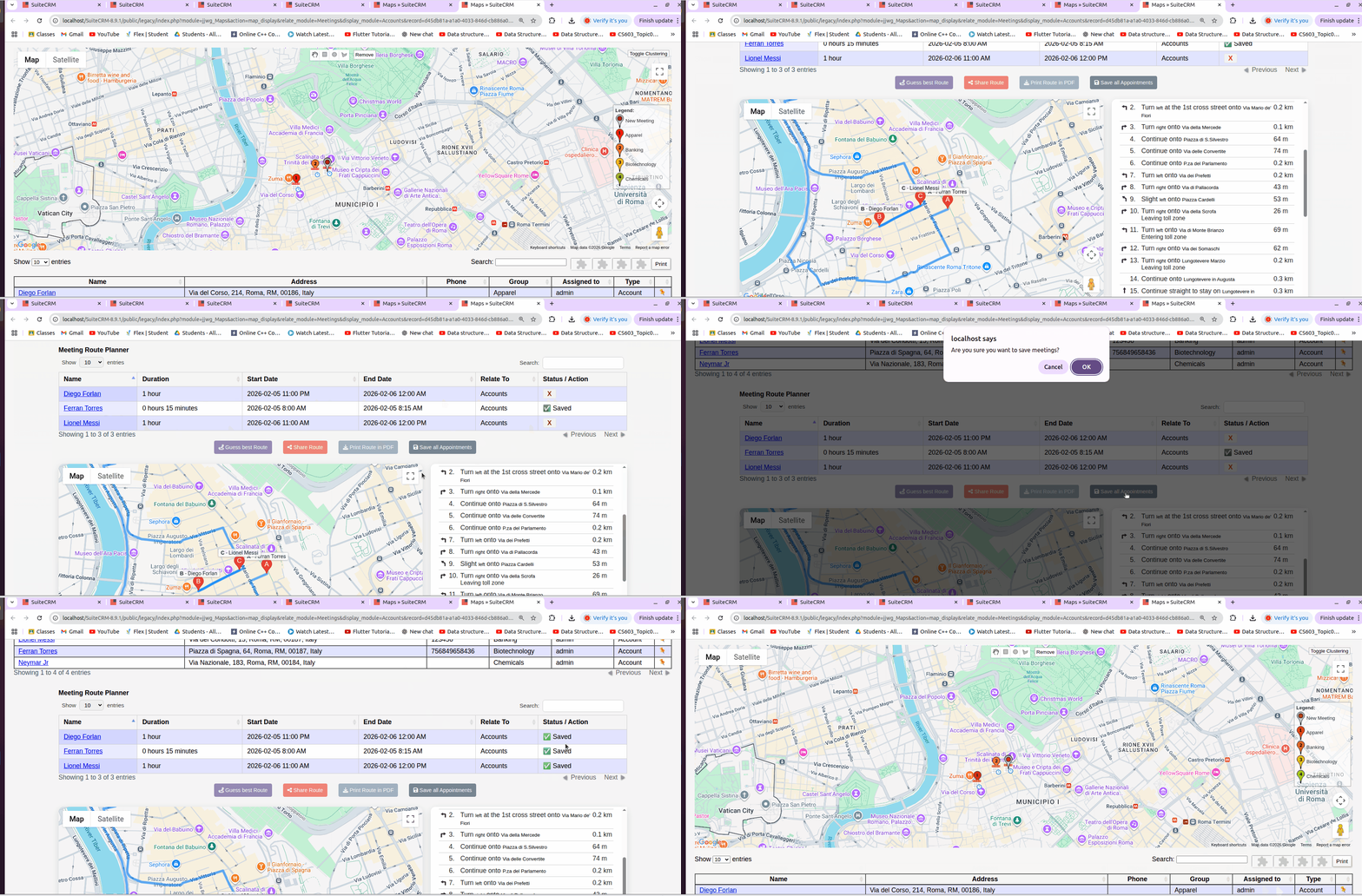
- Save All Appointments: write all “In cache” items to SuiteCRM (status → “Saved”).
- Export / Share: print to PDF or share the itinerary with stakeholders.
Note
"Save All Appointments" doesn't the recalculation of times according to the possibly changed order due to drag&drop actions.
Calculate Best Route
Save All Appointments
 Saving Comment...
