


Optimize routes, reduce travel time, and increase daily customer visits — directly inside SuiteCRM.
Plan field activities faster, help sales reps perform 2–3 more visits per day, and stop wasting time driving between unstructured meetings.
Installation and First-Time Setup
Steps
- Admin → Module Loader → Upload the add-on package.
- Click Install and confirm prompts.
- Admin → Repair → Quick Repair and Rebuild (optional: Rebuild JS Grouping Files).
Rollback (if needed)
- Uninstall via Module Loader and restore your backup.
Configure
- Ensure Map is visible in menus (Admin → Configure Module Menu Filters).
- Configure all settings in the Maps Configuration Settings page
Address Type Settings
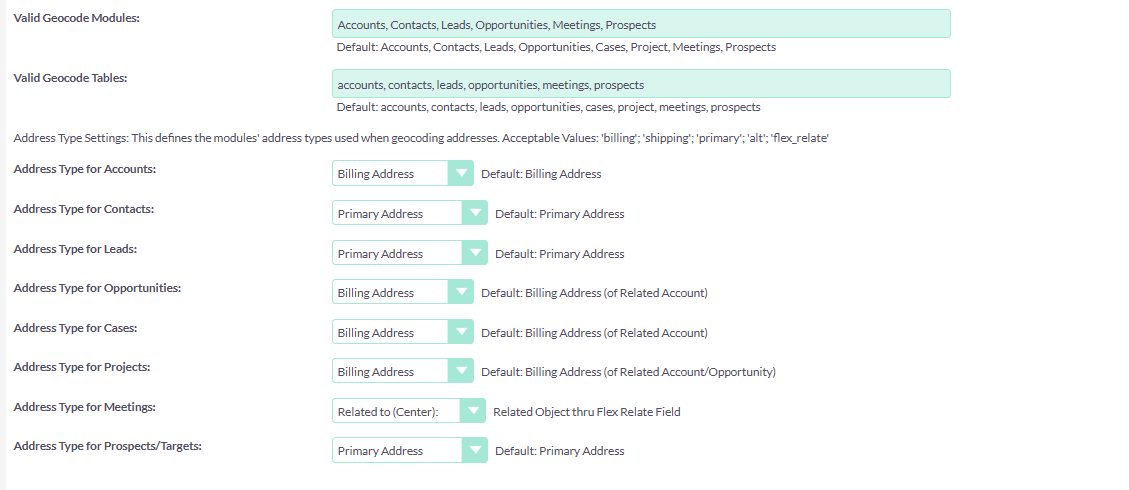
Marker/Mapping Settings
Please set the ‘Map Default Center – Latitude’ and ‘Longitude’ according to your headquarters location.
This is where you want your sales agents to start their journeys.

- Grant read access to Accounts/Leads and appropriate Meetings permissions.
Verify
Open the Map view. Run a small radius search and confirm pins appear, or Create and save a test meeting from the map.
Next: Quick Start
 Saving Comment...
