


Optimize routes, reduce travel time, and increase daily customer visits — directly inside SuiteCRM.
Plan field activities faster, help sales reps perform 2–3 more visits per day, and stop wasting time driving between unstructured meetings.
Map and Table — UI Reference
Map View
- Pins: Accounts/Leads returned by the radius search.
- Balloon: quick form to set assigned user (from Team version), date, time, duration and create a meeting.
- Filters: narrow by owner, type (you can set them in the JJWG admin page)
- Meetings: scheduled meetings (either cached or saved) will be shown with this icon:
 below the respective pin.
Appointments Table
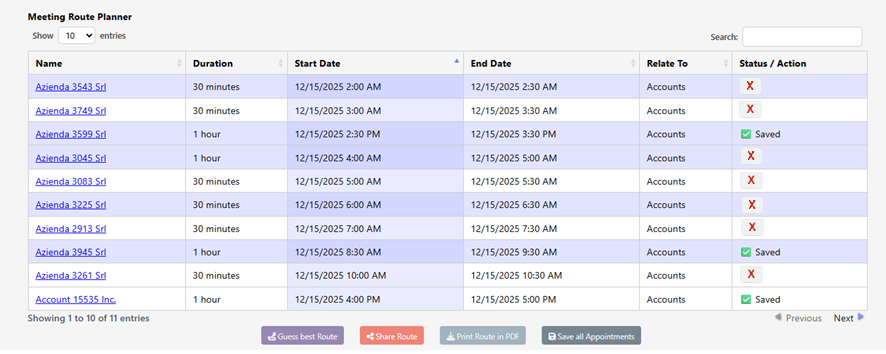
- Columns: Check, Company, Module, Start Date, End Date, Duration, Status / Action
- Status:
- Saved: persisted as SuiteCRM Meetings.
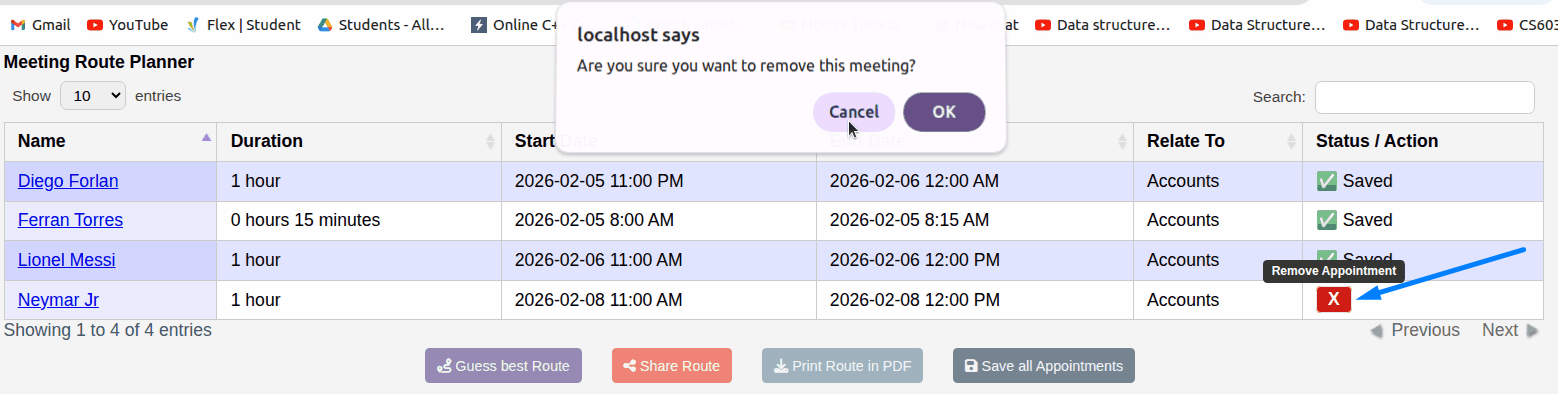
- Action: a red X button to remove the appointment from the cache
User Interface
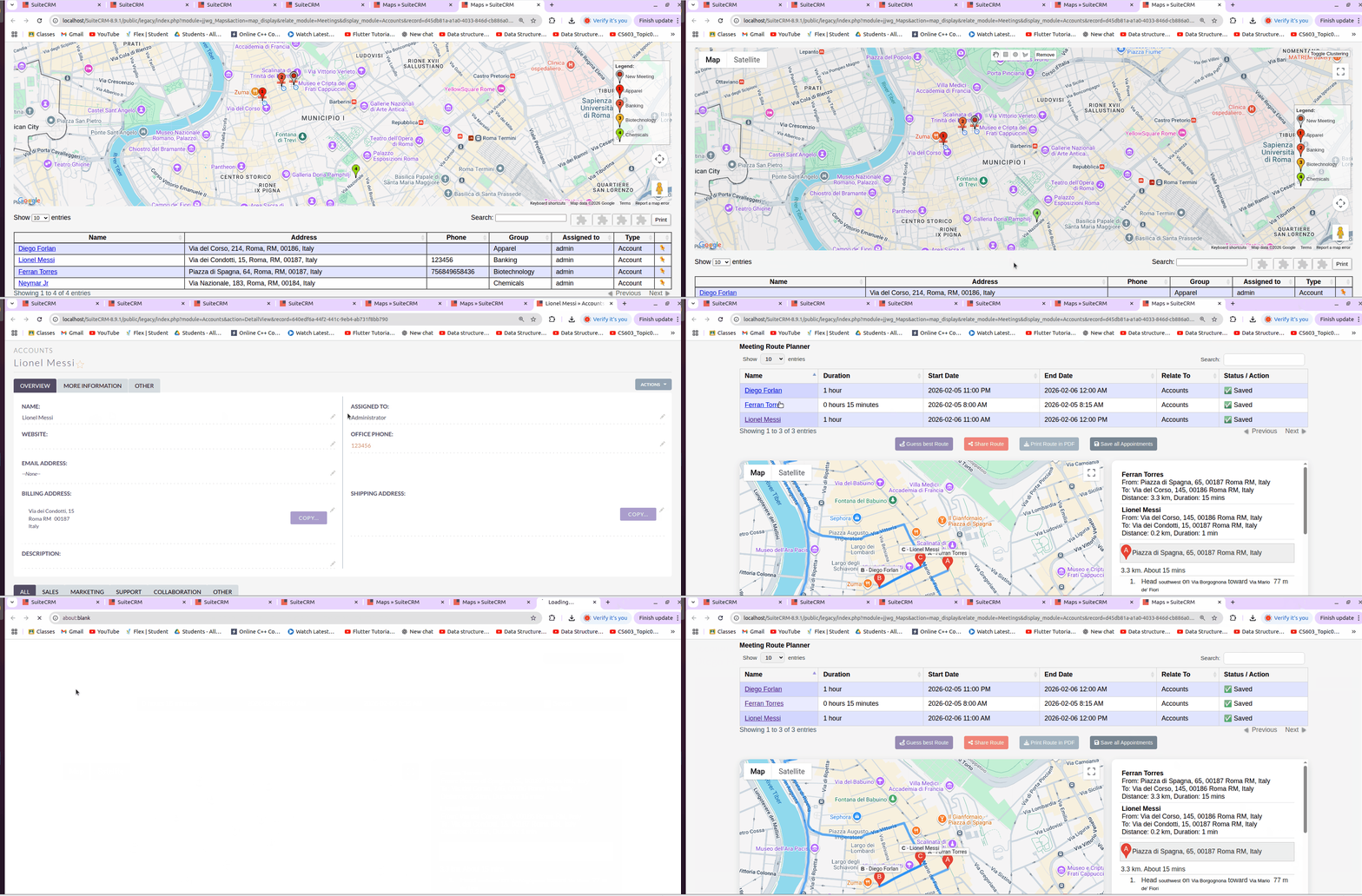
Detail View
- Click on Account -> Account's Detailview is opened
- Click on a Lead's name -> Lead's Detailview is opened
Remove Appointment
Main Actions
- Save All — persist “In cache” items so they are stored in the CRM Database.
- Calculate Best Route — optimize stop order.
- Drag & Drop — reorder manually, then a recalc is needed.
Next: Daily Workflow and Tips
 Saving Comment...
