


Asyntai AI Chatbot
( From the Labs)Every website chat becomes a lead in SuiteCRM, with the whole conversation on the record.
Installation Guide
Installing the Add-on
Requirements
- SuiteCRM 7.10 or higher, or SuiteCRM 8
- PHP 7.4 or higher, with the cURL extension
- An Asyntai account on the Starter plan or higher, because the add-on uses the Asyntai API
- The SuiteCRM administrator role
1. Get your API key
Sign in to Asyntai, open Settings, then API, and copy your API key.
2. Install the package
In SuiteCRM, open Admin, then Module Loader. Choose the package file, press Upload, then press Install and Commit.
The install creates a scheduler job called Sync Asyntai chat leads. It runs every 15 minutes.
3. Paste the API key
Open Admin, then Asyntai AI Chatbot, then Asyntai settings. Paste your key into the Asyntai API key box and press Save.
4. Check the connection
Press Test connection. Asyntai answers with your account and your plan. Then press Sync now to bring in the chats you already have.
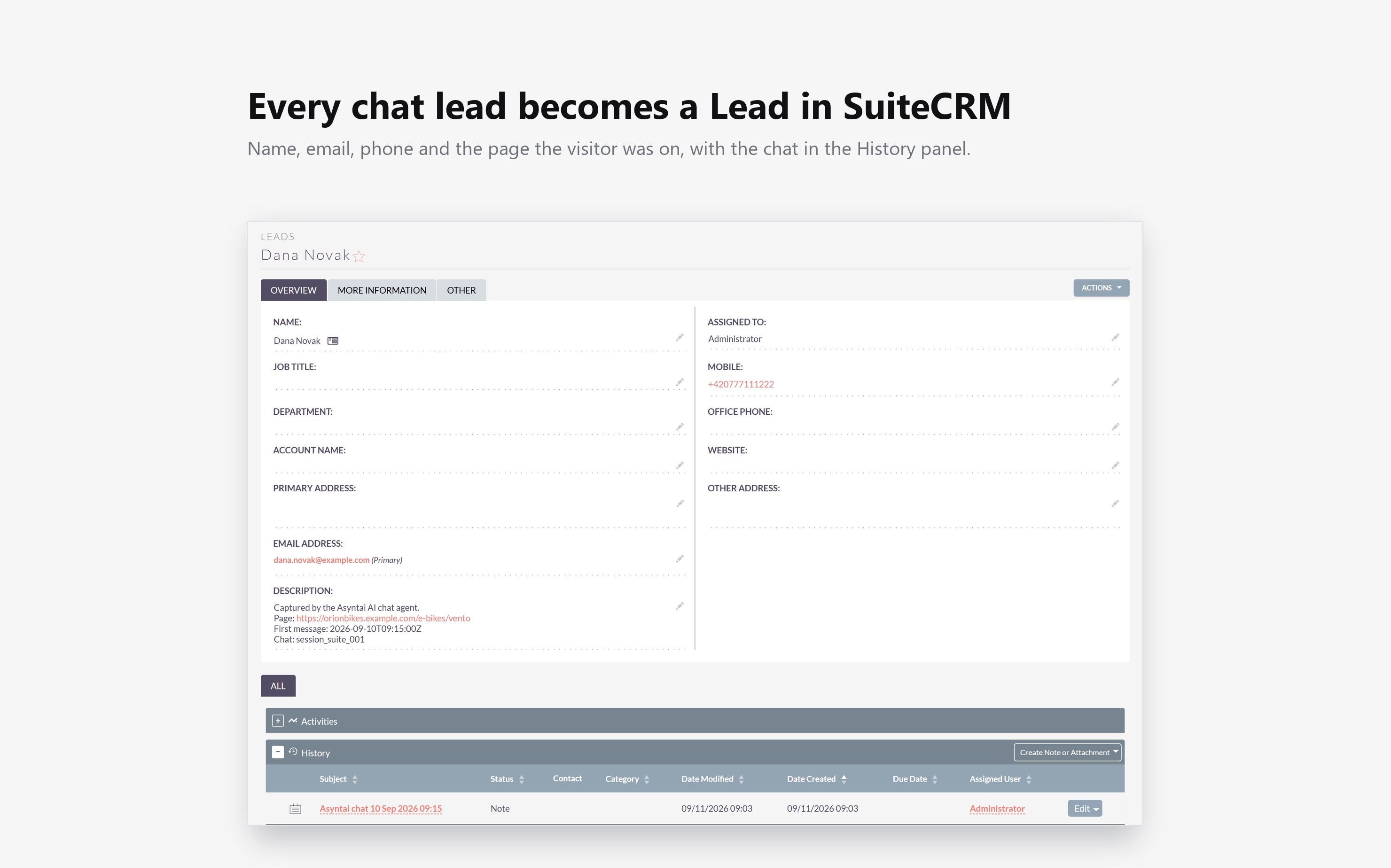
Upgrading
Upload the new package in Module Loader and press Install. Your settings and your records stay.
Uninstalling
Open Admin, then Module Loader, and press Uninstall. The scheduler job and the settings page go away. The Leads and the Notes stay, because they are your records.
 Saving Comment...
