


Highlevel Overview
When employees are absent or important changes need to be made to a user’s SuiteCRM, it is crucial for Admins to quickly access these accounts. Now CRM Admins can rely on the Masquerade add-on by Helfertech to easily switch to log in as a regular user or the Admin user from the user profile. Check out the product features below, plus video overview:
- Masquerade option on user's profile
- Masquerade button in the header
- Popup to select user
- Redirect URL
- Go back icon populates when Masquerading with another user
Video Overview
How it Works
- Admin can "Masquerade" the normal user or the admin user from the user profile
- Admin user has the privilege to access the system depending on the respective user's level or role, so an admin may be able to modify and delete software and data plus make changes according to the requirement
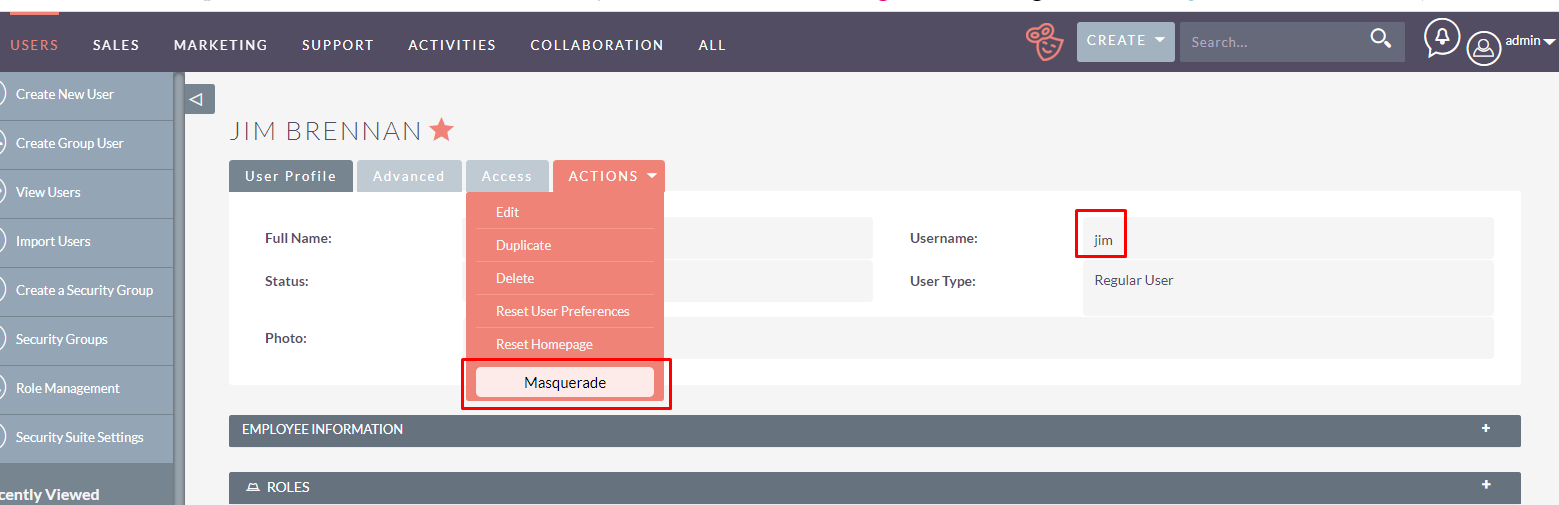
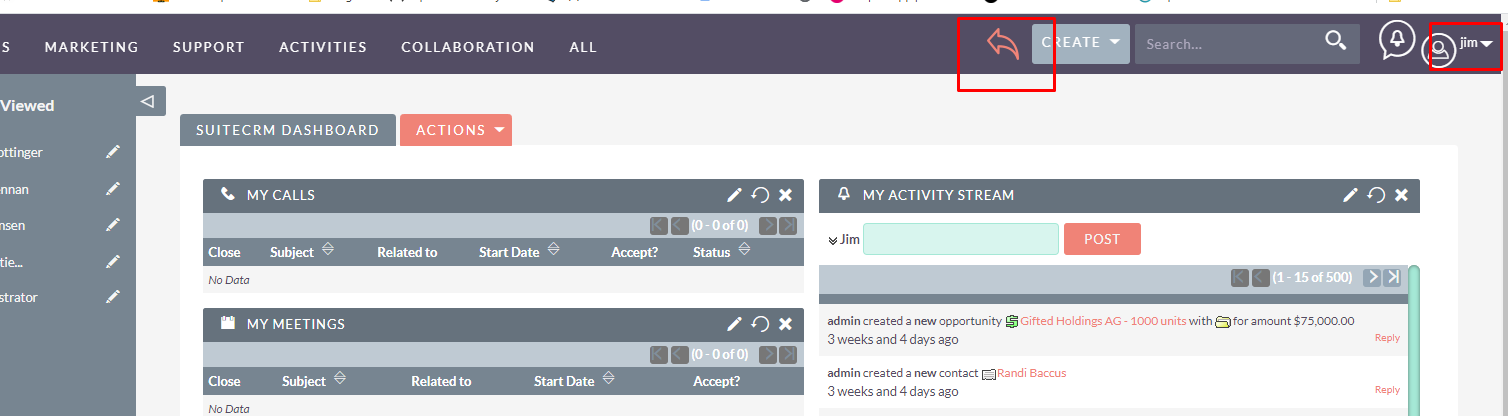
- Admin users can log in with a normal user or the admin user from the popup window
- Admin users will direct on the same URL
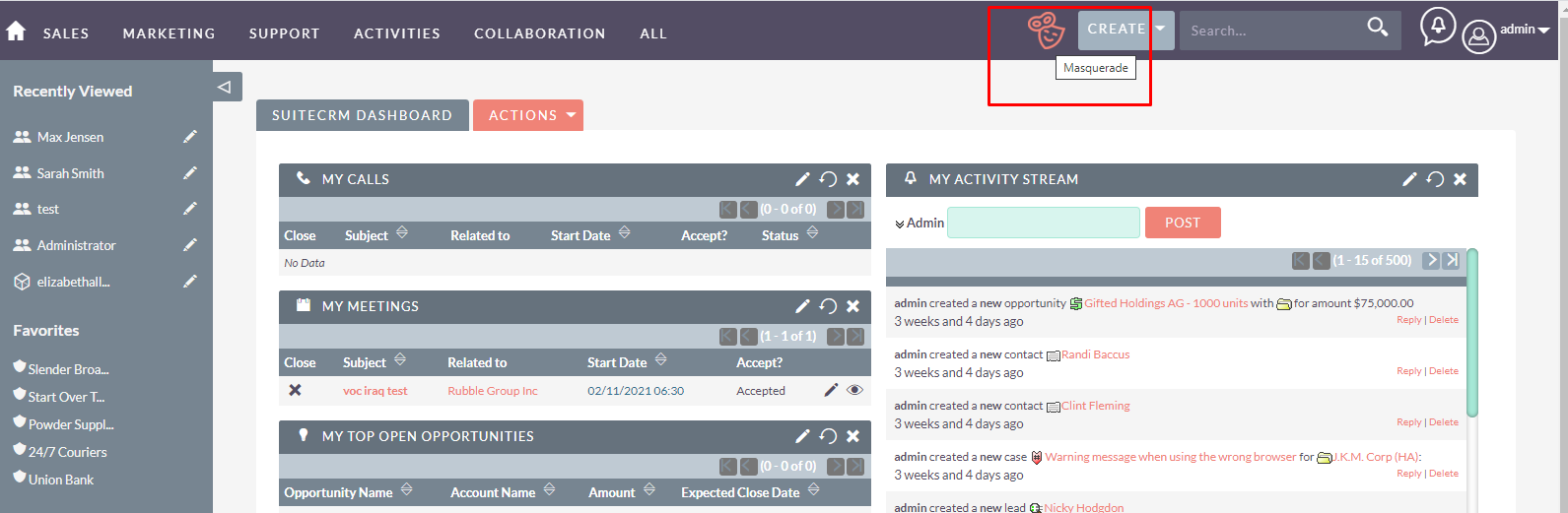
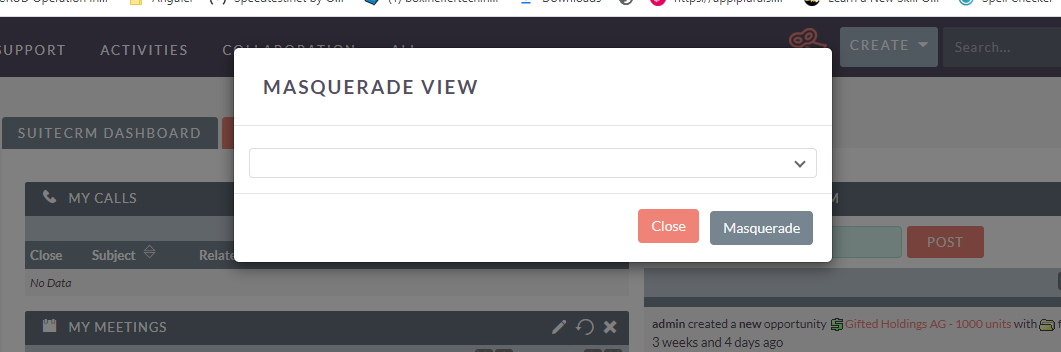
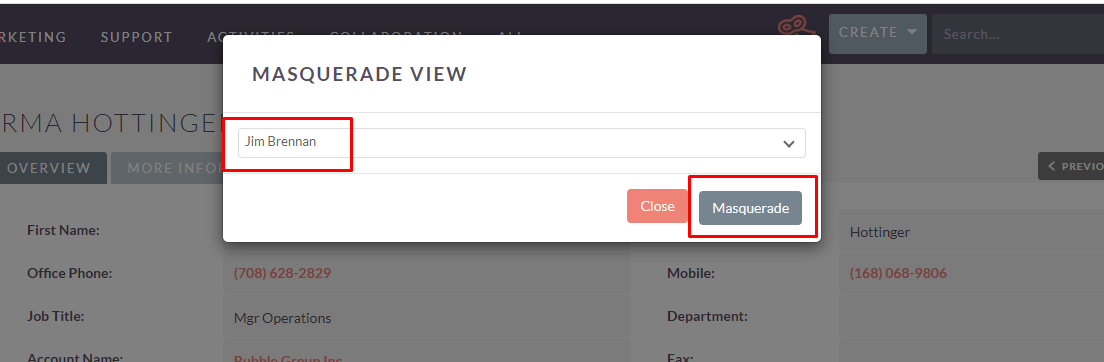
To learn more about this solution, go to Masquerade Switch User or search for "user login."

-
MTS Mail Pro
MTS Mail Pro is a full email client for SuiteCRM 7 and 8: a Gmail-style inbox, IMAP folders, rich compose, and one-click import of emails into Accounts, Contacts, Leads, Cases and Opportunities.
Your sales and support teams live in two places — their inbox and their CRM. Every switch between them...
-
Privacy Module

The new GDPR, which enters into force on May 25, 2018, gives data subjects extensive possibilities to exercise control over their personal data. This results in a variety of obligations for data controllers. In order to be able to pursue this in a compliant and controlled manner KINAMU has developed...
- Show more addons