


One of the many perks we offer to any add-on that lists on the SuiteCRM Store is an easy to use documentation platform. In fact, we use that same system for our own documentation. The markup language that is utilized is an enhanced, SuiteCRM Store version of Markdown Extra. Markdown is a lightweight markup language that is easy to read and write using just plain text. A parser then converts that into a slightly more beautiful HTML version.
What this means is that it makes it really easy for developers to create good looking, easy to read documentation for their add-ons. Using our version of Markdown it is easy to create lists, format text, embed images, or add headers.
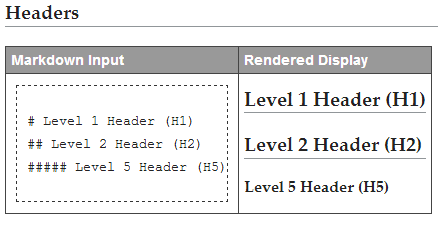
For more complex formatting, inserting straight html is always an option. This makes it easy to take YouTube’s embed code and putting it into a doc. It can also be used to create more advanced tables such as feature comparison grids.
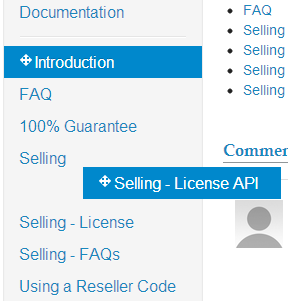
In addition to these formatting options, pages can be easily reordered by drag and drop.
Adding documentation this way will make it easier for customers to find your add-ons, build trust in your product and brand, and have their questions answered quickly which all leads to more potential users.
-
Proximity Search
Proximity searches are becoming more essential to businesses every day. Sales and marketing teams use them to organize field visits and campaigns. The real estate industry use them to offer better alternative locations to their customers. Hotel, travel and tourism businesses use them to offer variou...
-
Fanatically Zen with SuiteCRM and Zendesk

Empower your support and sales teams with clear visibility to the right data, right when they need it. With the Zendesk and SuiteCRM integration, your teams will be able to stay up-to-date on all relevant records whether they're working in Zendesk or SuiteCRM.
-
Round Robin Assignment

Create a round robin assignment rule in SuiteCRM, so new leads can be automatically distributed in a rotational manner that’s equal for members of your sales team.
- Show more addons