
AI transcription for SuiteCRM: transcribe, summarize and translate audio and video on Notes with Google Gemini or OpenAI. Native in SuiteCRM 8.
Introduction
Turn Every Audio Attachment into Searchable Text — Instantly
MTS SuiteVoice Transcriber is a SuiteCRM plugin that transcribes audio and video attachments on Notes using AI. Get full transcripts, summaries, or translated text in seconds — without leaving SuiteCRM.
Your Problem
Is your team wasting hours on audio recordings?
- Must listen to entire voicemail or call recordings to understand content
- Audio files attached to Notes are invisible to CRM search
- Summaries and action items must be typed by hand after every recording
- Staff without the recording's language can't act on the content
- No record of what was transcribed, when, or which AI processed it
There is a better way.
Solution: MTS SuiteVoice Transcriber
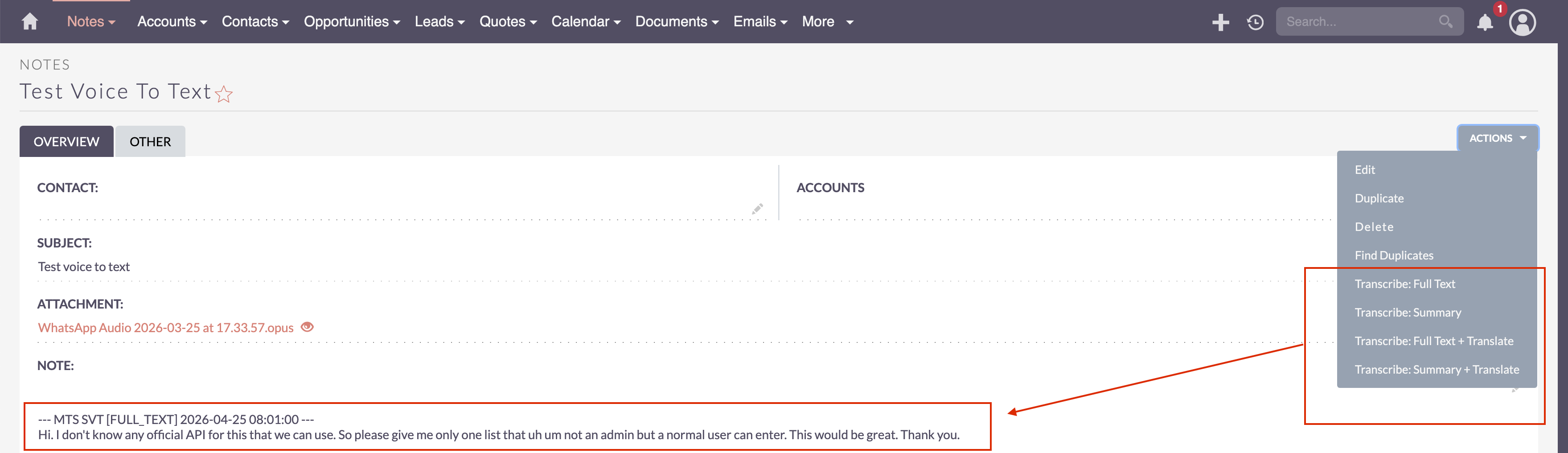
4 Transcription Modes in 1 Plugin
1. Full Text Transcription
"Verbatim transcript of the recording — in the original language"
Open the Note, click the action button: - AI receives the audio/video file - Produces a word-for-word transcript - Appends it to the Note description immediately
Staff can now read, search, and act on the content.
2. Summary
"Key points extracted in seconds — no listening required"
When you need the highlights, not every word: - AI reads the audio and extracts the key points - Returns a concise summary directly to the Note - Ideal for long call recordings or lengthy voicemails
3. Full Text + Translate
"Full transcript in your local language — one click"
For multilingual teams: - AI transcribes AND translates to your configured language - No separate translation tool needed - Works with Vietnamese, Japanese, Chinese, French, and any BCP-47 language code
4. Summary + Translate
"Summarized and translated in a single AI operation"
The most efficient mode when recordings are long and in a foreign language: - AI extracts key points AND translates them in one pass - Results appended to Note description - Tokens and time are saved versus doing both separately
Multi-Provider AI
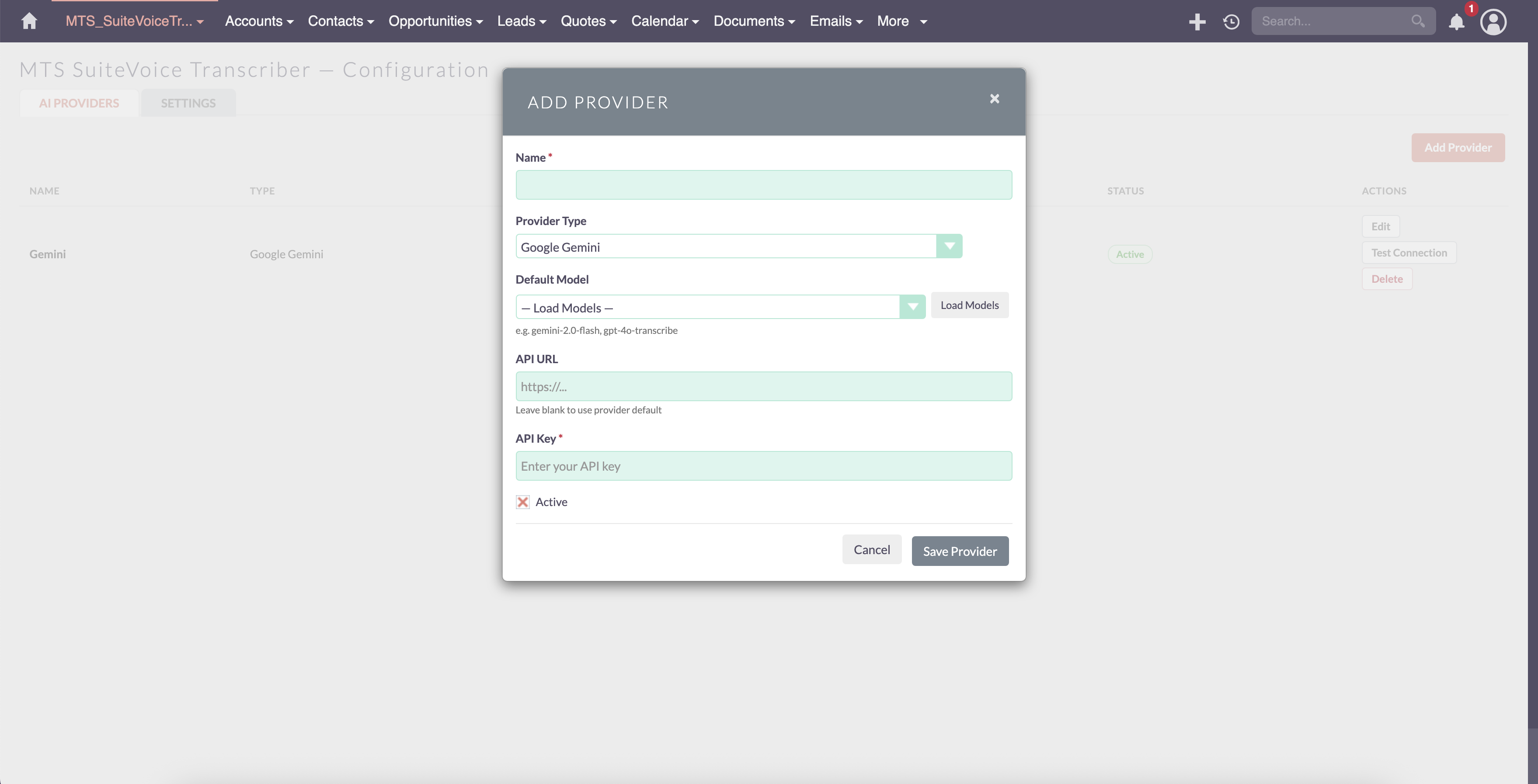
Choose the AI that fits your infrastructure:
| Provider | Models | Best For |
|---|---|---|
| Google Gemini | gemini-2.0-flash, gemini-1.5-pro | Fast, cost-effective transcription |
| OpenAI | gpt-4o-transcribe, whisper | High-accuracy audio models |
Add as many providers as needed. Switch active provider at any time in the admin settings.
Results You Will See
Before/After
| Metric | Before | After |
|---|---|---|
| Time to review a 10-min recording | 10–15 min | < 30 sec |
| Language translation | Manual, separate step | Built-in, one click |
| Audio content searchable in CRM | No | Yes |
| Transcription audit trail | None | Full history per Note |
Real Results
"Our support team was sitting on hundreds of voicemail Notes with no way to act on them. After installing SuiteVoice Transcriber, we cleared the backlog in one afternoon. The Summary + Translate mode was a game changer for our multilingual accounts." — Customer Support Lead, Regional Distribution Company
Why Choose MTS SuiteVoice Transcriber?
✓ Works inside SuiteCRM — No tab switching, no copy-pasting between tools
✓ Four transcription modes — Full text, summary, translated variants
✓ Multi-provider — Gemini and OpenAI supported from day one
✓ Encrypted API keys — Credentials stored securely, never in plaintext
✓ Full history — Every transcription logged with model, tokens, and duration
✓ Admin controls — Enable or disable specific modes, set file size limits
✓ SuiteCRM 8 native — Angular field component integrates with the modern UI
FAQ
What does MTS SuiteVoice Transcriber do?
It sends audio or video attachments on SuiteCRM Notes to an AI provider and writes the result back into the Note description, so recordings become readable and searchable text.
Which transcription modes are available?
Four: Full Text, Summary, Full Text + Translate, and Summary + Translate. Admins can enable or disable each mode.
Which AI providers are supported?
Google Gemini and OpenAI. You can add several providers and switch the active one in admin settings. API keys are stored encrypted.
Which languages can it translate into?
Any language with a BCP-47 code, such as Vietnamese, Japanese, Chinese or French.
Is there a history of transcriptions?
Yes. Every transcription is logged with the model, tokens used and duration.
Does it work in SuiteCRM 8?
Yes. It uses a native Angular field component in the SuiteCRM 8 interface.
Pricing
| Package | Price |
|---|---|
| Yearly | View Price |
| One Time | Contact us |
Our SuiteCRM Plugins Now Support SuiteCRM 8
All plugins developed by our team are now fully compatible with SuiteCRM 8.
If you are upgrading to SuiteCRM 8, you can continue using these extensions without any compatibility issues.
Productivity and Visualization
- History Time Line - Visualize record history in a timeline.
- MTS Organisation Chart - Display company hierarchy with an organisation chart.
- MTS Kanban - Manage records using a Kanban board.
Developer and Admin Tools
- MTS Code Generator - Generate SuiteCRM modules and components faster.
- MTS Dynamic View - Dynamically show or hide fields based on conditions.
- MTS Cleaner - Clean unnecessary files and optimize SuiteCRM performance.
Business and Finance
- MTS Advanced Invoice - Advanced invoicing features for SuiteCRM.
- MTS Stripe Integration - Accept payments directly from SuiteCRM.
Automation and Integrations
- MTS Notification - Real-time notifications for CRM events.
- MTS Telegram Notify - Send SuiteCRM notifications to Telegram.
- MTS Typeform Integration - Sync Typeform responses into SuiteCRM.
AI and Collaboration
- MTS AI Email Writer - Generate professional emails using AI.
- MTS Comment - Add discussion threads inside records.
- MTS Record Score - Automatically score records based on rules.
Utilities
- MTS Field Highlight - Highlight important fields in record views.
- MTS Language Translate Tool - Translate SuiteCRM labels easily.
- MTS User Activity Log - Track user activity in SuiteCRM.
- MTS Timesheet - Track working time inside SuiteCRM.
- SuiteCRM 8 Theme Editor - Customize SuiteCRM 8 themes without coding.
Ready?
Your team is spending time listening to recordings they could be reading in seconds.
Questions? Contact us:
- Website: mientrungsoft.com
- Email: anhnhatuit@gmail.com
- WhatsApp: +84973131884
Developed by Mien Trung Soft - SuiteCRM Expert Partner