
Organization chart for SuiteCRM: visualize an account's contact hierarchy from the Reports To field and see who makes decisions. SuiteCRM 8 ready.
MTS Organization Chart is a SuiteCRM add-on that builds a visual org chart of an account's contacts from the "Reports To" field, so sales teams can see reporting lines and who is involved in the buying decision. It works in SuiteCRM 8 and SuiteCRM 7.
Your Visual Guide to Business Structures
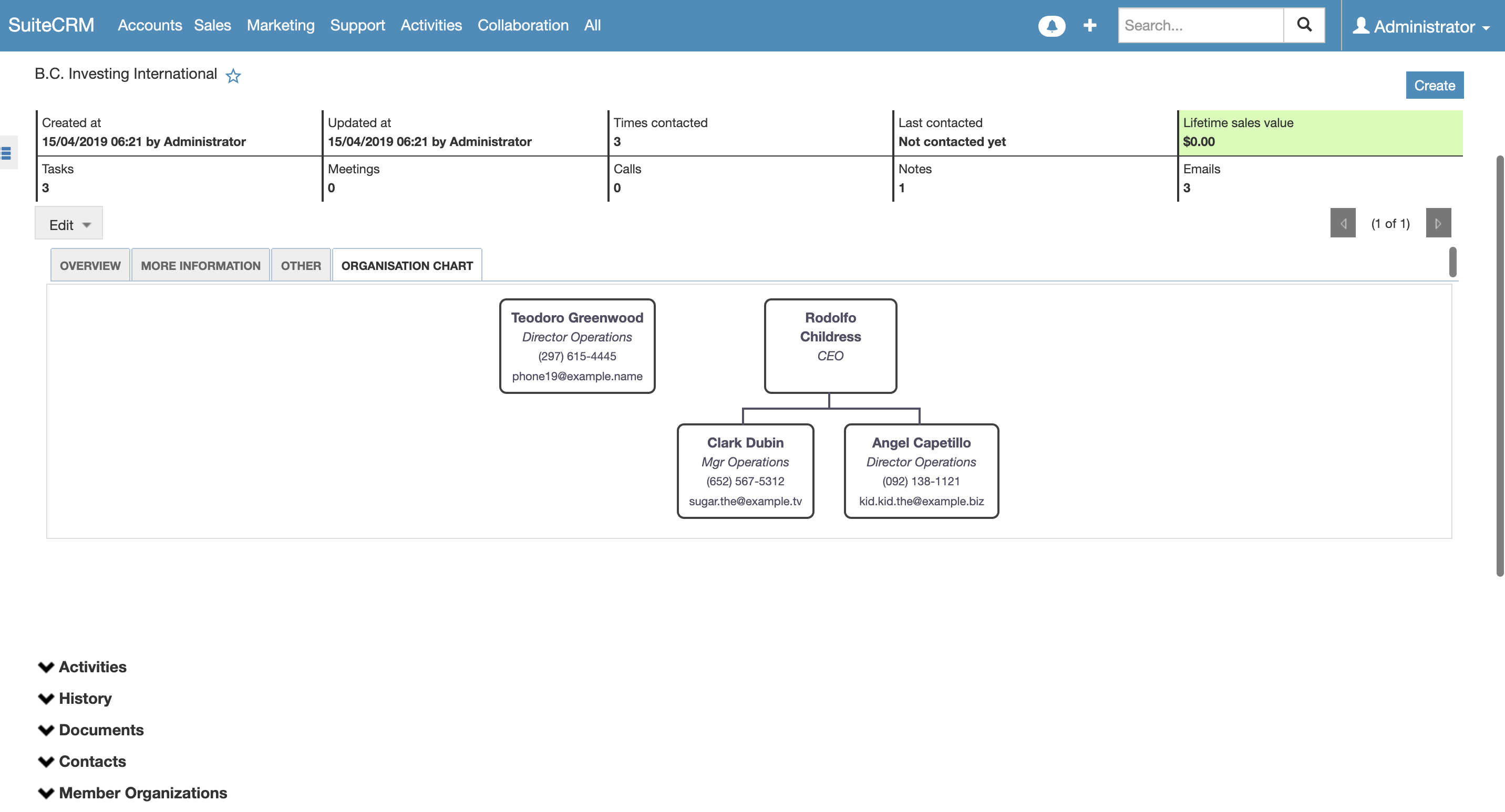
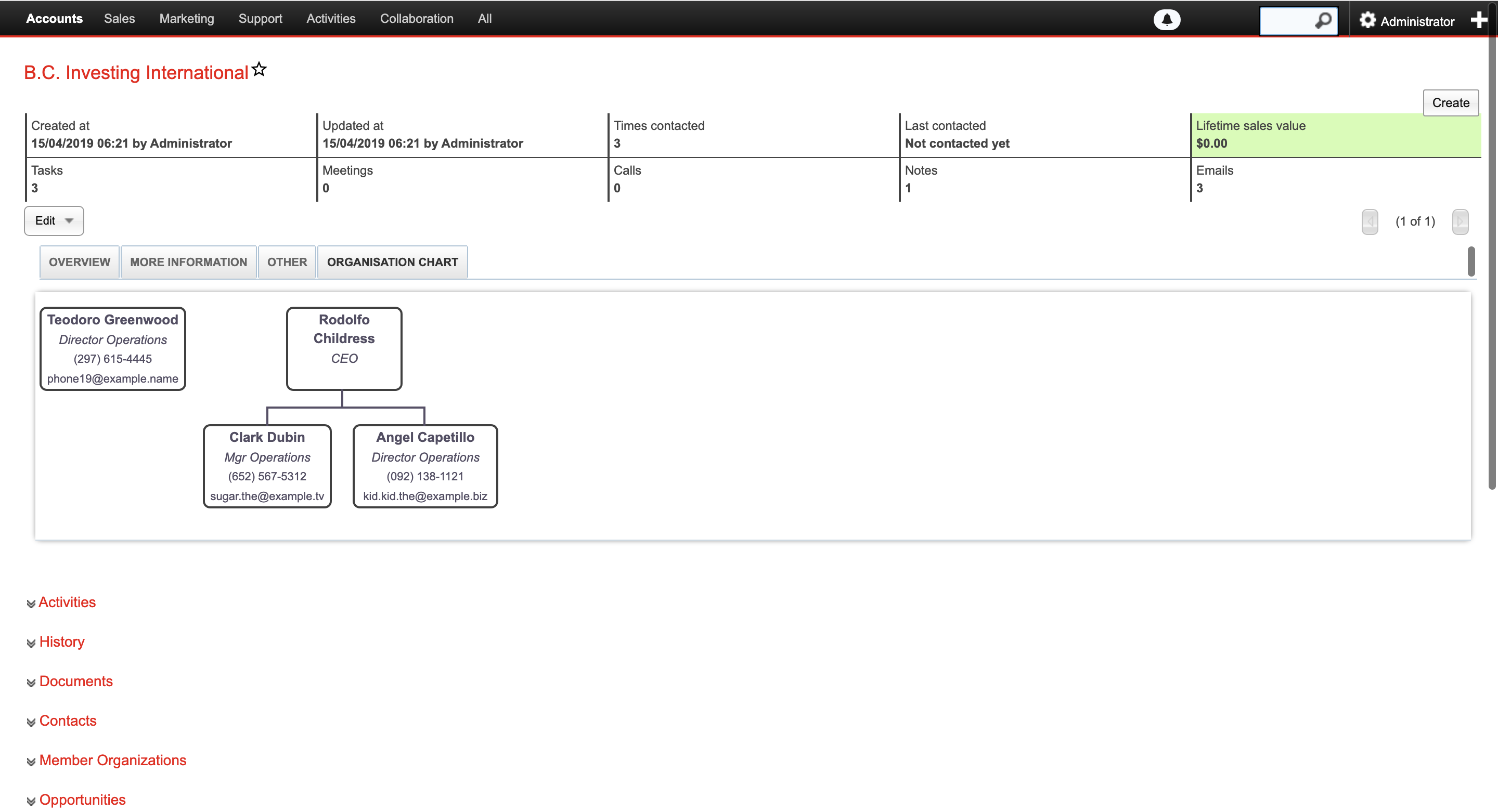
The MTS Organization Chart add-on uses your SuiteCRM data to create a visual representation of businesses and their reporting structures. For potential customers, gain a better understanding of connections, how teams work together, and what contacts are involved in the decision-making process.
What's New in Version 2.2.2! (Massive UX & Layout Upgrade)
We have completely overhauled the visual engine and structural logic to make your Organization Charts smarter, cleaner, and more beautiful than ever.

Stunning "Current Record" Highlight
Never lose track of where you are in massive corporate hierarchies! The active record you are viewing now features a beautiful glowing pulse animation and a distinct "CURRENT" badge to instantly draw your attention.

Dynamic Smart-Sizing Cards
No more cut-off text! Node heights now dynamically auto-expand to perfectly fit your custom fields (Job Titles, Emails, etc.). Better yet, all sibling cards in the same row will intelligently stretch to maintain a perfectly uniform layout.
Smarter "Contacts Only" Mode
We've redefined the structural logic. When viewing Contacts Only, the current Company is now permanently anchored as the Root Level (Level 0). Any "orphan" contacts without a direct manager will automatically report to the Company node, keeping your chart structurally perfect.

Perfect UI Containment (SuiteCRM 8 Ready)
Completely resolved layout blowouts. The chart now stays strictly within its container boundaries, utilizing smooth, native browser scrollbars for exploring large hierarchies without breaking your CRM's flexbox grid.
Elegant Empty States
Say goodbye to confusing blank screens. When a record has no organizational data, the system now displays a professional, centralized "No organization data available" UI.
Under-the-Hood Stability
Major engine optimizations, PHP/Smarty syntax fixes, and the removal of intrusive third-party zoom scripts to guarantee lightning-fast API responses and a buttery-smooth native scrolling experience.
How it shows in SuiteCRM 8
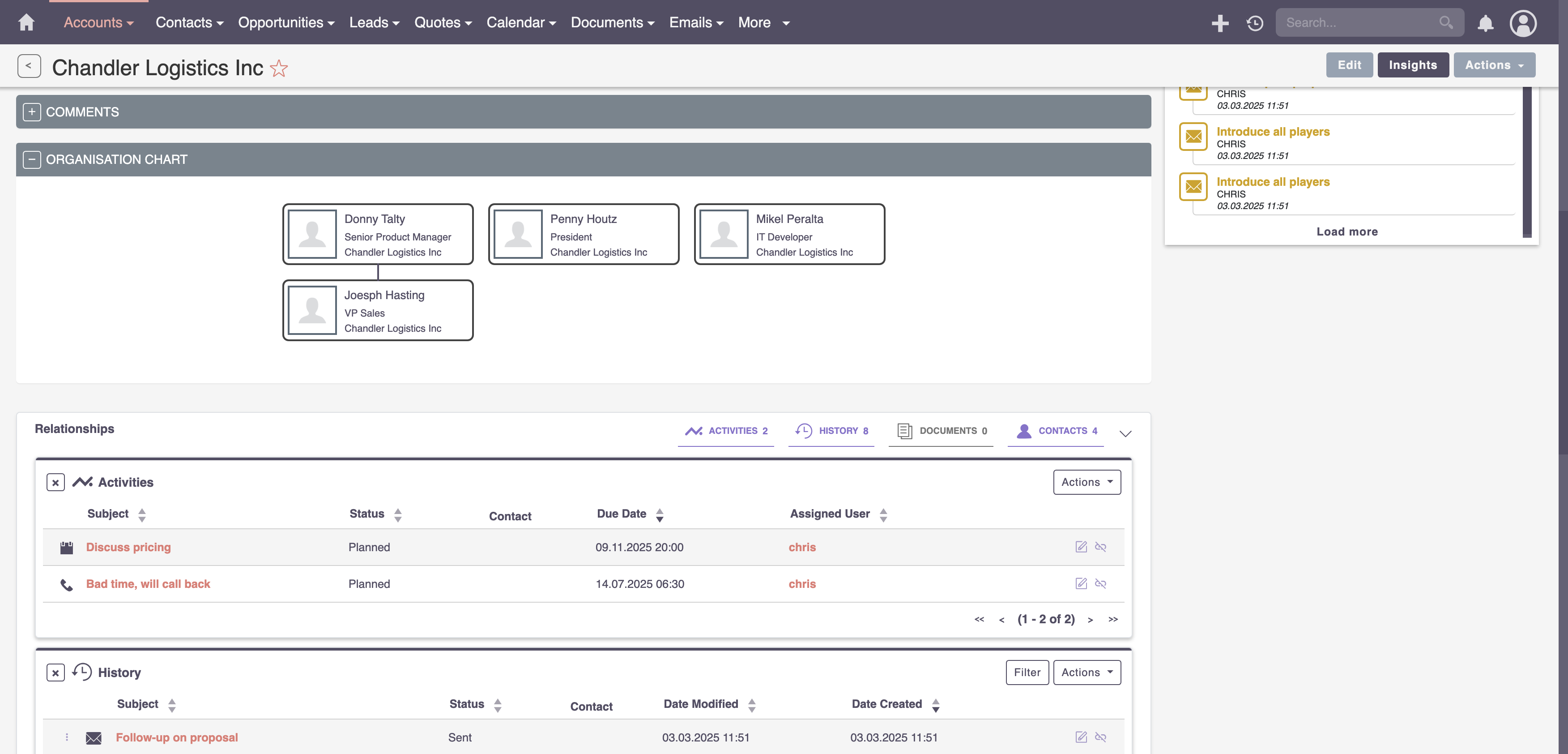
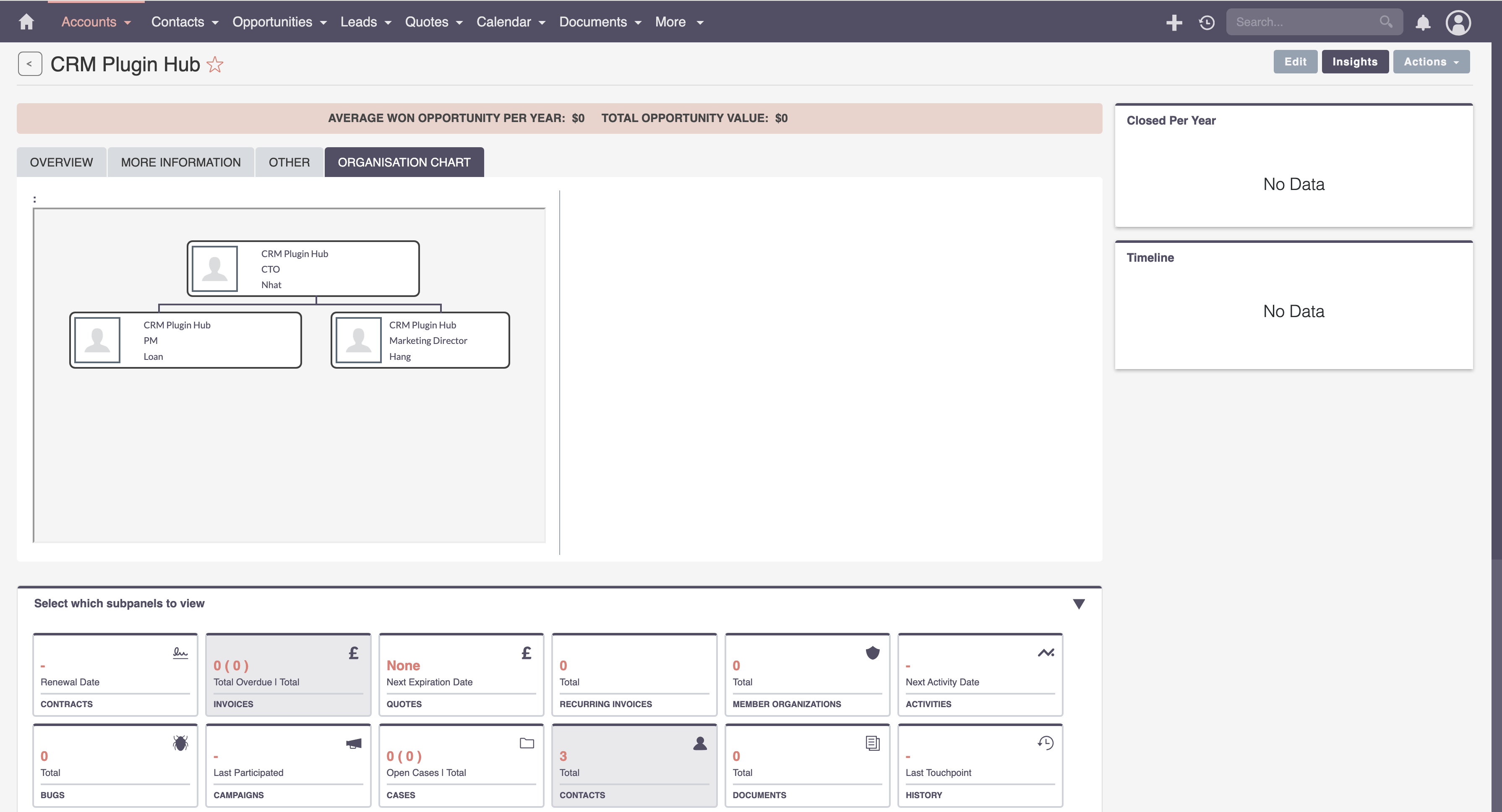
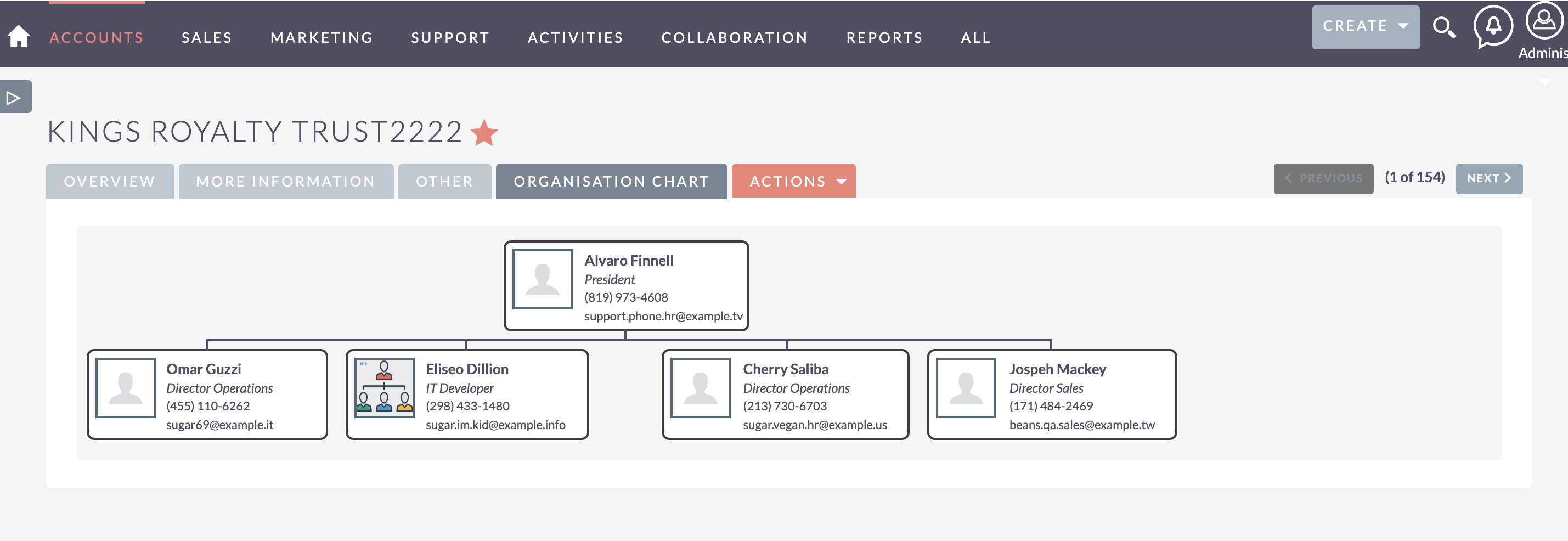
Organization Chart displays a hierarchy of customer data to portray superior and subordinate relationships or contacts involved in the decision-making process, all within the account you're viewing in SuiteCRM. Based on the Organization chart, you will understand the role of the contact you are working with and any other key relationships that can help drive sales opportunities. The chart is created based on "Reports To" field in the Contacts module.
Key Features
- Visualize the reporting structure of your contacts with Organization charts
- Easily see who a contact reports to within the Contacts module
How it Works
FAQ
How does SuiteCRM build the organization chart?
The chart is generated from the "Reports To" field in the Contacts module and shown within the account you are viewing.
What happens to contacts without a manager?
In Contacts Only mode the company is the root node, and contacts without a direct manager report to the company node.
Can I see where the current contact sits in a large hierarchy?
Yes. Since v2.2.2 the record you are viewing is highlighted with a "CURRENT" badge, and cards resize to fit fields such as job title and email.
Does it work in SuiteCRM 8?
Yes. Version 2.2.2 keeps the chart inside its container with native scrolling in SuiteCRM 8.
Demo
Our SuiteCRM Plugins Now Support SuiteCRM 8
All plugins developed by our team are now fully compatible with SuiteCRM 8.
If you are upgrading to SuiteCRM 8, you can continue using these extensions without any compatibility issues.
Productivity and Visualization
- History Time Line - Visualize record history in a timeline.
- MTS Organization Chart - Display company hierarchy with an Organization chart.
- MTS Kanban - Manage records using a Kanban board.
Developer and Admin Tools
- MTS Code Generator - Generate SuiteCRM modules and components faster.
- MTS Dynamic View - Dynamically show or hide fields based on conditions.
- MTS Cleaner - Clean unnecessary files and optimize SuiteCRM performance.
Business and Finance
- MTS Advanced Invoice - Advanced invoicing features for SuiteCRM.
- MTS Stripe Integration - Accept payments directly from SuiteCRM.
Automation and Integrations
- MTS Notification - Real-time notifications for CRM events.
- MTS Telegram Notify - Send SuiteCRM notifications to Telegram.
- MTS Typeform Integration - Sync Typeform responses into SuiteCRM.
AI and Collaboration
- MTS AI Email Writer - Generate professional emails using AI.
- MTS Comment - Add discussion threads inside records.
- MTS Record Score - Automatically score records based on rules.
Utilities
- MTS Field Highlight - Highlight important fields in record views.
- MTS Language Translate Tool - Translate SuiteCRM labels easily.
- MTS User Activity Log - Track user activity in SuiteCRM.
- MTS Timesheet - Track working time inside SuiteCRM.
- SuiteCRM 8 Theme Editor - Customize SuiteCRM 8 themes without coding.
Our website
SuiteCRM Addon team
 rolandweinhaeupl