

MTS Kanban brings a visual, drag-and-drop board into SuiteCRM so teams can manage stage-based work with less friction. Users can review records, move them across columns, and keep pipelines current from a single workspace instead of jumping between list views and record forms.
The addon is designed for practical day-to-day usage across sales, support, and custom workflows. SuiteCRM 8 includes the most complete experience, while SuiteCRM 7 remains supported for core Kanban usage.
MTS Kanban for SuiteCRM
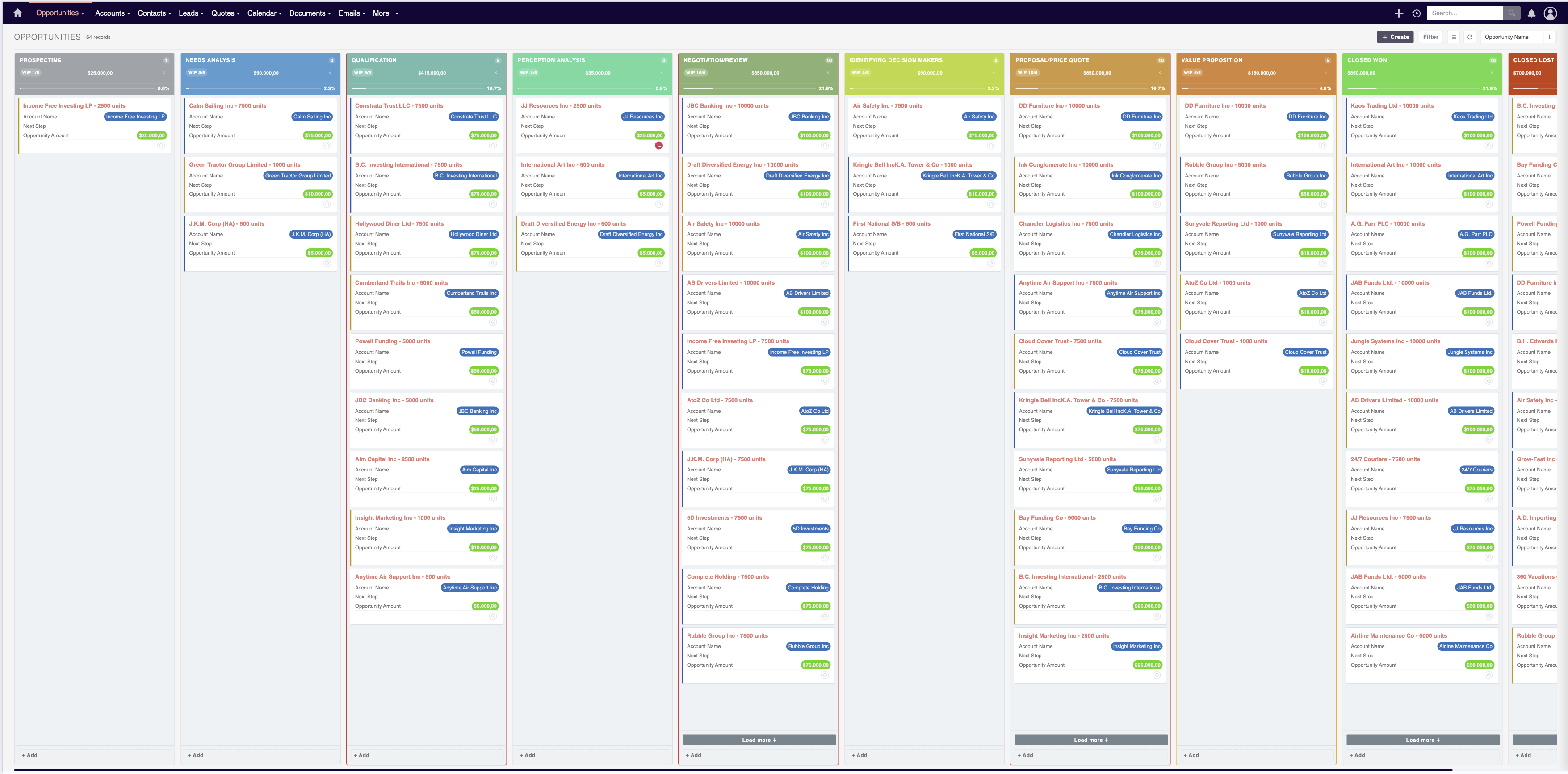
Turn SuiteCRM into a fast, visual workspace for sales, support, and operational pipelines.
MTS Kanban brings a practical drag-and-drop Kanban experience into SuiteCRM so teams can move work faster, review records in context, and manage stage-based processes with less friction.
Instead of opening record after record just to keep the pipeline moving, users can work directly from the board.
Why Teams Buy MTS Kanban
- Manage pipelines visually with drag and drop
- Update important fields directly on the board
- Create records faster from the active column
- Keep stage movement under control with transition rules
- Spot bottlenecks early with WIP limits
- Review key record details without leaving the board
- Stay closer to daily execution with activity actions
- Configure the board for different modules and business flows
Built for Real Daily Usage
1. Move records visually, not manually
Users can move records across stages with drag and drop, making the board useful for real execution instead of passive reporting.
The board supports: - Column grouping by your selected field - Load more per column - Sorting and filtering - Record counts and totals - Folded columns for dense pipelines
2. Inline editing that reduces clicks
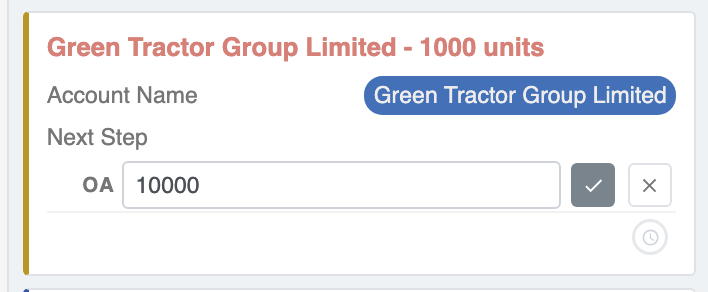
Users can update important fields directly on the card instead of opening the full record every time.
This is especially useful when teams need to keep a pipeline current throughout the day.
3. Faster record creation from the board
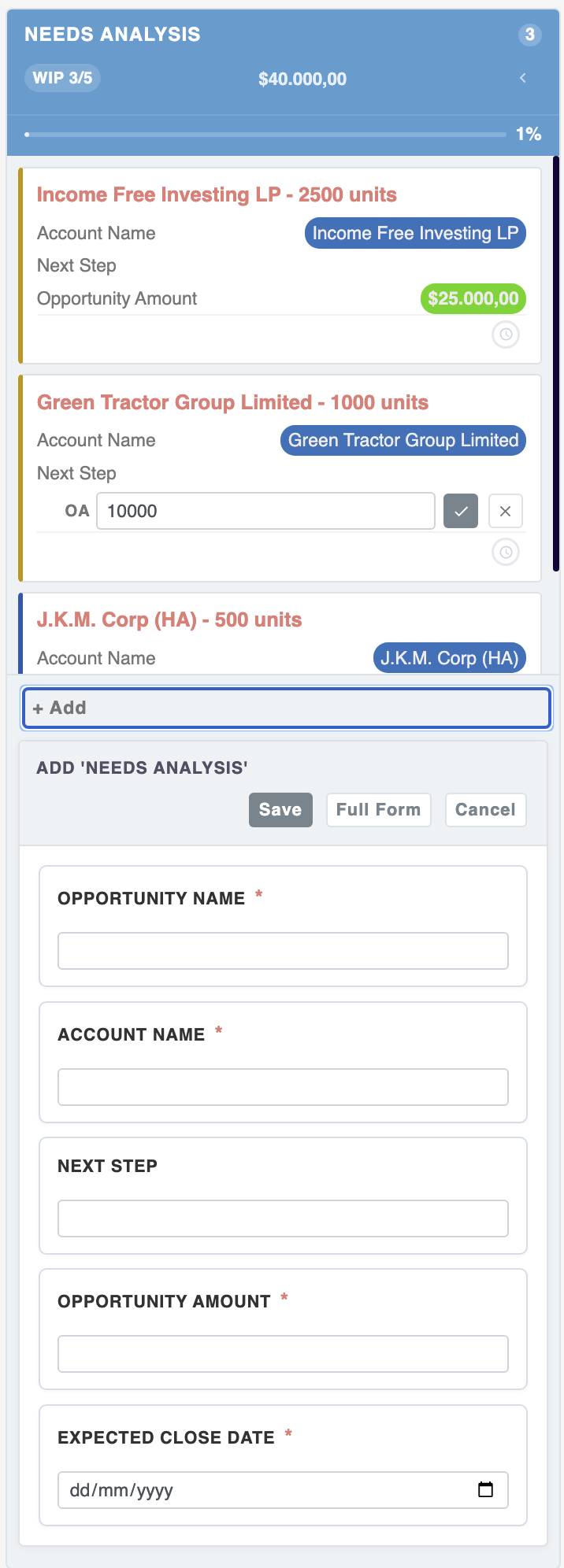
Records can be created directly from the board while preserving the target stage context.
For workflows that need a faster create experience, the board supports a compact add flow. When users need the full SuiteCRM form, they can still switch to the classic create screen.
4. Guided transitions with business rules
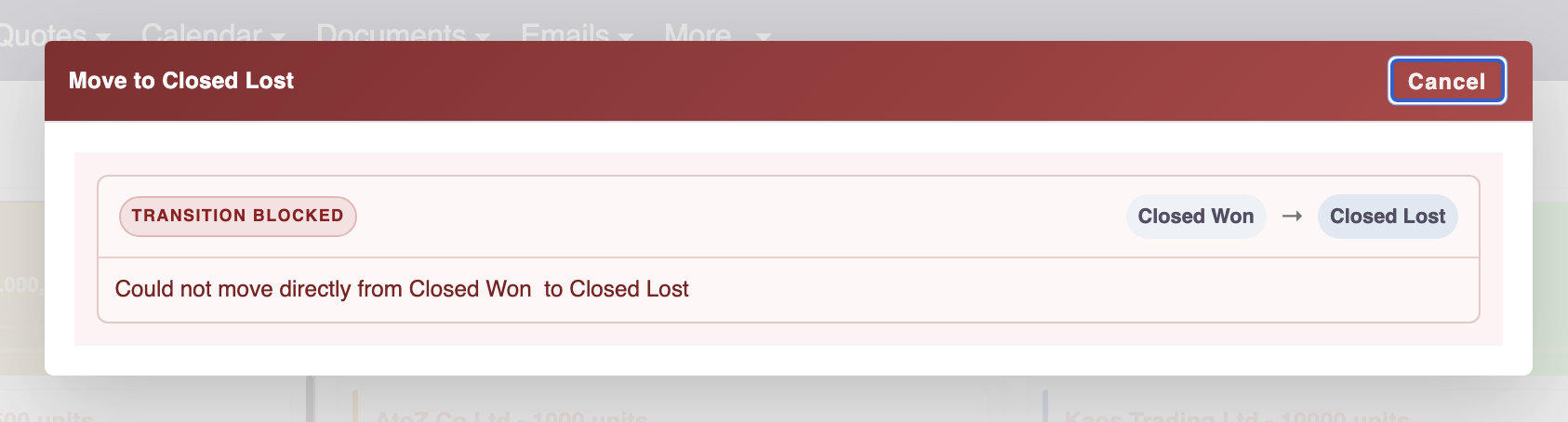
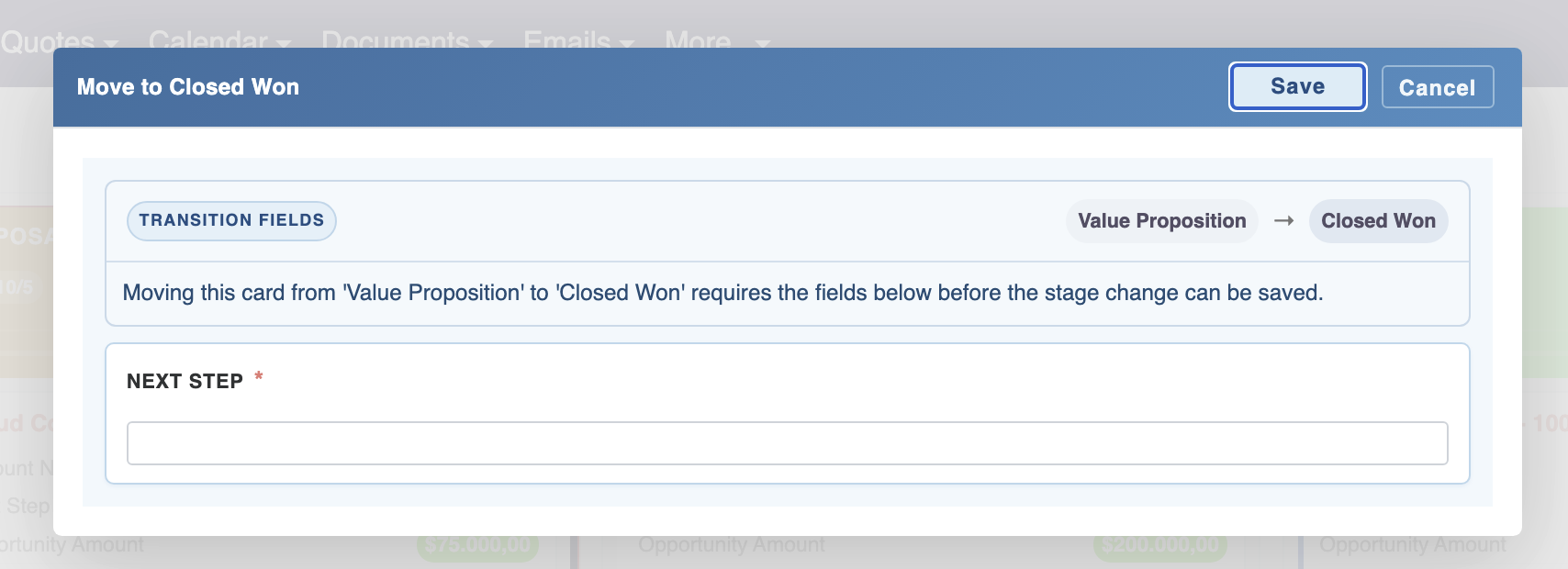
Not every stage move should be allowed blindly.
MTS Kanban can guide stage movement with rules such as: - warning before move - required fields before save - blocked transitions for invalid paths
This helps turn the board into a controlled workflow surface, not just a visual list.
5. WIP limits for flow control
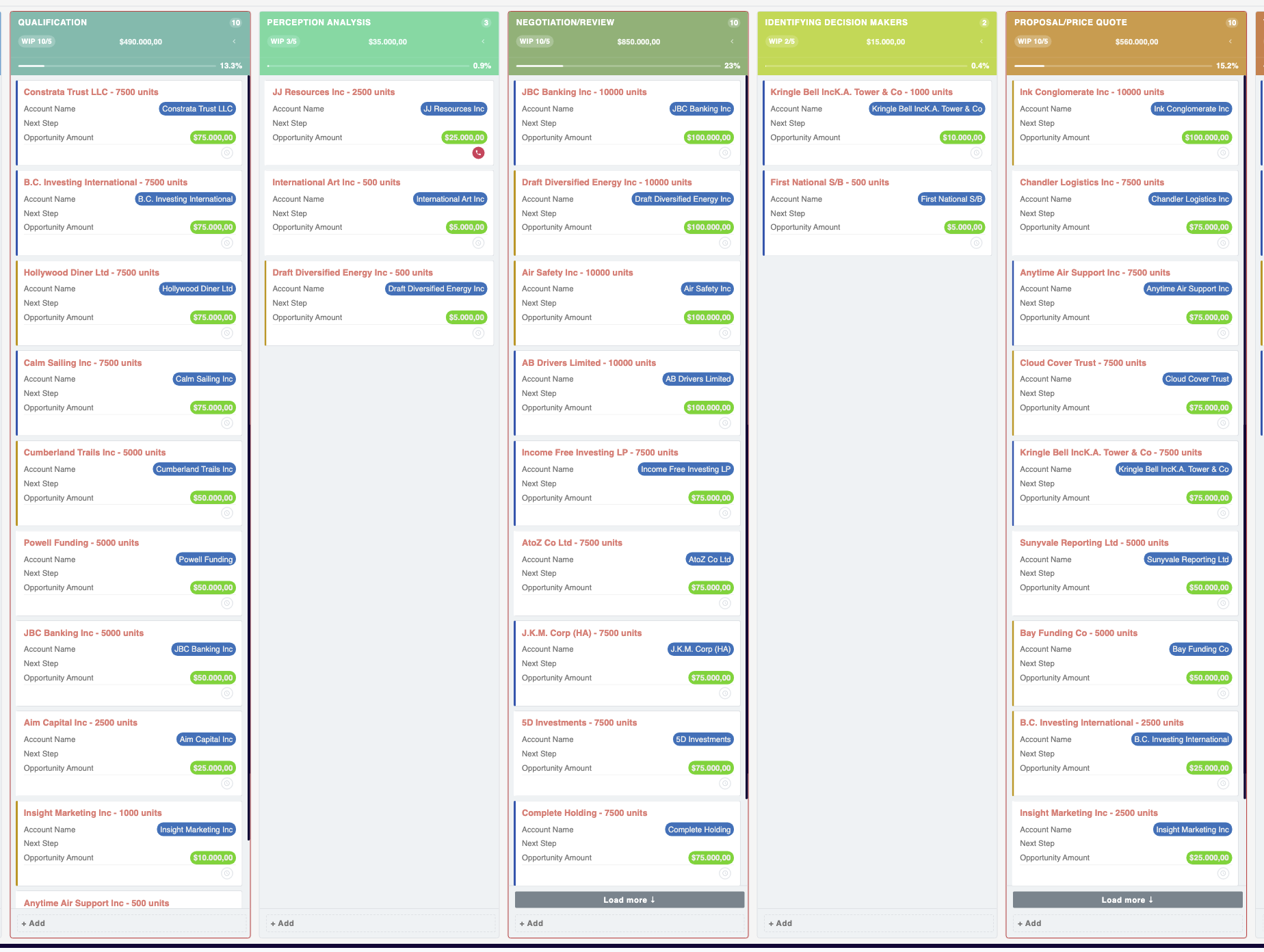
Set Work In Progress limits per column to highlight overloaded stages and expose bottlenecks earlier.
6. Quick View for faster review
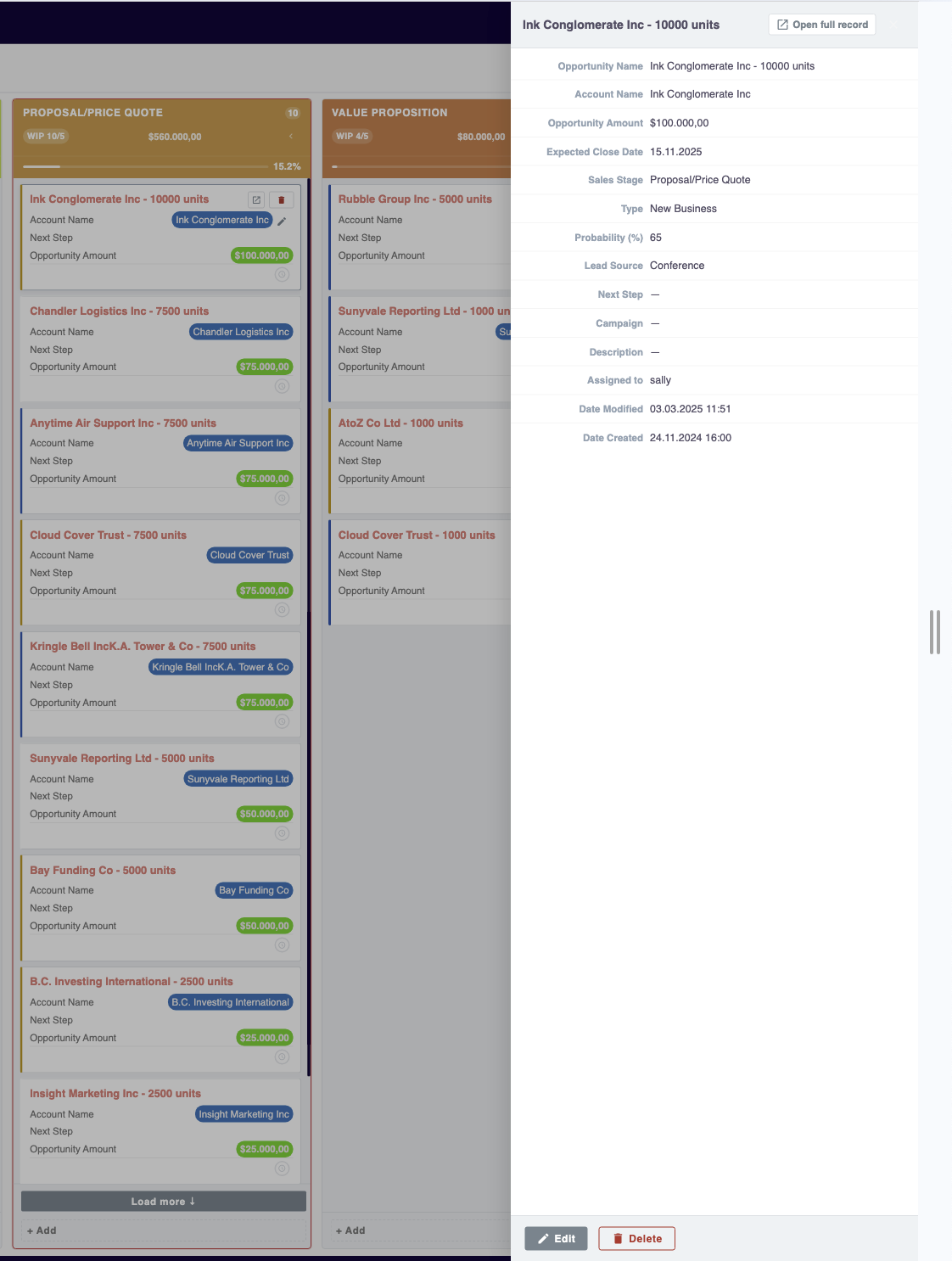
Users can open a Quick View panel to review record details without leaving the board.
This helps reduce tab switching and keeps the team in flow.
7. Activity actions close to the pipeline
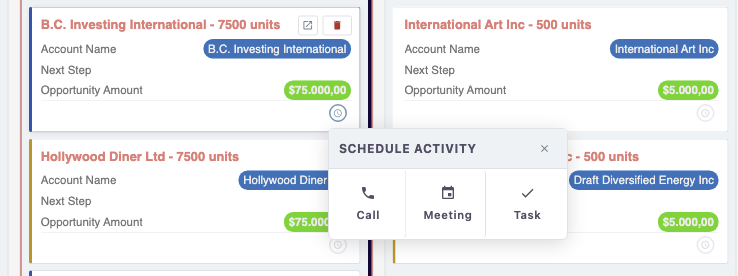
The board can keep follow-up work close to the record, helping users stay focused on execution instead of navigation.
Flexible Across Use Cases
- Sales pipeline management
- Lead qualification workflows
- Case and support triage
- Internal approval stages
- Recruitment pipelines
- Service delivery tracking
- Custom SuiteCRM modules with stage-based workflows
SuiteCRM 8 and SuiteCRM 7 Support
SuiteCRM 8
SuiteCRM 8 is the primary enhancement target and includes the most complete experience.
This includes support for advanced board workflows such as: - richer inline editing - improved quick add flows - transition rules - WIP limits - cleaner configuration experience - stronger day-to-day workflow UX
SuiteCRM 7
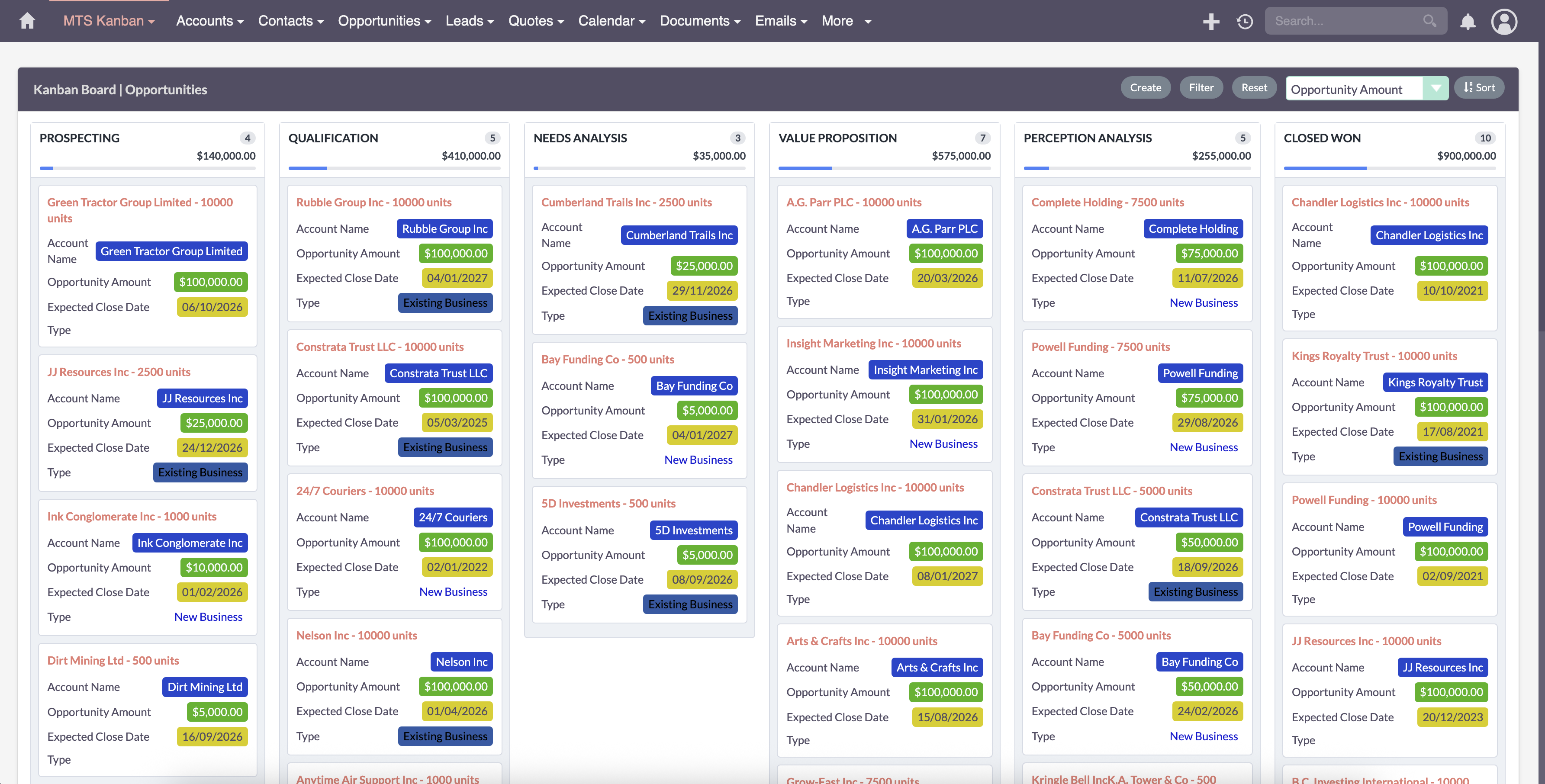
SuiteCRM 7 is still supported for core Kanban usage.
That means teams can still use the essential Kanban experience, including the basic stage-based board workflow that many customers need in practice.
However, SuiteCRM 7 does not currently have full feature parity with SuiteCRM 8.
If you need the full feature set on SuiteCRM 7, please contact us for support.
What Makes This Different
Many Kanban views only display records in columns.
MTS Kanban is designed to help teams actually work from the board: - fast enough for daily use - structured enough for real business processes - flexible enough for multiple modules - practical enough for teams that want fewer clicks and better flow
It is not only about visibility. It is about helping users move work forward with more speed and better control.
Better Admin Experience
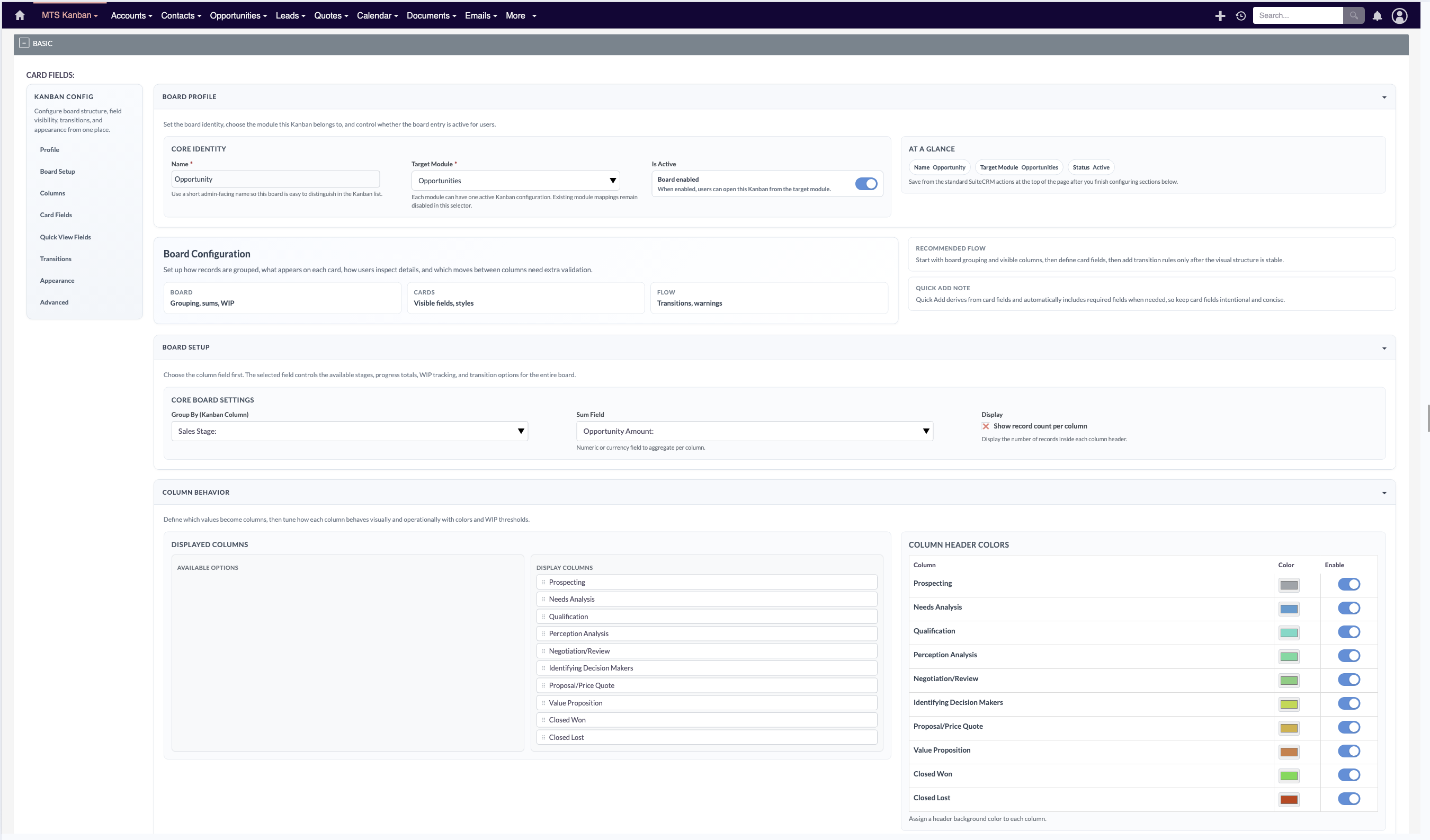
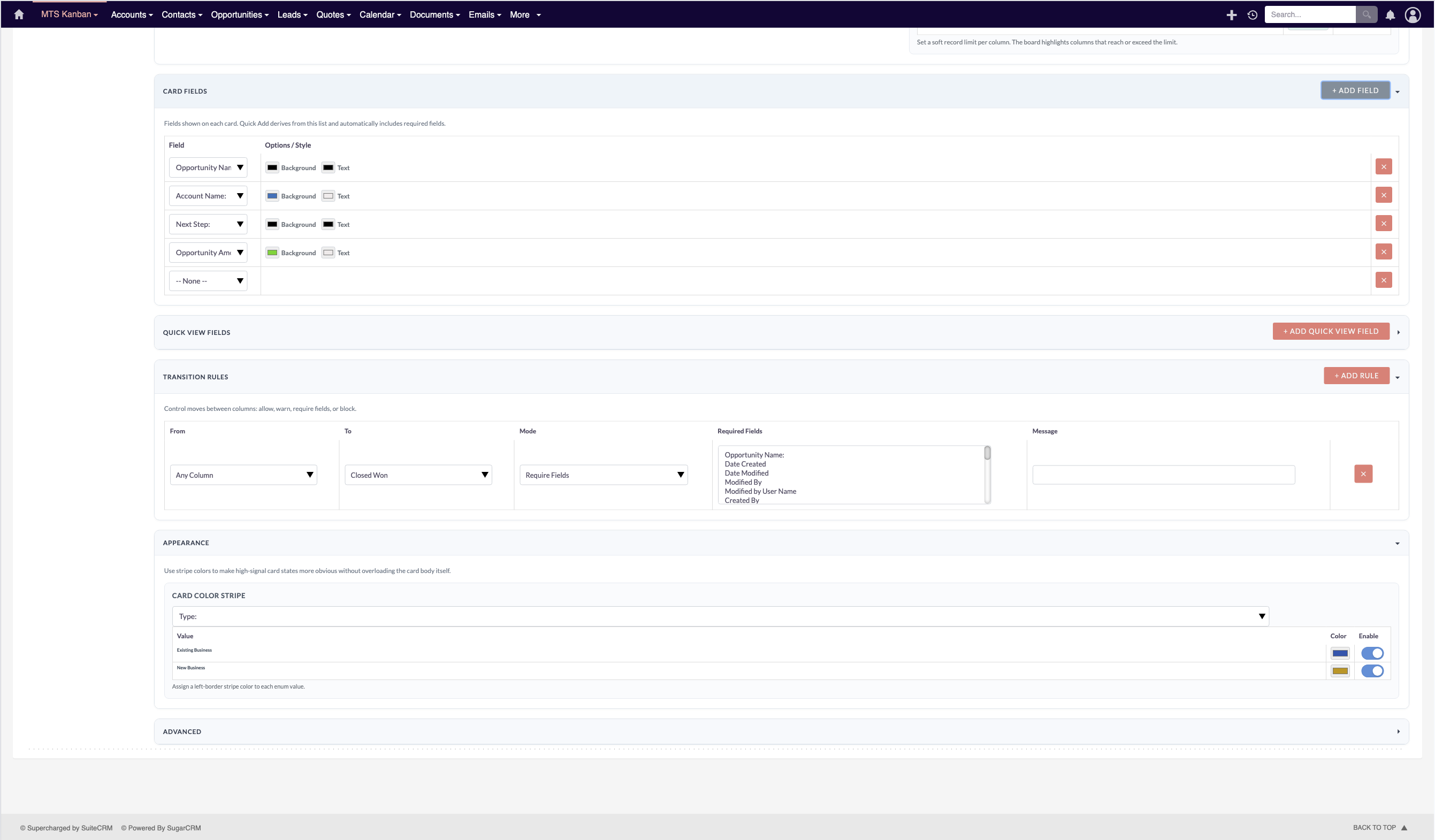
Admins can configure the board around their process, including: - target module and board identity - group-by field and displayed columns - card fields and quick view fields - colors and visual cues - WIP limits - transition rules - filters, sorting, totals, and advanced conditions
Package Includes
- SuiteCRM module package for installation
- Kanban board support for SuiteCRM environments
- Admin configuration tools
- Language-ready labels for translation
Need a tailored workflow?
If your team needs module-specific behavior, custom transition logic, or stronger alignment with your internal process, this addon provides a solid base for extension.
If you need the full feature set on an environment where it is not enabled by default, please contact us for support.
Suggested Store Snippets
Short Description
A powerful Kanban board for SuiteCRM with drag-and-drop stages, quick record updates, configurable workflows, and support for both SuiteCRM 8 and core Kanban usage on SuiteCRM 7.
One-Line Value Proposition
Move records faster in SuiteCRM with a Kanban board built for real workflow execution.
Pricing
| Package | Price |
|---|---|
| Yearly | View Price |
| One Time | Contact us |
Our SuiteCRM Plugins Now Support SuiteCRM 8
All plugins developed by our team are now fully compatible with SuiteCRM 8.
If you are upgrading to SuiteCRM 8, you can continue using these extensions without any compatibility issues.
Productivity and Visualization
- History Time Line - Visualize record history in a timeline.
- MTS Organisation Chart - Display company hierarchy with an organisation chart.
- MTS Kanban - Manage records using a Kanban board.
Developer and Admin Tools
- MTS Code Generator - Generate SuiteCRM modules and components faster.
- MTS Dynamic View - Dynamically show or hide fields based on conditions.
- MTS Cleaner - Clean unnecessary files and optimize SuiteCRM performance.
Business and Finance
- MTS Advanced Invoice - Advanced invoicing features for SuiteCRM.
- MTS Stripe Integration - Accept payments directly from SuiteCRM.
Automation and Integrations
- MTS Notification - Real-time notifications for CRM events.
- MTS Telegram Notify - Send SuiteCRM notifications to Telegram.
- MTS Typeform Integration - Sync Typeform responses into SuiteCRM.
AI and Collaboration
- MTS AI Email Writer - Generate professional emails using AI.
- MTS Comment - Add discussion threads inside records.
- MTS Record Score - Automatically score records based on rules.
Utilities
- MTS Field Highlight - Highlight important fields in record views.
- MTS Language Translate Tool - Translate SuiteCRM labels easily.
- MTS User Activity Log - Track user activity in SuiteCRM.
- MTS Timesheet - Track working time inside SuiteCRM.
- SuiteCRM 8 Theme Editor - Customize SuiteCRM 8 themes without coding.
