


The MTS Advanced Invoice add-on helps you craft professional invoices, automatically generate new invoices and recurring invoices, and send payment reminders.
Automate your company’s invoice process in SuiteCRM
Creating new invoices and managing recurring invoices for your company’s products and services gets more complicated as you increase your client base, leaving you susceptible to long hours of manual work and errors. The MTS Advanced Invoice add-on is an affordable SuiteCRM solution that is accurate and automatic - the best choice for helping your business stay on top of customer invoices and payments.
Now supports SuiteCRM 8
MTS Advanced Invoice Features
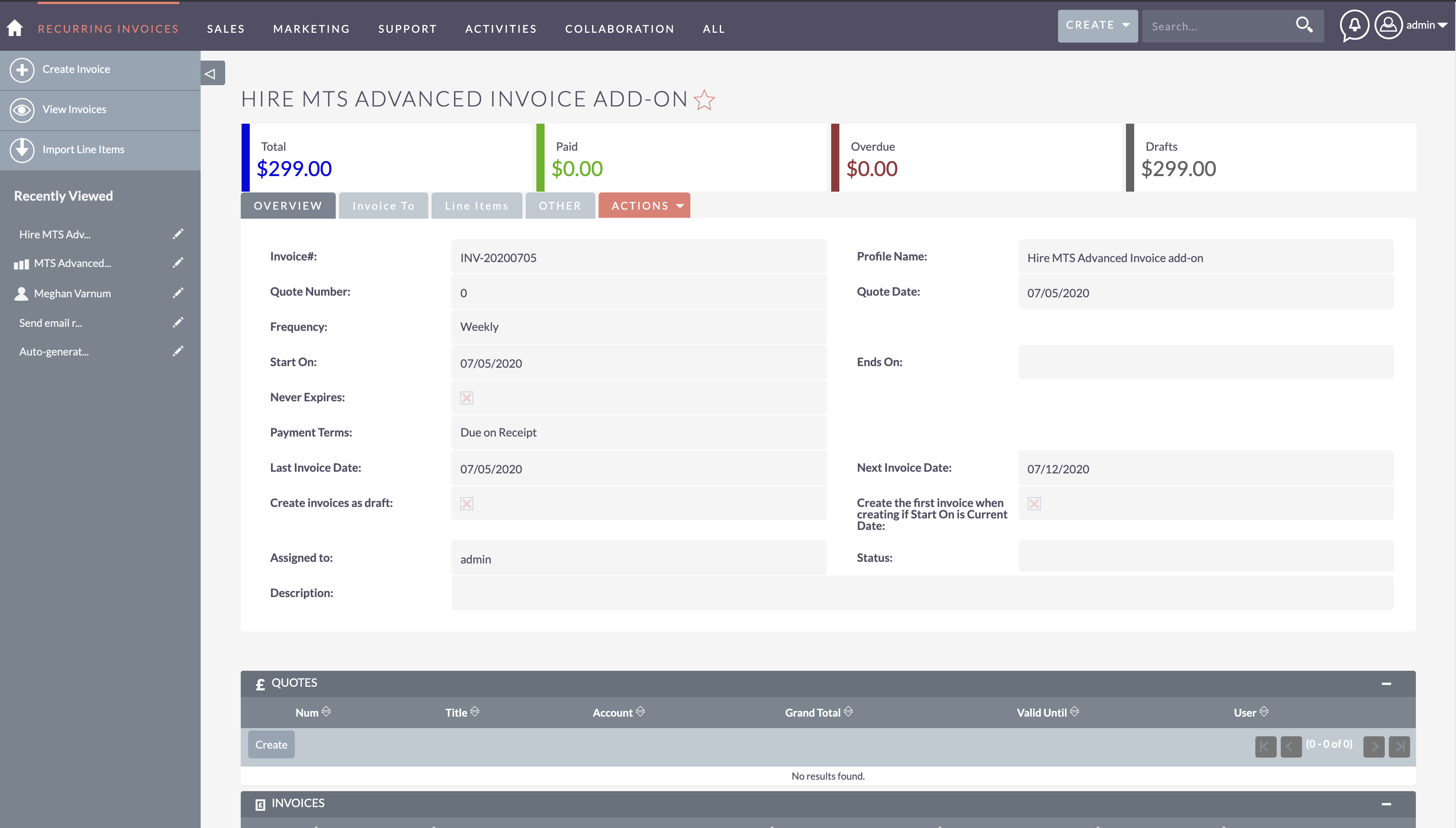
- Manage recurring invoices in the recurring invoice module
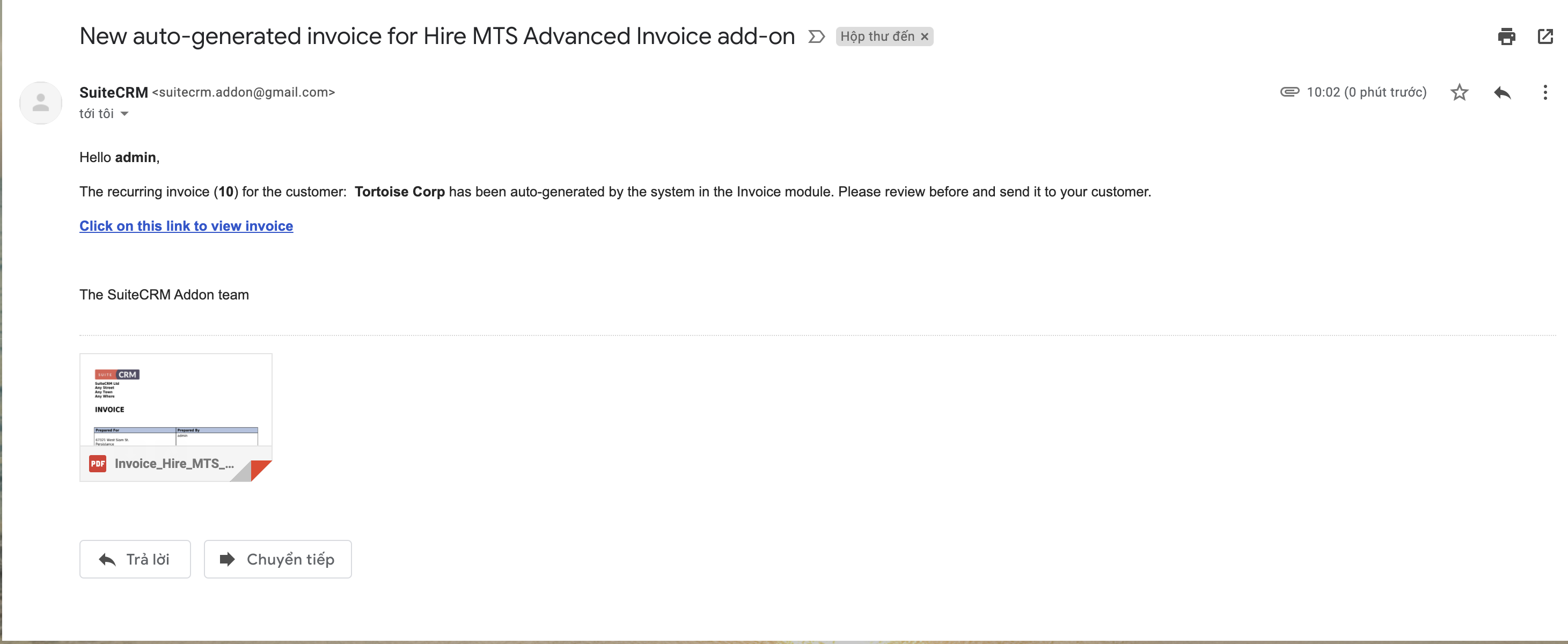
- Auto-generate new invoices once current invoices are outdated
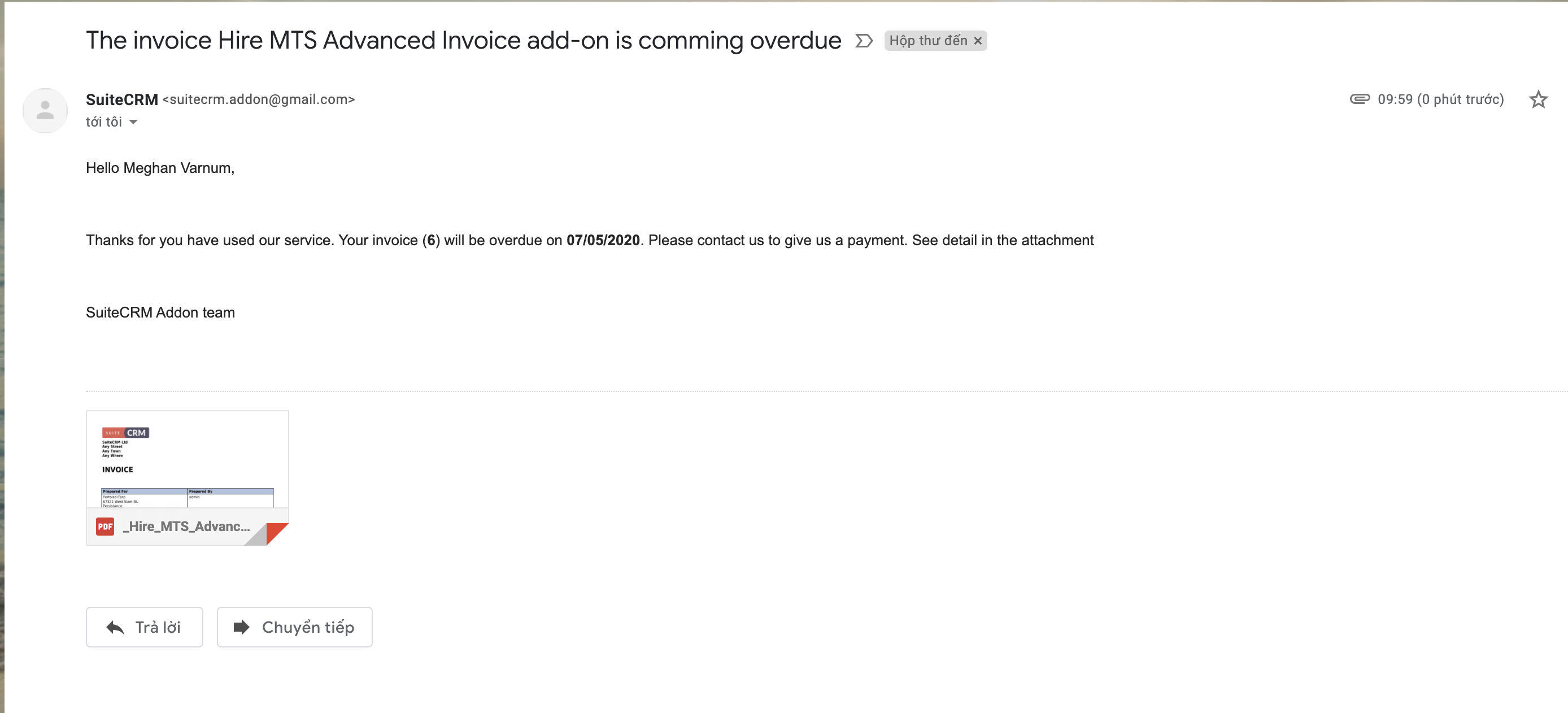
- Send email notification to your employee that's the owner of the record
- Send email to remind that invoices are overdue
- Summary of the total amount of the recurring invoice
How it Works
MTS Advanced Invoices — FAQ
What does this add-on do?
It turns SuiteCRM invoicing into a full billing tool: recurring invoices, on‑demand generation, cancellation invoices, credit notes, payment tracking with partial payments, overdue reminders, and configurable invoice‑PDF filenames.
How do recurring invoices work?
Create a Recurring Invoice with a frequency (Weekly, Monthly, Yearly, or a Custom interval), a start date, payment terms and line items. A scheduler job then generates the next AOS invoice automatically on each due date, sets the next date, and (optionally) emails a PDF to the assigned user.
Can I generate the next invoice immediately, before the schedule?
Yes. Use Generate Next Invoice Now — as a bulk action on the recurring‑invoice list (select one or many records) or from a single record's detail view, which shows a preview (customer, date, total) before creating it.
Will it ever create duplicate invoices?
No. Before generating, it checks for an existing (non‑cancelled) invoice for the same billing account and invoice date and skips it. On‑demand generation warns you and offers a "force" option if you really want a second one.
What about cancellations and credit notes?
From an invoice's detail view you get Create Cancellation Invoice and Create Credit Note actions. A cancellation invoice clones the original with negative amounts and marks the original as Cancelled; a credit note creates a negative draft you can edit (the original stays as is). Both keep a link back to the original invoice.
How is partial payment handled?
Record payments against an invoice; the status updates automatically to Partially Paid, Paid, or Unpaid based on the total received, and a remaining amount is tracked.
Which invoice statuses are supported?
Draft, Unpaid, Partially Paid, Paid, Sent and Cancelled.
Can I control the invoice PDF filename?
Yes — set a pattern such as {number}_{name} in Admin → MTS Advanced Invoice
Settings. Tokens are filled from invoice / billing‑account fields, Unicode letters
(ä ö ü ß …) are kept, and unsafe characters are stripped. This applies to the
invoice PDFs the add‑on attaches to notification / reminder emails.
Are invoice dates adjusted for weekends?
Yes. If a generated invoice date lands on a weekend it is shifted to the next working day, while the billing cycle stays anchored to the scheduled date (no drift).
Which SuiteCRM versions are supported?
SuiteCRM 7.x and SuiteCRM 8.x. On SuiteCRM 8 the recurring‑invoice list renders in the modern UI with the bulk action.
Do I need to set up the scheduler?
Yes — enable the Generate Invoice for Recurring Invoice and Send Remind Overdue Invoice scheduler jobs (Admin → Schedulers). Batch sizes and the reminder lead time are configurable in the add‑on settings.
Is it safe to uninstall?
Yes, the module is uninstallable. Removing it does not delete your existing AOS invoices.
Our SuiteCRM Plugins Now Support SuiteCRM 8
All plugins developed by our team are now fully compatible with SuiteCRM 8.
If you are upgrading to SuiteCRM 8, you can continue using these extensions without any compatibility issues.
Productivity and Visualization
- History Time Line - Visualize record history in a timeline.
- MTS Organisation Chart - Display company hierarchy with an organisation chart.
- MTS Kanban - Manage records using a Kanban board.
Developer and Admin Tools
- MTS Code Generator - Generate SuiteCRM modules and components faster.
- MTS Dynamic View - Dynamically show or hide fields based on conditions.
- MTS Cleaner - Clean unnecessary files and optimize SuiteCRM performance.
Business and Finance
- MTS Advanced Invoice - Advanced invoicing features for SuiteCRM.
- MTS Stripe Integration - Accept payments directly from SuiteCRM.
Automation and Integrations
- MTS Notification - Real-time notifications for CRM events.
- MTS Telegram Notify - Send SuiteCRM notifications to Telegram.
- MTS Typeform Integration - Sync Typeform responses into SuiteCRM.
AI and Collaboration
- MTS AI Email Writer - Generate professional emails using AI.
- MTS Comment - Add discussion threads inside records.
- MTS Record Score - Automatically score records based on rules.
Utilities
- MTS Field Highlight - Highlight important fields in record views.
- MTS Language Translate Tool - Translate SuiteCRM labels easily.
- MTS User Activity Log - Track user activity in SuiteCRM.
- MTS Timesheet - Track working time inside SuiteCRM.
- SuiteCRM 8 Theme Editor - Customize SuiteCRM 8 themes without coding. All SuiteCRM Plugins developed by our team

-
"This module added a crucial feature to our SuiteCRM installation, as we were missing out on a lot of subcription billing due to our manual processes. ..." - franklinian
Read More Reviews
