


Highlevel Overview
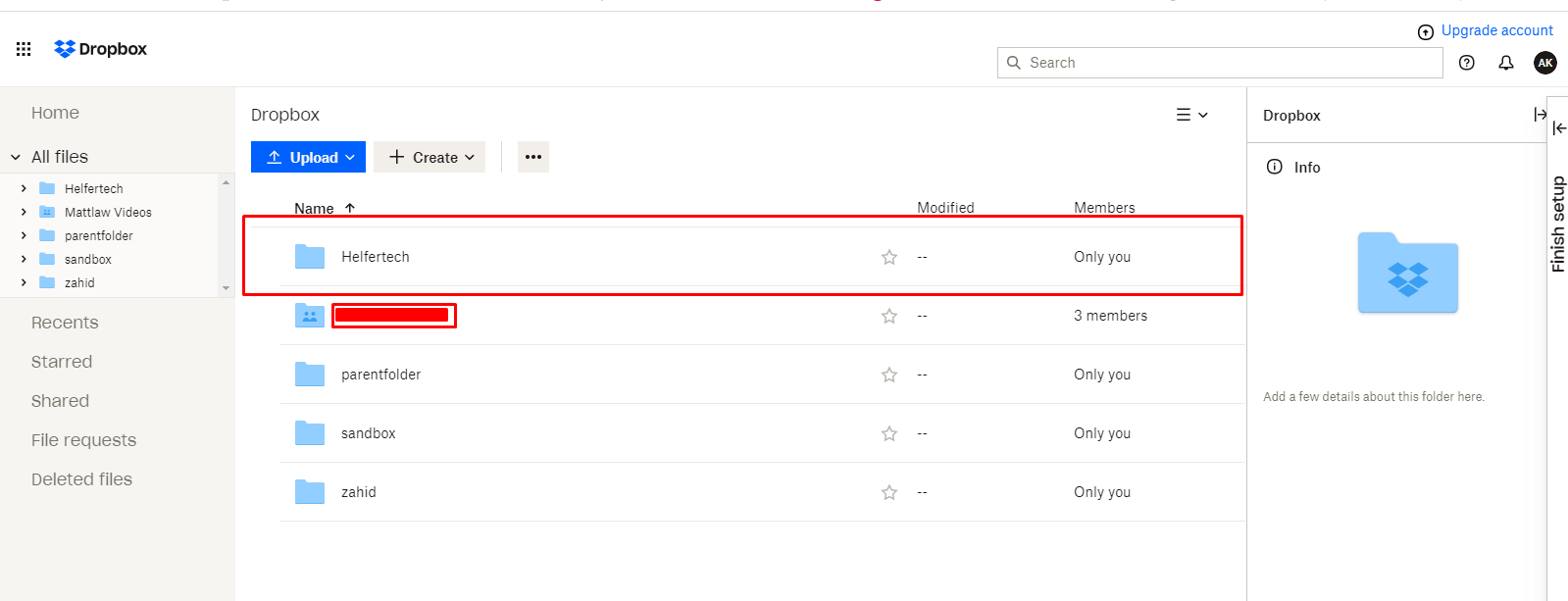
Dropbox is a popular platform that provides you with a personal cloud storage service, frequently used for uploading various file types, sharing files, and collaborating on files with your team. The Dropbox Integration for SuiteCRM by Helfertech gives you the best way to organize your CRM files in Dropbox. This simplified process enables users to select the option to save files on the local server or upload to Dropbox.
Key Features
- Ability to store your files in one safe place
- Ability to upload files from Document and Notes modules
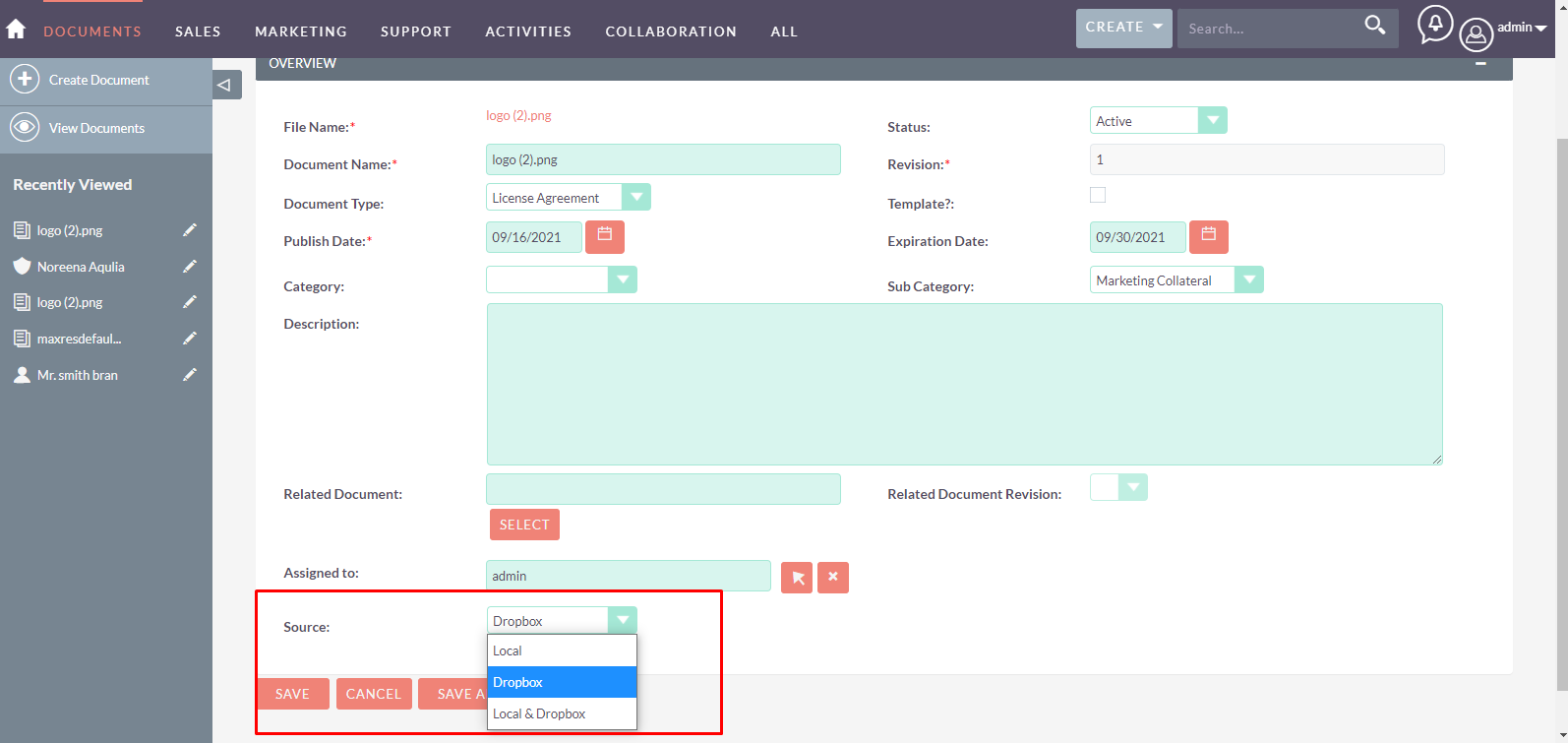
- Ability to provide option to save locally or upload on the store
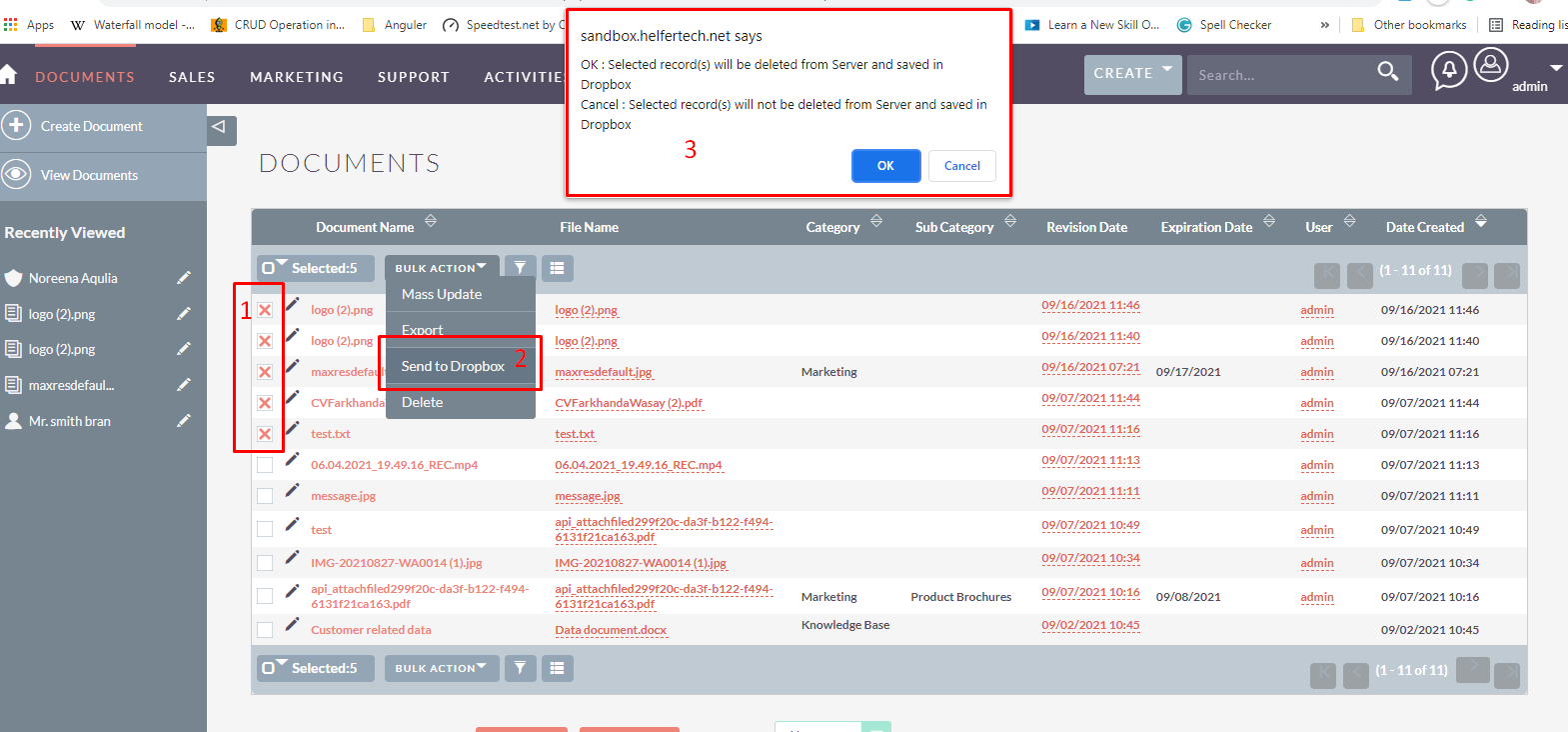
- Bulk upload from the ListView
How it Works
Dropbox Integration with SuiteCRM gives you the ability to create, edit, upload, and manage day-to-day documents.
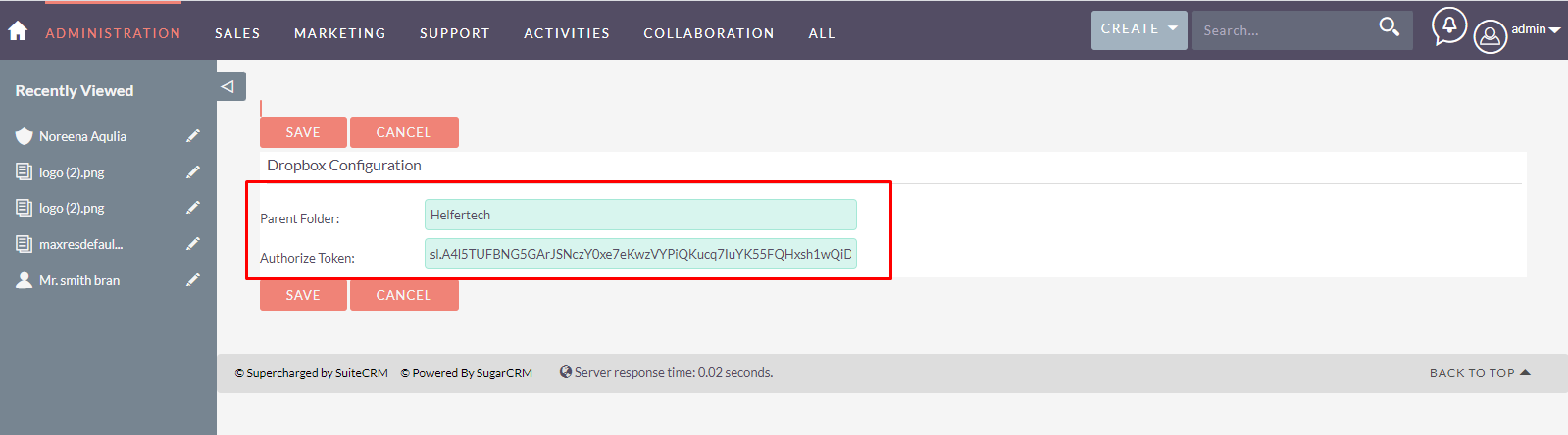
Put your parent folder name and paste the access token on the configuration screen.
To learn more about this solution, go to Dropbox Integration for SuiteCRM or search for "Dropbox."

-
SuiteCRM Appointlet Integration

The integration of SuiteCRM and Appointlet offers a comprehensive solution for efficient appointment scheduling and customer relationship management. It streamlines processes, enhances engagement, and provides valuable insights, ultimately improving the overall customer experience and the efficiency...
-
Implicit AI Insights for SuiteCRM

Get valuable AI insights into your customers’ emails and meetings. Use AI to generate summaries of customers’ emails in Outlook and in CRM records, allowing you to quickly review key discussion topics and follow ups. Drill down and find emails where specific topics were discussed. Generate AI in...
- Show more addons