


Highlevel Overview
Login Security by Variance InfoTech delivers an additional level of protection for your SuiteCRM instance, helping your business avoid potentially harmful logins from banned IP addresses or unknown persons. It works with all SuiteCRM modules and offers two types of settings:
- IP Based Login Security
- OTP Based Login Security
Watch Video Overview
How it works
1. IP Based Login Security
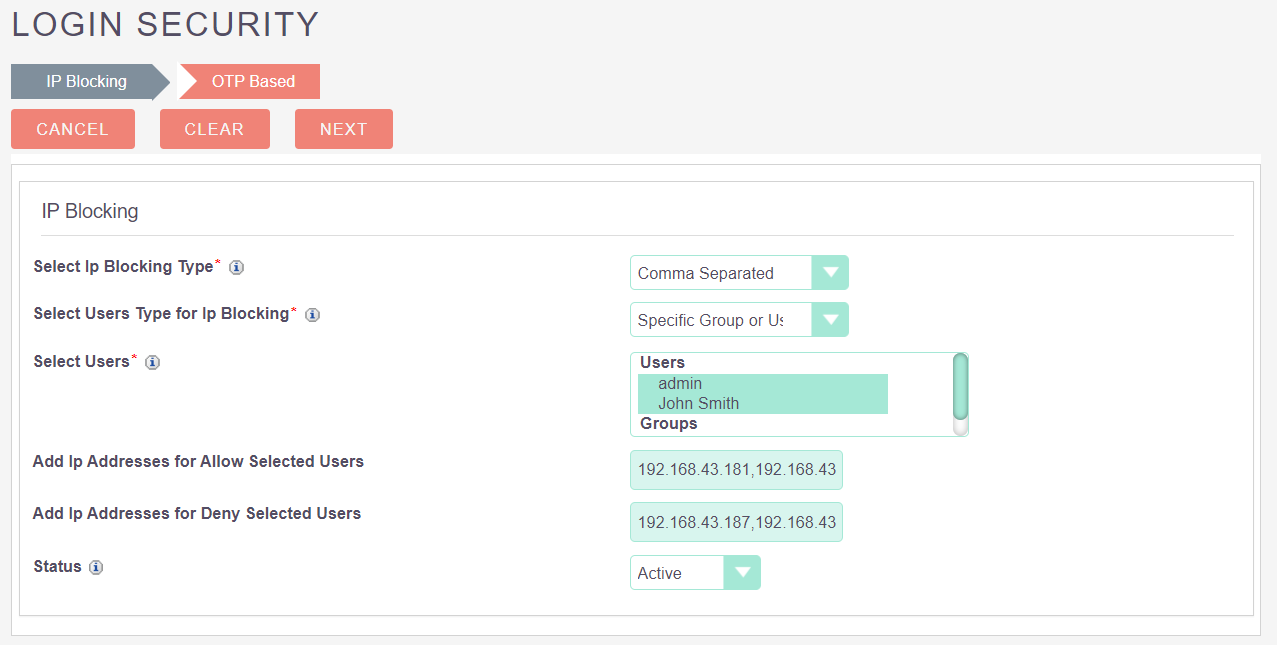
IP based login security allows you to Block/Allow logins from certain IP addresses with the help of range of IPs, or multiple IPs separated by comma.
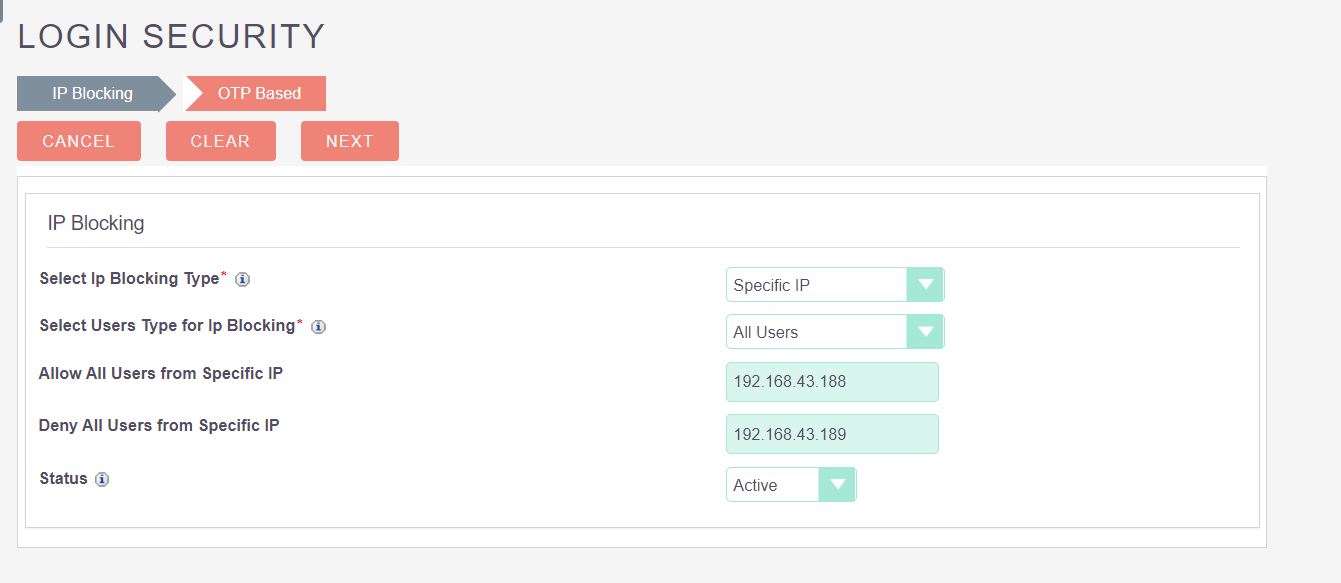
2. Login with OTP
Login using OTP allows users to login only if they enter the correct OTP sent to email. OTP based authentication has a configuration option to keep the device trusted for a certain period of time so it will not send OTP every time a user goes to login.
Key Product Features
- Includes predefined modern looking login page
- Installs as extension, no core files modified
- Keep it simple and easy to understand for your team
- Works with any modules of SuiteCRM
To learn more about this solution, go to Login Security or search for "security."

-
MultiCompany

The MultiCompany add-on allows you to set up unique record numbering for each company in one installation of a SuiteCRM instance.
-
RT SalesMap

Visualize your CRM data! Integrate Google Maps with SuiteCRM to see leads, contacts, and accounts on a map. Plan routes, optimize sales efforts. Effortless location intelligence.
- Show more addons
