


This post was contributed by Lion Solution, the Italian official SuiteCRM partner with over 10 years of experience in CRM architecture and enterprise customizations.
Coordinating daily customer visits across a sales team often means juggling spreadsheets, messaging apps, and disconnected calendars. Route Planner by Lion Solution brings route planning and team coordination directly into your CRM, so managers and field reps can plan, assign, and optimize visits without switching between tools.
Highlevel Overview
Route Planner transforms SuiteCRM into a sales route control center. With the newly available Team Version, managers can plan routes for their entire team, assign visits to specific reps, and monitor field activity -- all within SuiteCRM. The add-on is compatible with both SuiteCRM 7 and 8.
Key Features
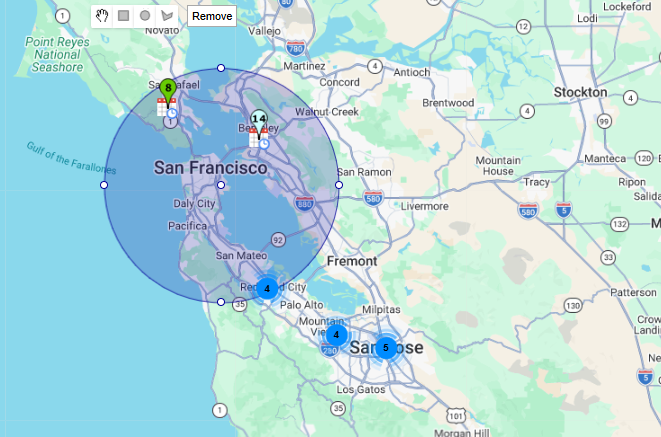
- Map-based scheduling -- search for nearby accounts and leads by radius, then add meetings directly from the map
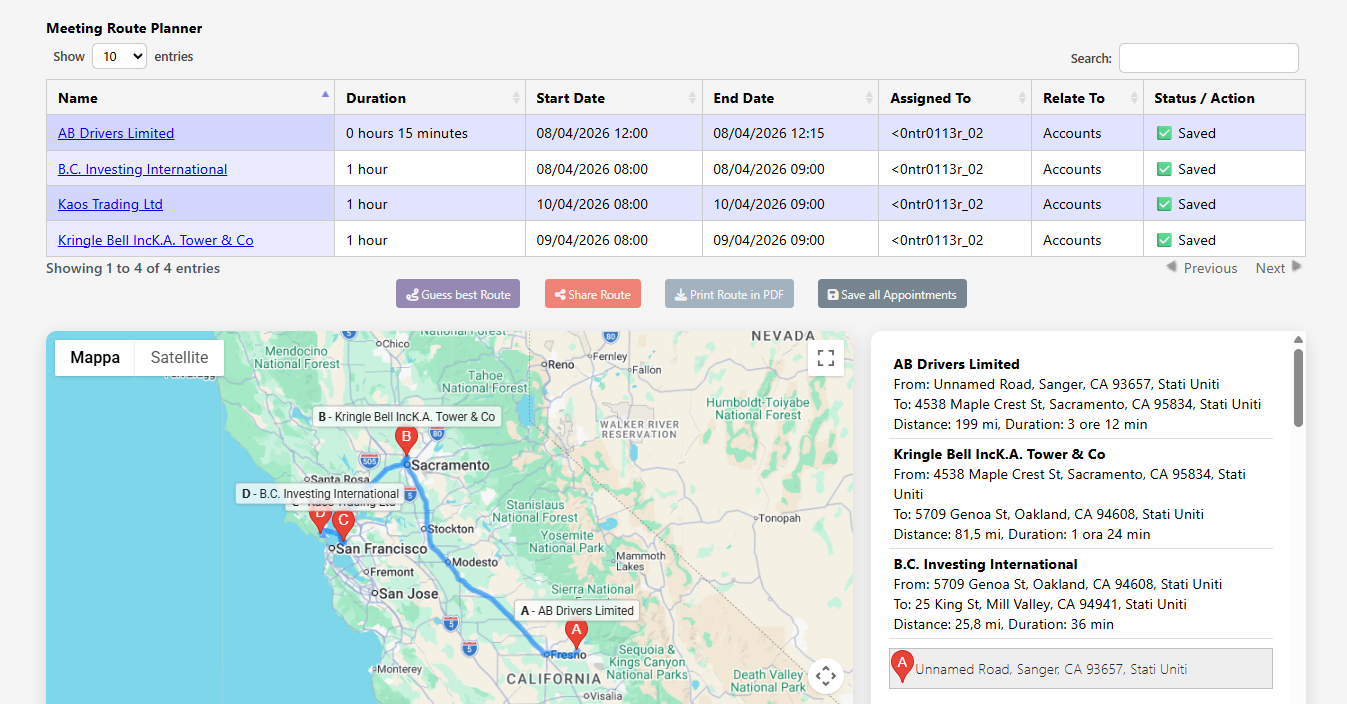
- Drag-and-drop route ordering -- rearrange stops to find the most efficient sequence for each day
- Automated route optimization -- let the built-in engine calculate the fastest route across all planned visits
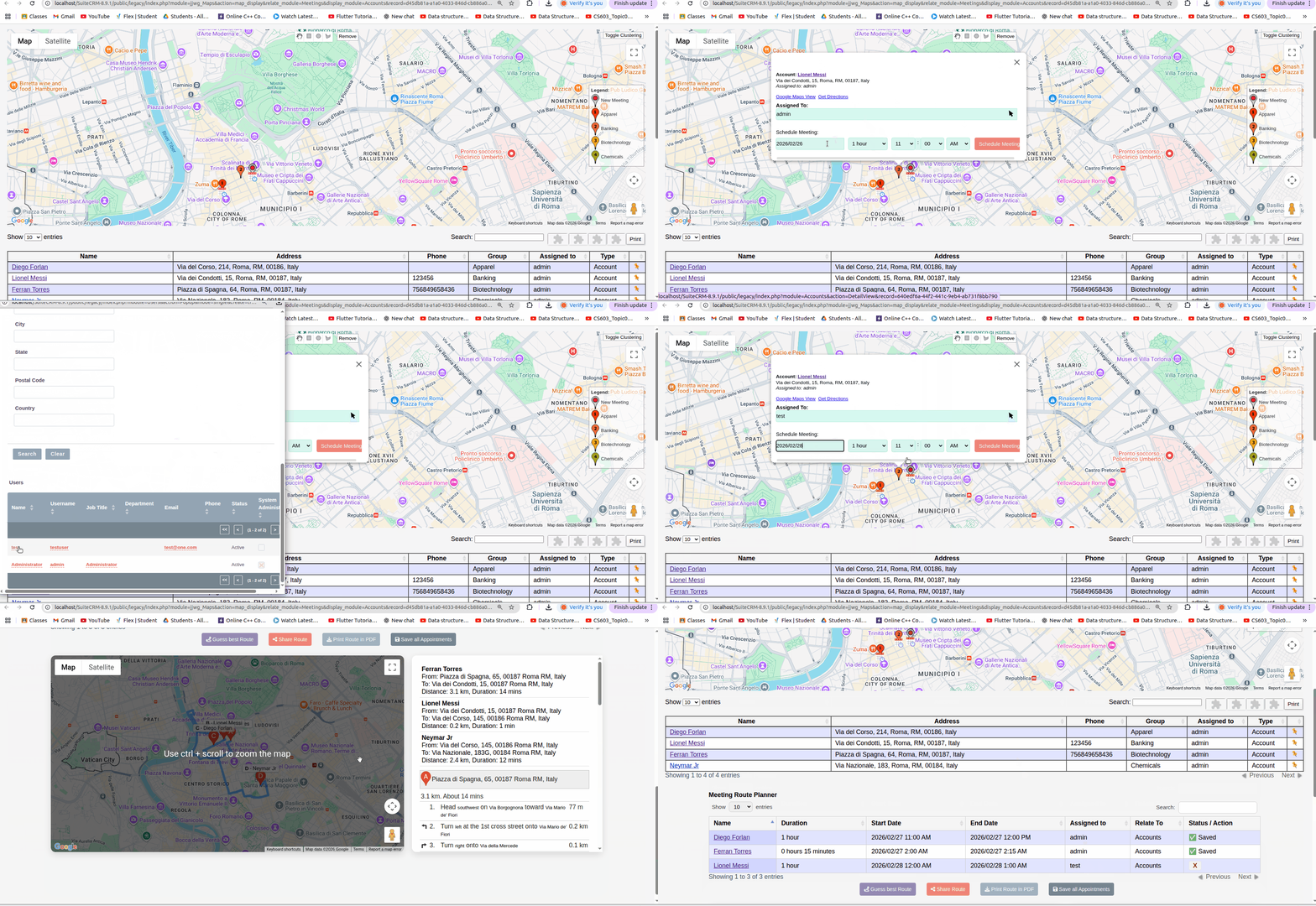
- Team assignment and coordination -- assign visits to specific reps and balance workloads across the team (Team tier)
- Manager planning mode -- plan and oversee routes for your entire team from one view (Team tier)
- PDF export and sharing -- generate and share daily itineraries with reps in the field
Who It's For
Route Planner is designed for B2B sales teams, field service organizations, distributors, and any company that coordinates daily on-site customer visits. The Personal tier is for individual reps optimizing their own routes, while the Team tier gives managers centralized planning and visibility across all field activity.
To learn more about this solution, go to Route Planner or search for 'route planner' on the SuiteCRM Store. A free 30-day trial is available for both the Personal and Team editions.
-
MTS Field Highlight

MTS Highlight Field — highlight important SuiteCRM fields with custom background, text & border colours. Supports conditional formatting based on other fields (AND/OR, priority) across List, Detail and Edit views. No Studio needed.

-
Drag and Drop Multiple Documents

The bulk upload add-on allows SuiteCRM users to upload multiple documents by drag and drop in one shot without needing to navigate to the Documents subpanel. You can configure the drag-drop option for any Documents subpanels on any base module or custom module. When enabled, any user can go to the D...
-
MTS Assistant

The MTS Assistant add-on helps your sales and support teams prioritize their next steps by delivering important updates to their SuiteCRM home page throughout the day. See open actions that need immediate attention or nurturing, so you can avoid missing deadlines and follow ups.
- Show more addons