


This post was contributed by Zybroz, a SuiteCRM add-on developer specializing in AI-powered solutions for sales teams, including pipeline intelligence and performance tracking tools.
Your CRM reports can tell you what happened last quarter, but they rarely warn you about what is going wrong right now. Deals sit idle in pipeline stages, follow-ups slip through the cracks, and by the time the numbers reflect the problem, it is too late to course-correct. TeamPulse for SuiteCRM by Zybroz is a behavioral intelligence engine that analyzes CRM activity patterns to surface these risks early, giving sales managers the signals they need to act before revenue takes a hit.
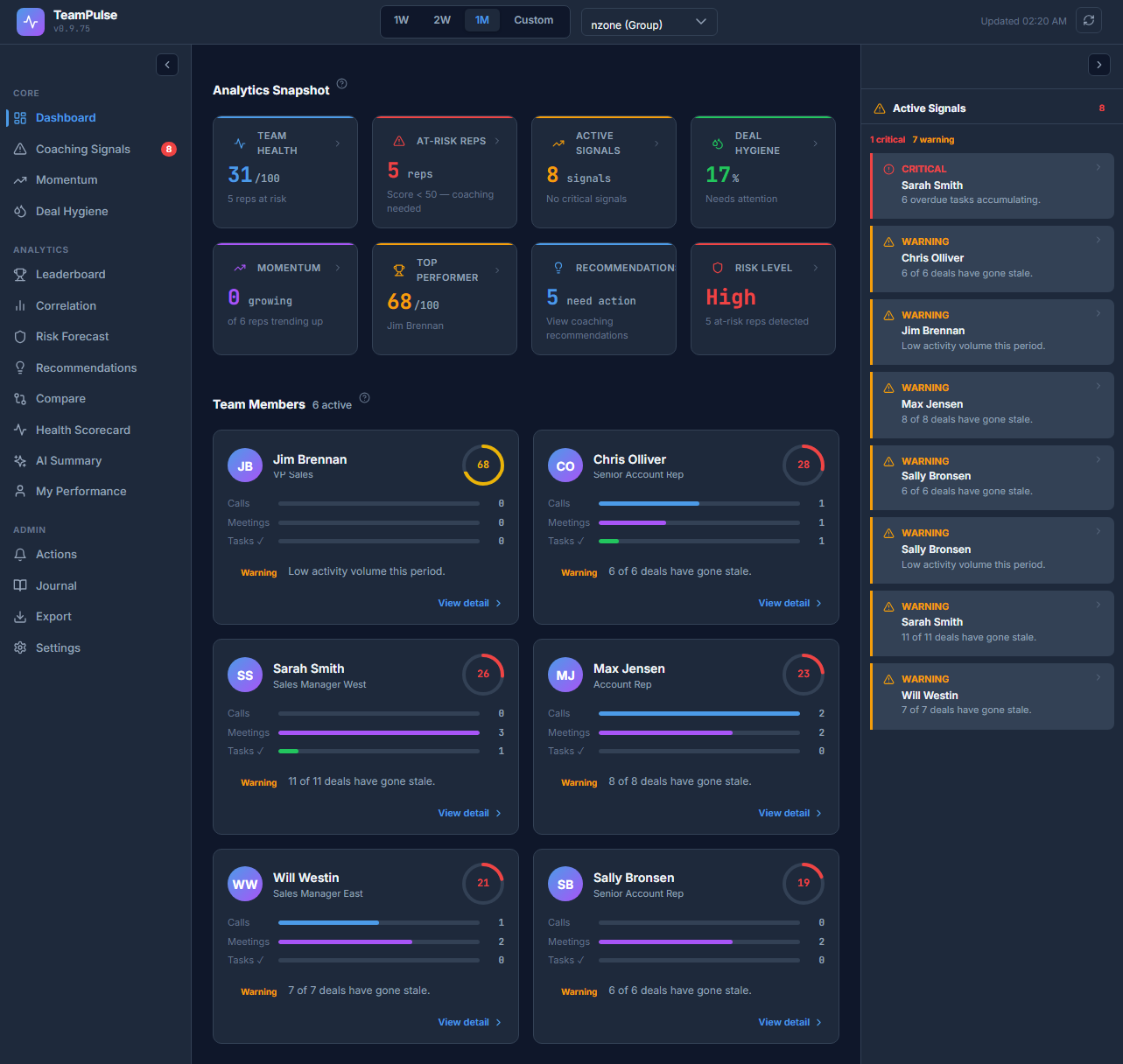
Reports Show the Past, TeamPulse Watches the Present
Most CRM reporting tools are retrospective. They tell you how many deals closed, what revenue came in, and which reps hit quota. That information matters, but it arrives after the fact. If a rep stopped logging calls two weeks ago or let a dozen deals go untouched, a monthly report surfaces that trend long after the damage is done.
TeamPulse works differently. Instead of waiting for outcomes, it continuously monitors the behavioral inputs that drive those outcomes: call frequency, email responsiveness, deal progression, and task completion. When patterns shift in ways that historically precede missed targets, TeamPulse flags them so managers can step in with coaching or support while there is still time to change the trajectory.
Measuring Sales Discipline, Not Just Sales Results
Revenue is the scoreboard, but daily activity is the game. TeamPulse tracks the habits that separate consistent performers from reps who rely on last-minute heroics. Are follow-up tasks being completed on time? Are new leads getting contacted within the expected window? Is each rep maintaining a healthy ratio of outbound activity to pipeline size?
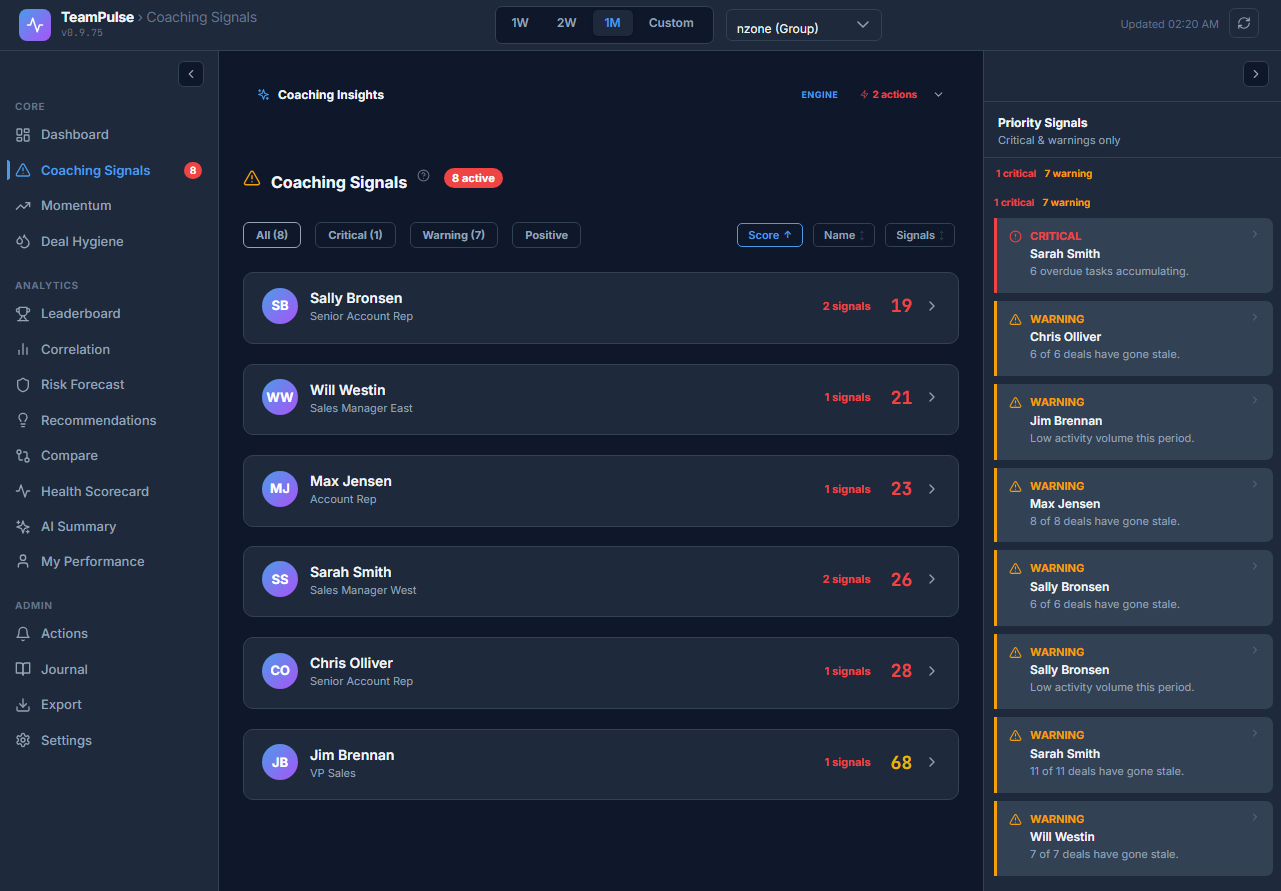
The coaching signals view gives managers a clear picture of where discipline is holding and where it is slipping. Rather than waiting for a one-on-one meeting to review numbers, managers can see at a glance which reps might need a check-in, which are building strong momentum, and where specific behaviors have changed from the prior period. This turns coaching conversations from reactive reviews into proactive, targeted guidance based on what is actually happening in the CRM day to day.
Catching Momentum Shifts Before They Become Missed Targets
Sales pipelines have a rhythm. Reps who are on track tend to show steady patterns of deal progression, consistent outreach, and regular updates to opportunity records. When that rhythm breaks, it often signals trouble ahead, even if the pipeline dollar value still looks healthy on paper.
TeamPulse monitors these momentum patterns at both the individual and team level. If a rep who normally advances three or four deals per week suddenly goes quiet, the system surfaces that shift. If the entire team's outbound activity drops during a holiday week and never recovers, that shows up too. These are the kinds of leading indicators that pipeline reports miss entirely because the deals are still sitting in the pipeline. They just are not moving.
Keeping Your Pipeline Clean and Honest
Stale deals are one of the most common sources of forecast inaccuracy. Opportunities that have not been touched in weeks or months continue to inflate pipeline value, giving managers and executives a false sense of security. When those deals finally get marked as lost or removed, the sudden drop creates a forecasting crisis.
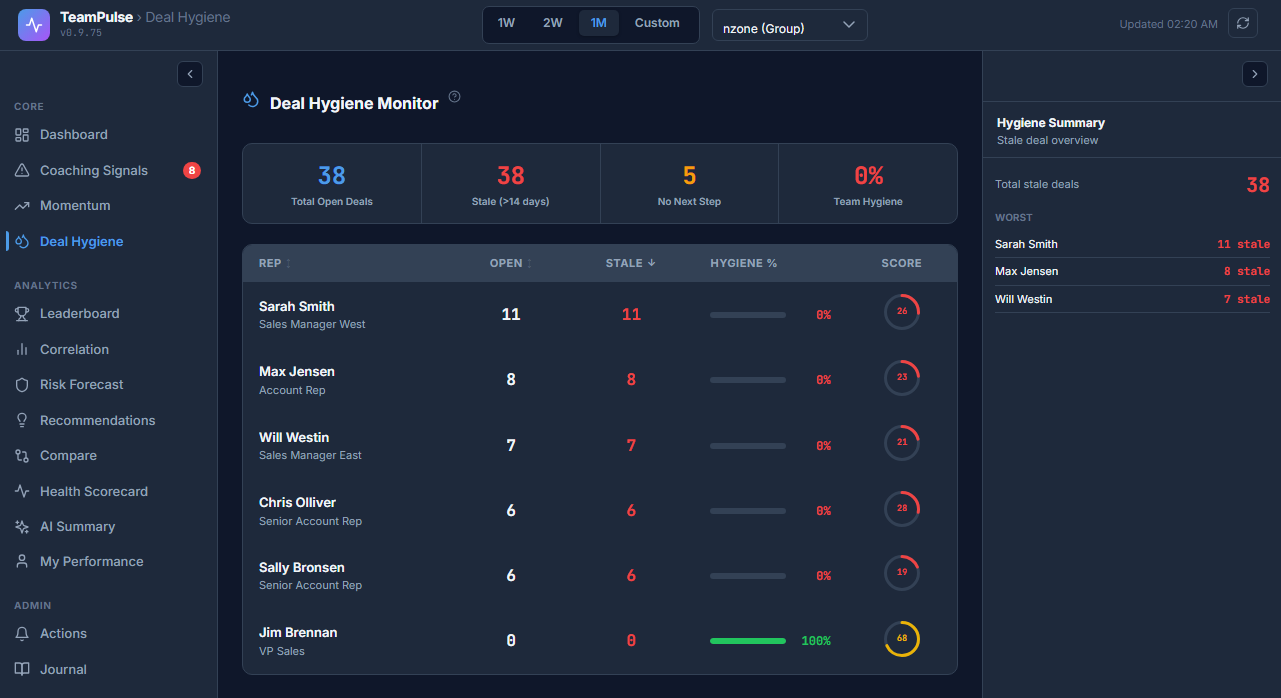
TeamPulse's deal hygiene monitor tracks how long opportunities have sat without activity, which deals have passed their expected close date without an update, and where pipeline values may not reflect reality. Instead of running a manual audit at the end of each quarter, managers get continuous visibility into pipeline accuracy. This makes forecast reviews more productive because the data going into the forecast is already clean, and reps know their idle deals will be flagged rather than quietly ignored.
Built for Your Existing SuiteCRM Setup
TeamPulse reads from the activity data your team is already logging in SuiteCRM. It does not require reps to change their workflow, adopt a new tool, or enter data into a separate system. If your team is logging calls, sending emails through SuiteCRM, and updating opportunity stages, TeamPulse has what it needs to start generating insights.
The add-on installs as an extension with no core file modifications required, and it works with standard SuiteCRM modules. Setup does not require a dedicated admin or a lengthy implementation process. Once installed, TeamPulse begins analyzing historical activity patterns to establish baselines, then starts surfacing signals as new data comes in.
To learn more about this solution, go to TeamPulse for SuiteCRM or search for "TeamPulse" on the marketplace.
-
Custom Login Pro

The Custom Login Pro is a SuiteCRM add-on that allows you to use decent and attractive pages and replace the default CRM login page with a more modern-looking page that better meets the requirements of your organization.
-
Organization Chart for SuiteCRM

Organization Chart for SuiteCRM allows users to view the structure of their organization and of their customers in a beautiful chart.
-
SuiteCRM Calculation Field

Create business logic for field calculations without needing to write custom code. You can select calculated field and create the formula that is automatically updated based on calculation you provide.

- Show more addons