


The MTS Organization Chart add-on uses your SuiteCRM data to create a visual representation of businesses and their reporting structures. For potential customers, gain a better understanding of connections, how teams work together, and what contacts are involved in the decision-making process.
Release Notes
[Version 2.2.4]
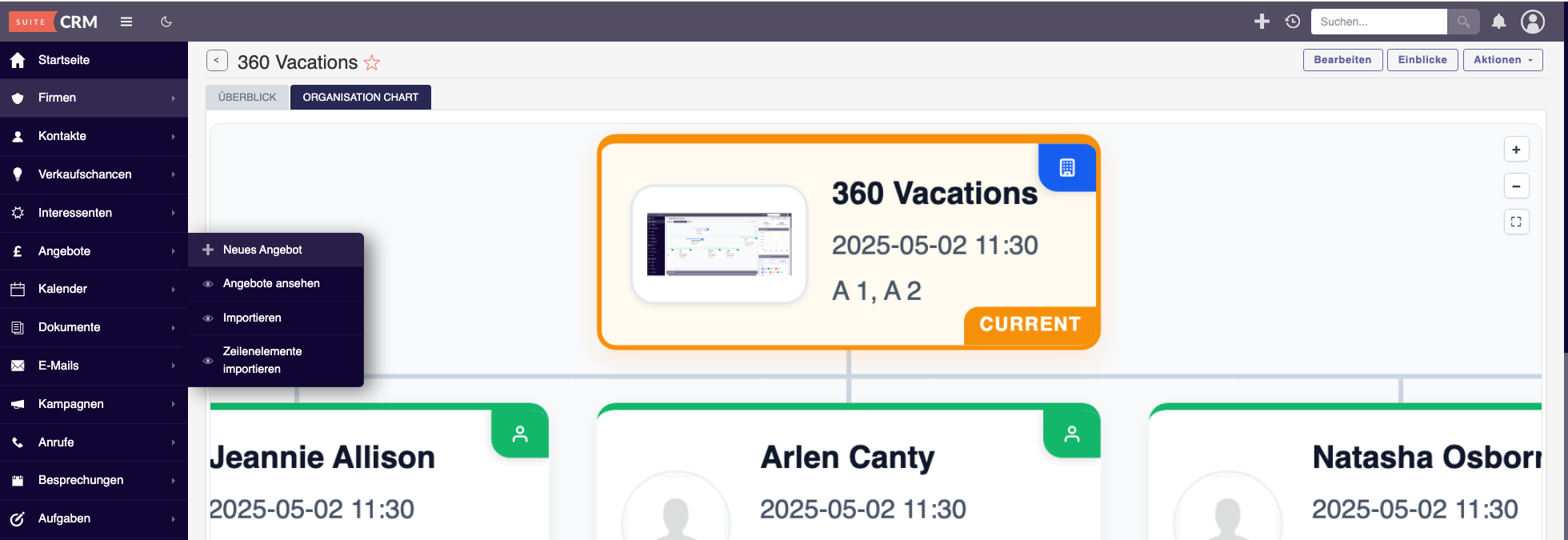
Bug Fixes
Fixed field removal in Chart Configuration
- Fixed an issue where removed or deactivated Account display fields could reappear after saving.
- Field selections are now stored reliably per configuration in the database.
- Applies to both People and Account nodes.
- Existing configurations are preserved automatically.
Fixed multi-select fields displaying database keys
- Dropdown and multi-select fields now display their configured labels instead of database keys.
- Improved value rendering for different field types:
- Dropdown and Multi-select
- Checkbox
- Date
- Currency
Fixed Account and Company logo rendering
- Improved compatibility with the SuiteCRM 8 Media Library.
- Account and Company logos can now be correctly displayed on Organisation Chart nodes.
- Contact photos are also supported correctly.
Improvements
Improved Company Logo Display
- Company logos are now displayed inside a clean rounded rectangle.
- The full logo is displayed without unnecessary cropping.
- Added a building placeholder for companies without a logo.
Larger Person Avatars
- Increased avatar size on person nodes for better visibility and readability.
Sharper Chart Rendering
- Improved chart rendering when zooming out.
- Nodes are now re-rendered at the final zoom level to provide a sharper and clearer appearance.
Improved Chart Usability
- Drag to pan remains available.
- Mouse wheel and pinch to zoom are supported.
- Zoom In, Zoom Out and Auto Fit controls remain available.
Notes
- Investigated an intermittent error banner that may appear during the first save of the chart configuration.
- This appears to be related to SuiteCRM internal Quick Repair and Rebuild processing rather than the Organisation Chart plugin itself.
- The issue could not be consistently reproduced and currently does not affect Organisation Chart functionality.
Upgrade
To upgrade to version 2.2.4:
- Go to Admin and then Module Loader.
- Upload and install MTS_OrganisationChart_2.2.4.zip.
- Go to Admin and then Repair and then Quick Repair and Rebuild.
- Hard refresh your browser using Ctrl and Shift and R on Windows or Command and Shift and R on Mac.
Your existing Organisation Chart configurations and licence will remain intact after the upgrade.
[Version 2.2.2]
New Features & Enhancements:
• [Enhancement] Active Record Highlighting: Added a distinct "CURRENT" badge and a continuous pulsing animation to easily identify the active record within large hierarchies.
• [Enhancement] Dynamic Node Sizing: Node heights now auto-expand dynamically to prevent text truncation for long data fields, while keeping all sibling nodes perfectly aligned horizontally.
• [Enhancement] Root Node Logic: In "Contacts Only" display mode, the main Account is now explicitly forced as the Root (Level 0) node for better structural integrity.
• [Enhancement] Orphan Contact Handling: Contacts without a designated manager (reports_to_id) will now automatically attach directly to the Root Account node rather than rendering as disconnected parallel roots.
• [New Feature] Empty State UI: Introduced a clean, centralized "No organization data available" visual state to replace blank screens when viewing records with no hierarchical data.
### Bug Fixes:
• [Fix] SuiteCRM 8 Layout Blowout: Resolved an issue where large charts would stretch infinitely and break the SuiteCRM 8 flexbox container. The chart now stays strictly bounded with native scrolling.
• [Fix] Node Badge Identification: Fixed a bug where Company/Account nodes incorrectly displayed the green "PERSON" badge instead of the blue "ORG" badge in certain modes.
• [Fix] API Fatal Errors: Resolved Smarty template syntax errors and unescaped Javascript characters that caused Internal Server Errors (Error 500) on the JSON API endpoints.
• [Fix] Scrolling Conflicts: Removed legacy zoom/pan scripts that intercepted and interfered with native browser scrolling behavior.
[Version 2.0.0]
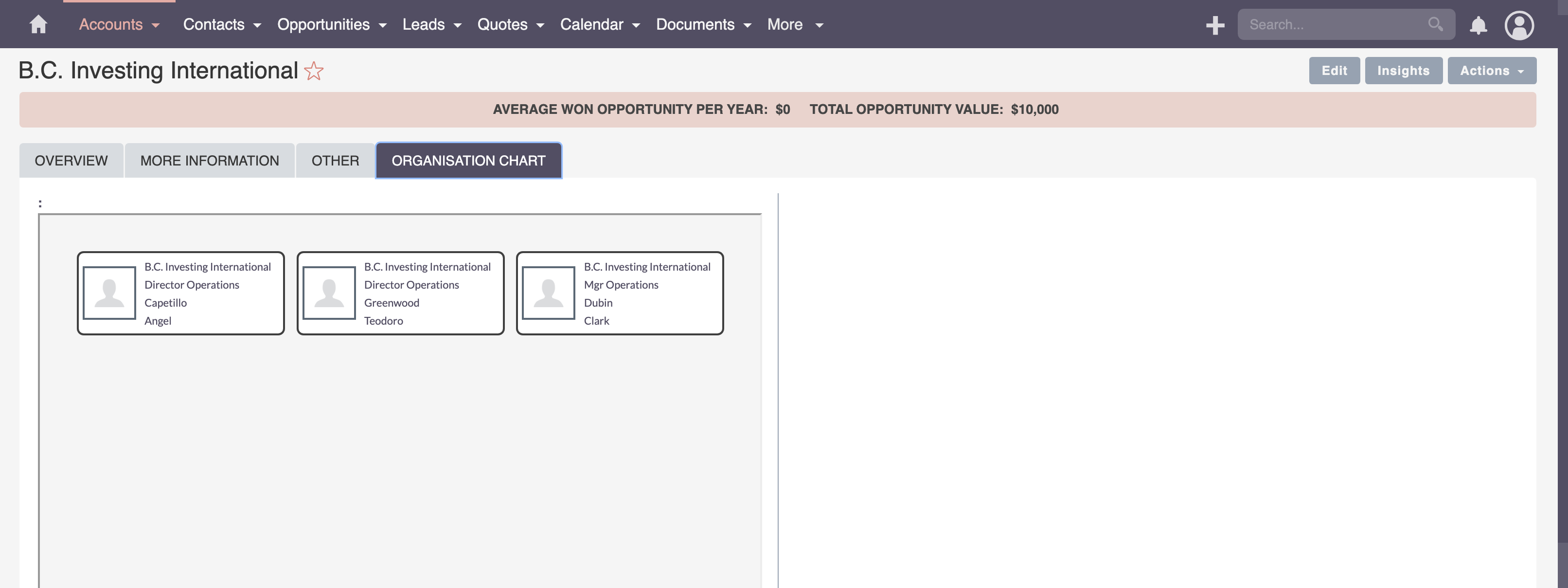
- Support SuiteCRM 8
[Version 1.1.1]
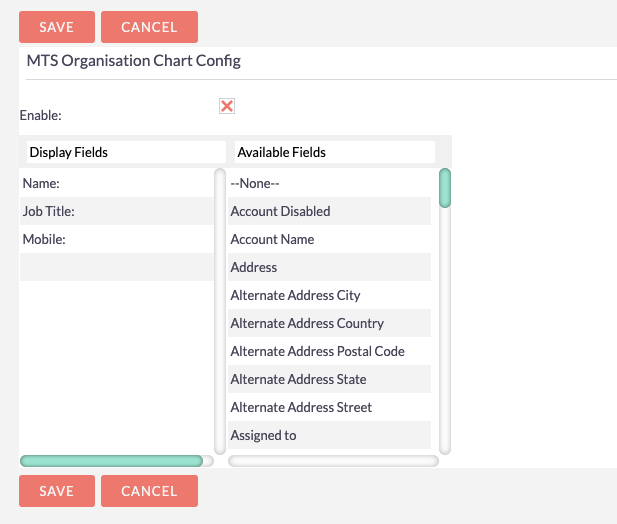
- Support custom display fields in node.
[Version 1.1.0]
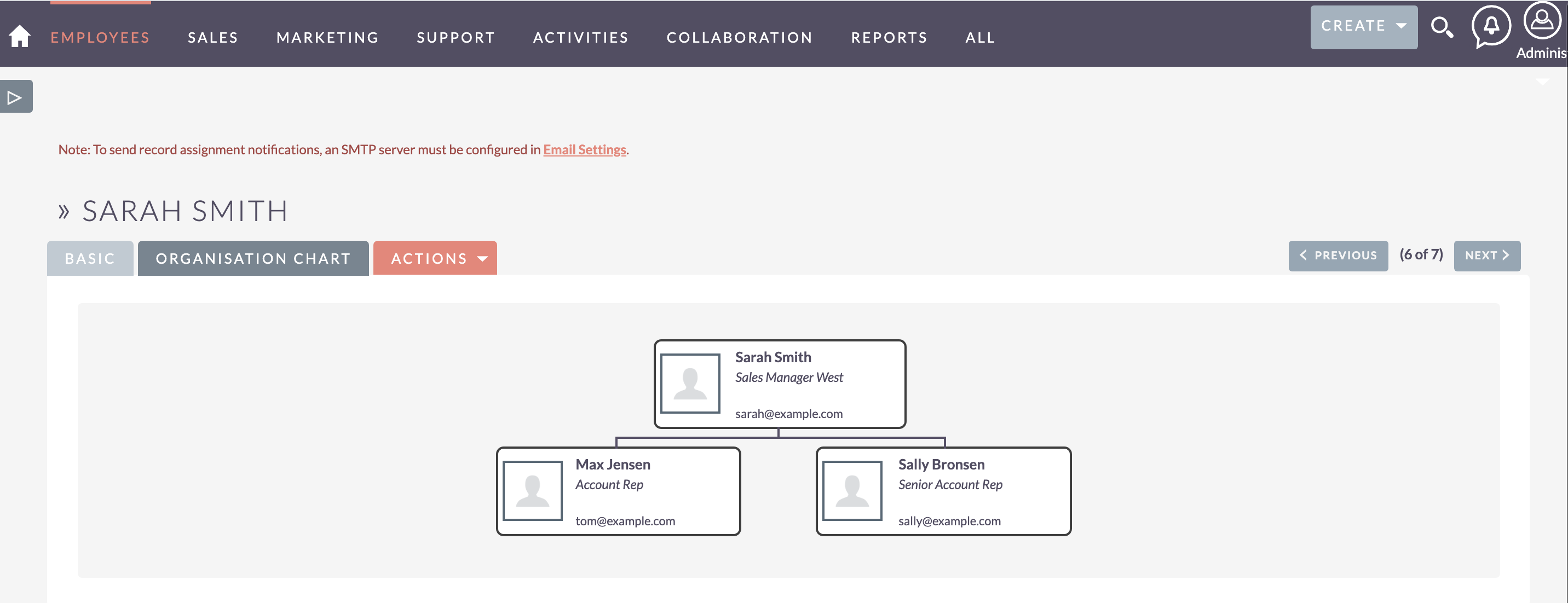
- Support for Contacts, Employees modules.
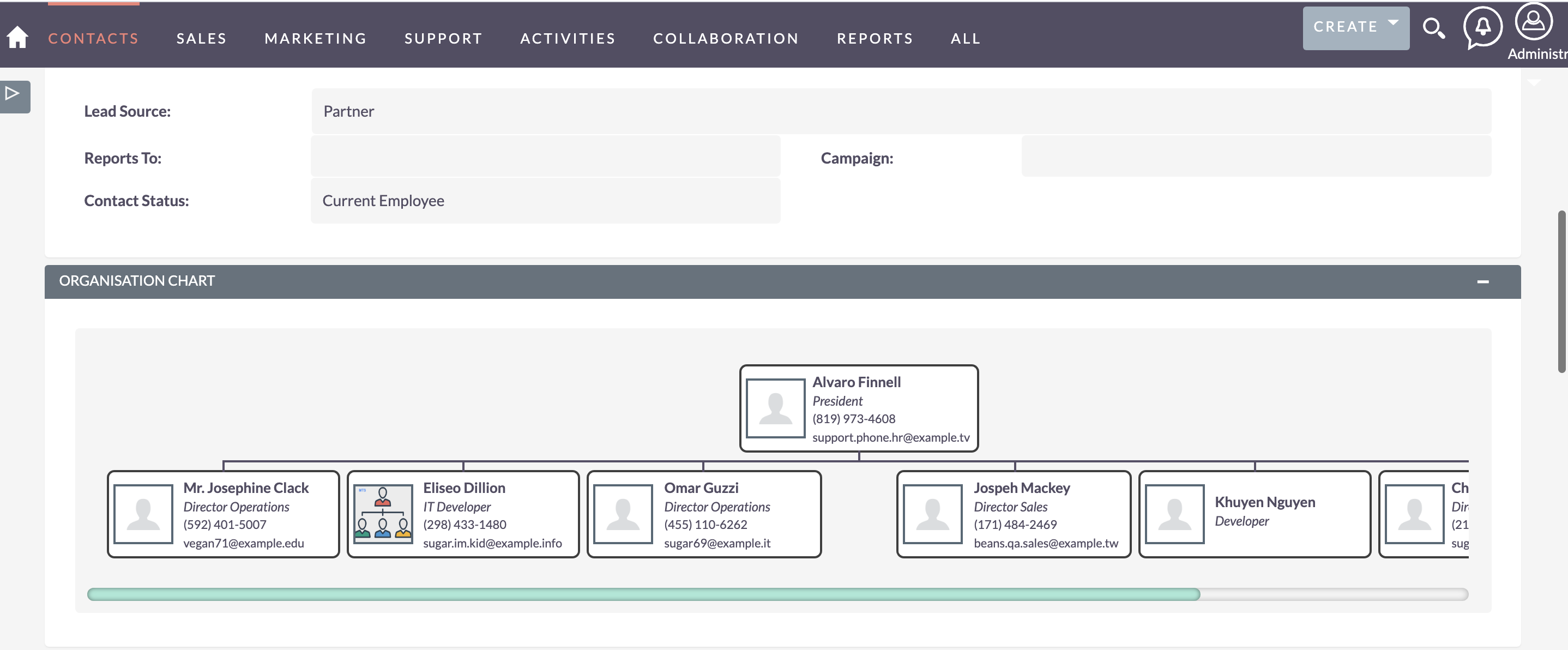
[Version 1.0.1]
- Show avatar in node
[Version 1.0.0]
- Visualize the reporting structure of your contacts with organisation charts
- Easily see who a contact reports to within Contacts
 Saving Comment...
 rolandweinhaeupl