


Highlevel Overview
Have you ever dreamed of being able to use account fields when searching for contacts, opportunities, quotes, or cases? The developers at NS-Team created Accounts Search to make it happen! With this add-on, SuiteCRM users can now search for data using the various account fields in related modules.
How it Works
Accounts Search works without any PHP coding, enabling you to:
- Search for contacts where account type is customer and industry is Telecom
- Search for cases where account strategic customer checkbox is checked
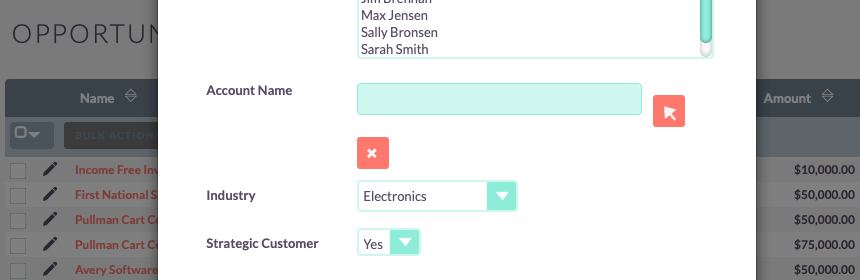
Supported Field Types
- Text fields
- Dropdown fields
- Checkboxes
- Relate fields
A configuration page allows you to define which search field you need in any module related to accounts (including custom modules):

To learn more about this solution, go to Accounts Search or search for "account field search."
-
SuiteCRM & Alfresco Integrator
SuiteCRM & Alfresco Integrator by eVolpe is a perfect solution for all the companies, which are currently deploying or already using both of the systems. Are you facing difficulties trying to coordinate your documentation in the context of sales opportunities? This is the best solution!
-
Easy OVH Click2Call (OVH VoIP offers)

Save time for your Sales Representatives and Teammates by linking your subscribed OVH VoIP offers with all SuiteCRM phone fields, allowing them to establish a connection with a contact with just a single click on the phone number! Requires a valid OVH Enterprise VOIP subscription.
-
QuickCRM

QuickCRM Mobile gives you access to SuiteCRM on your mobile, your tablet (iPhone, iPad, Android) or your laptop with QuickCRM native apps available on App Store, Google Play and Windows Store.
 Featured
 - Show more addons