

Run multiple companies inside one SuiteCRM with full data isolation, per-company record numbering, and zero extra infrastructure. One instance, any number of companies, no compromises.
MTS Multi Organization for SuiteCRM
Run multiple companies inside one SuiteCRM — with complete data isolation, per-company numbering, and zero extra infrastructure.
Your Problem
Managing multiple companies in one SuiteCRM instance without this plugin means:
- Sales reps from Company A see Company B's leads, opportunities, and deals.
- Separate SuiteCRM instances multiply hosting, maintenance, and upgrade costs.
- Custom filtering is fragile, inconsistent, and not enforced at the permission level.
- Invoice and quote numbers collide between companies, causing billing confusion.
- Onboarding a new company requires risky manual code changes.
- Delegating admin access to a company manager means giving them full super-admin rights.
Solution
1. Rock-Solid Data Isolation
"Each user sees exactly their company — nothing more, nothing less."
Company isolation is applied at two levels: the SQL WHERE clause on every list view query, and the ACL check on every detail, edit, and delete action. It is not a UI filter that can be bypassed — it is enforced in the framework.
- Assign every record to a company automatically on save (via logic hook).
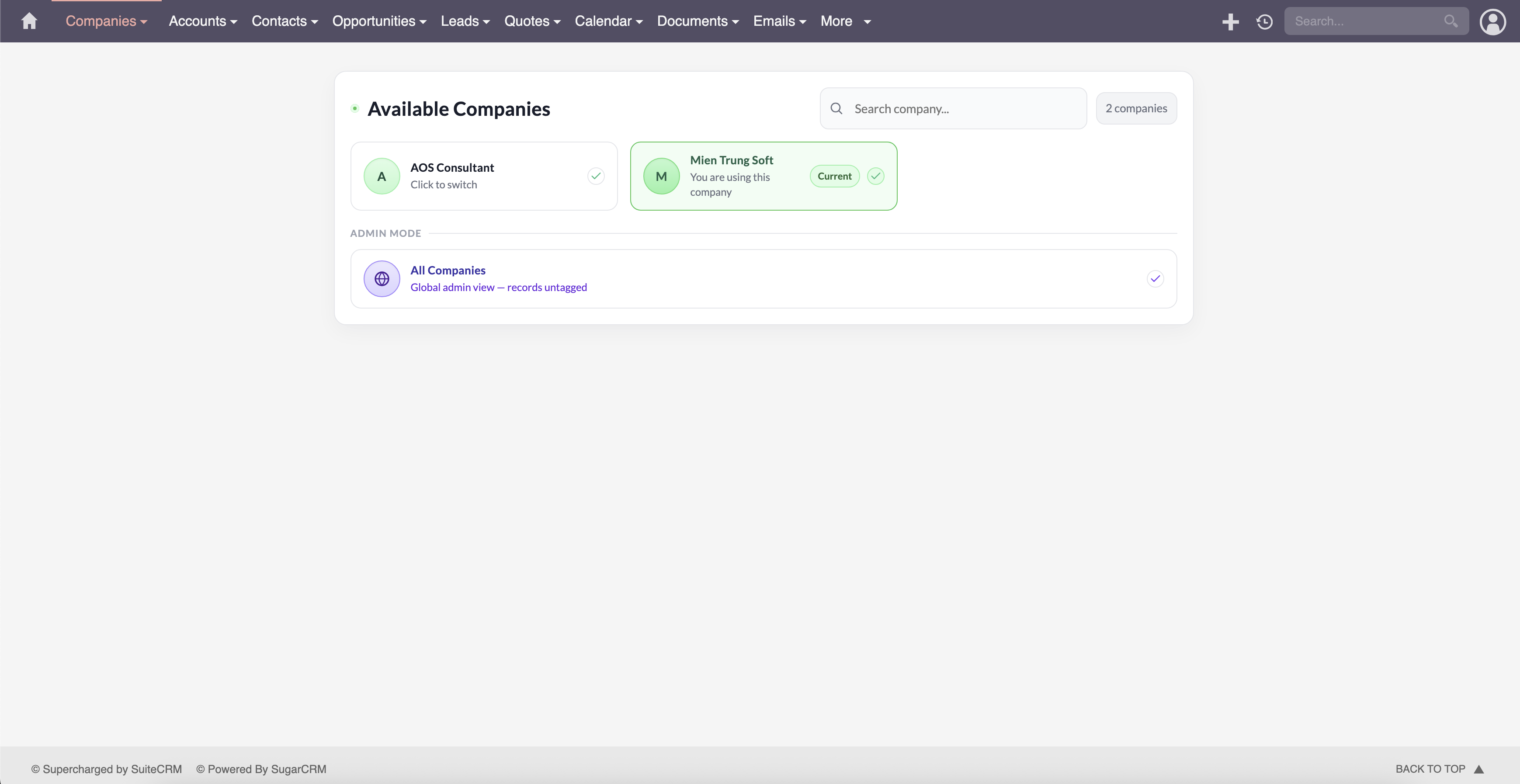
- Users log in and only see their company's records across all enabled modules.
- Super-admins and delegated visible admins can switch between companies.
2. Dedicated Company Records
"All your company's business identity in one place."
The MTS_Company module is a full company profile including:
- Basic info: name, address, phone, email, website
- Legal details: legal form, registration number, court, VAT/Tax ID, managing directors, share capital, country of incorporation
- Banking: bank name, account number, IBAN, BIC/SWIFT, SEPA creditor ID
- Commercial: payment terms
3. Per-Company Record Numbering
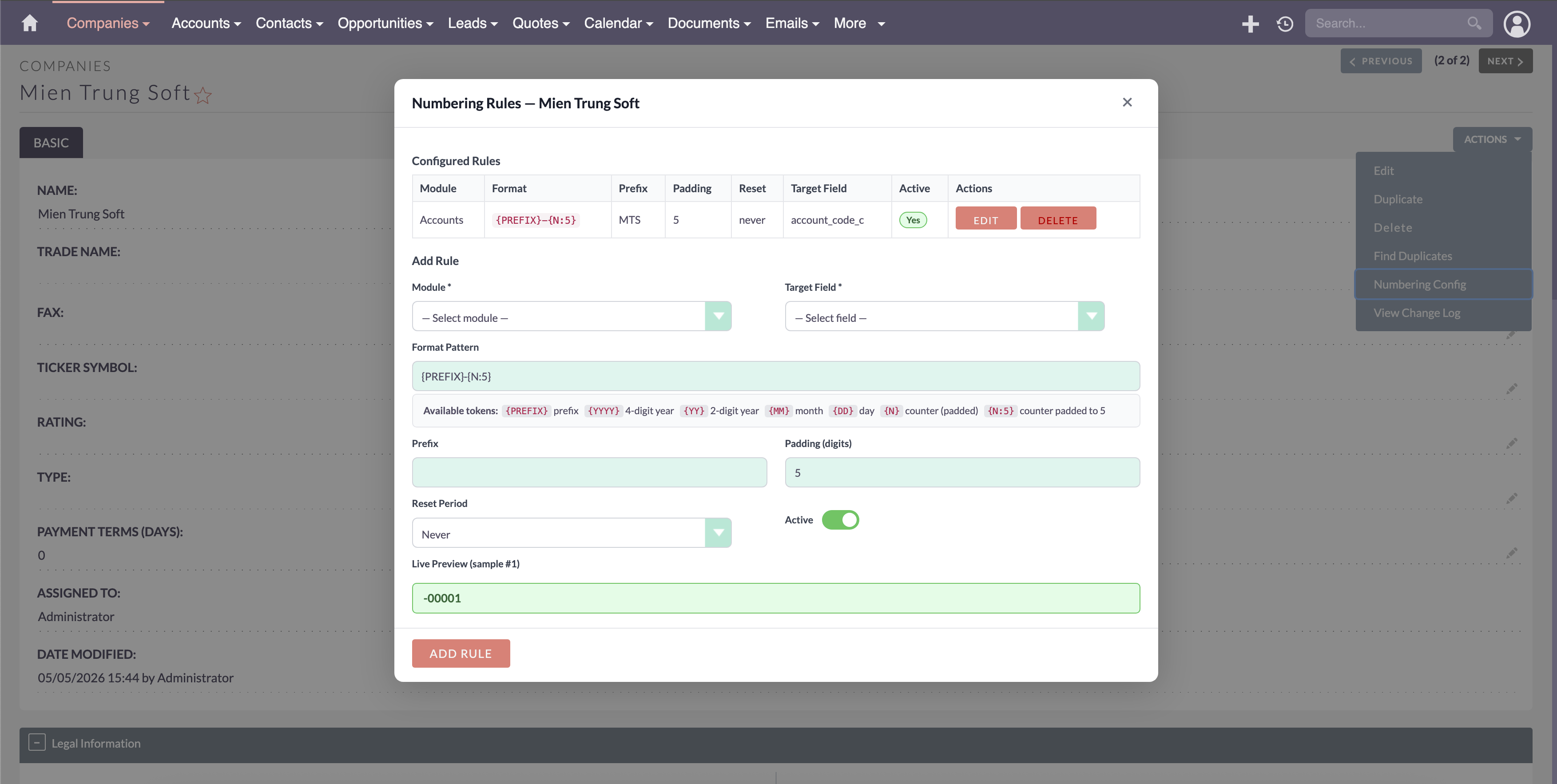
"INV-2025-00001 for Company A. INV-2025-00001 for Company B. Both correct, never colliding."
Define auto-numbering rules for any module and any text field:
- Format patterns:
{PREFIX}-{YYYY}-{N:5}→ACME-2025-00001 - Reset period: Never, Daily, Monthly, Yearly
- Atomic counter increment — no duplicate numbers under concurrent saves
- One rule per company + module, enforced by the system
4. Selective Module Control
"Isolate only what needs isolation."
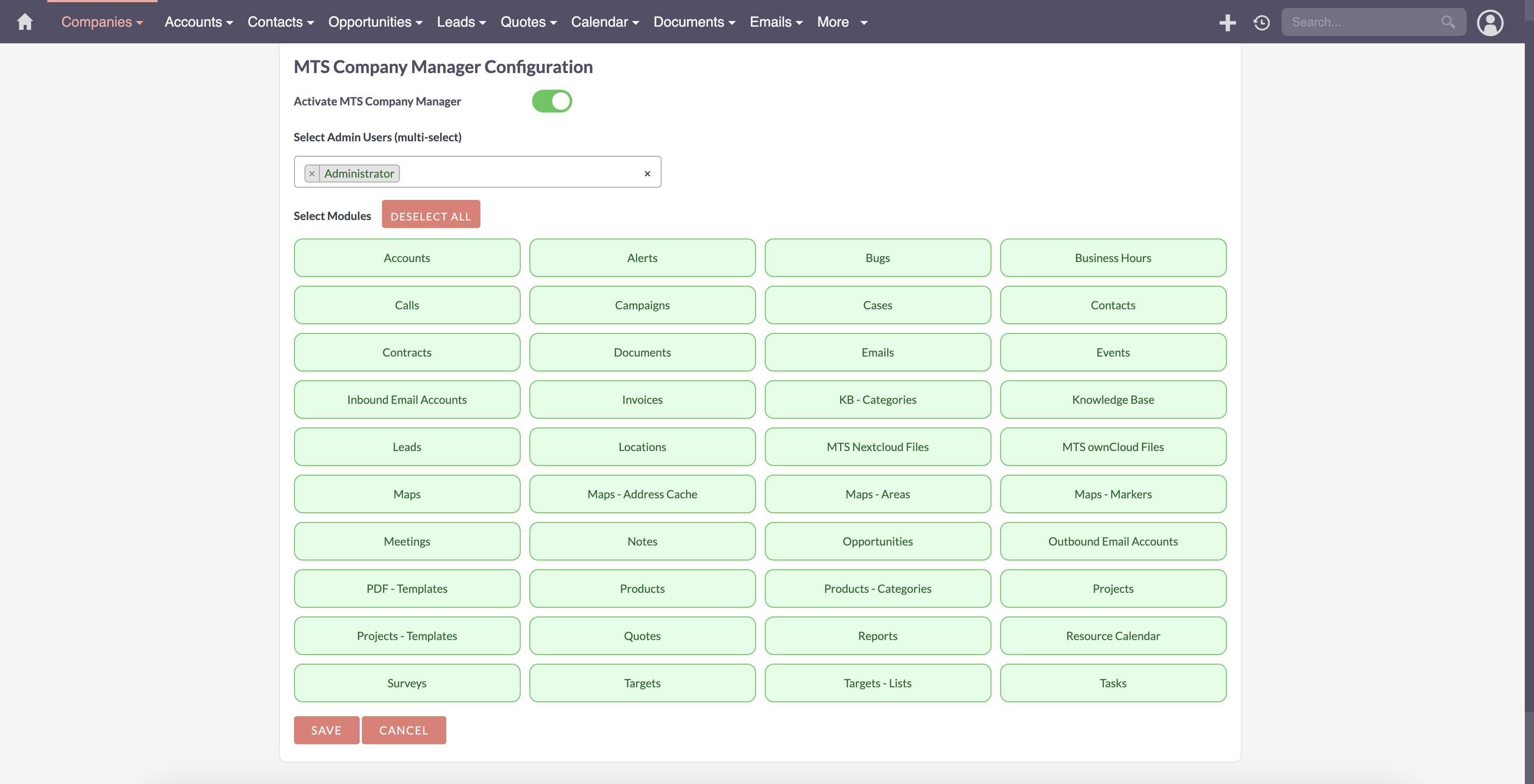
Enable company isolation on any combination of modules from a single admin panel. The plugin auto-installs the required relate field and rebuilds extensions. Disable a module and the field is cleanly removed.
5. Admin Delegation
"Let your Company A manager administer their data — without becoming a SuiteCRM super-admin."
Designate "visible admin" users who can see all companies and manage configuration, without the risks of full super-admin access.
Multi-Company Numbering Formats
| Token | Output (example) |
|---|---|
{PREFIX} |
ACME |
{YYYY} |
2025 |
{YY} |
25 |
{MM} |
07 |
{DD} |
14 |
{N:5} |
00042 |
{PREFIX}-{YYYY}-{N:5} |
ACME-2025-00042 |
Results
| Criteria | Before | After |
|---|---|---|
| Data leakage between companies | Constant risk | Impossible |
| Infrastructure cost | N instances | 1 instance |
| Invoice numbering | Manual / spreadsheet | Automatic |
| Admin delegation | Full super-admin or nothing | Configurable per user |
| New company onboarding | Days of custom code | Minutes in admin UI |
"We run 6 subsidiaries on one SuiteCRM now. Setup took an afternoon. Our finance team finally has clean invoice numbers per entity." — SuiteCRM Store Customer
Why Choose MTS Multi Organization
- ✅ Enforced isolation — not just a filter, an actual ACL + SQL guard
- ✅ Built-in legal and banking fields on every company record
- ✅ Configurable numbering for any module and any text field
- ✅ Module-level granular control
- ✅ Safe uninstall — leaves no orphan tables or broken extensions
- ✅ SuiteCRM Store licensed — validated weekly, no manual activation
- ✅ Compatible with SuiteCRM 7.x and SuiteCRM 8.x
Pricing
| Plan | Price |
|---|---|
| Yearly | View Price |
| One-Time | Contact us |
Our SuiteCRM Plugins Now Support SuiteCRM 8
All plugins developed by our team are now fully compatible with SuiteCRM 8. If you are upgrading to SuiteCRM 8, you can continue using these extensions without any compatibility issues.
Productivity and Visualization
- History Time Line - Visualize record history in a timeline.
- MTS Organisation Chart - Display company hierarchy with an organisation chart.
- MTS Kanban - Manage records using a Kanban board.
Developer and Admin Tools
- MTS Code Generator - Generate SuiteCRM modules and components faster.
- MTS Dynamic View - Dynamically show or hide fields based on conditions.
- MTS Cleaner - Clean unnecessary files and optimize SuiteCRM performance.
Business and Finance
- MTS Advanced Invoice - Advanced invoicing features for SuiteCRM.
- MTS Stripe Integration - Accept payments directly from SuiteCRM.
Automation and Integrations
- MTS Notification - Real-time notifications for CRM events.
- MTS Telegram Notify - Send SuiteCRM notifications to Telegram.
- MTS Typeform Integration - Sync Typeform responses into SuiteCRM.
AI and Collaboration
- MTS AI Case Assistant - AI-powered case classification and reply generation.
- MTS SuiteVoice Transcriber - Transcribe voice calls and meetings inside SuiteCRM.
- MTS AI Email Writer - Generate professional emails using AI.
- MTS Comment - Add discussion threads inside records.
- MTS Record Score - Automatically score records based on rules.
Utilities
- MTS Field Highlight - Highlight important fields in record views.
- MTS Language Translate Tool - Translate SuiteCRM labels easily.
- MTS User Activity Log - Track user activity in SuiteCRM.
- MTS Timesheet - Track working time inside SuiteCRM.
- SuiteCRM 8 Theme Editor - Customize SuiteCRM 8 themes without coding.
- Website: mientrungsoft.com
- Email: anhnhatuit@gmail.com
- WhatsApp: +84973131884
