

Highlight SuiteCRM fields with custom colours and conditional formatting (AND/OR rules, priority) in List, Detail and Edit views. No Studio needed.
MTS Field Highlight is a SuiteCRM add-on that colours important fields (background, text, border and label) in List, Detail and Edit views, either with fixed colours, per-dropdown-value colours, or conditional rules based on other fields. It supports SuiteCRM 7 and SuiteCRM 8.
Find the fields that matter most to your business with this highlighter add-on. Configure any field to be highlighted on your views — with a fixed colour, per-dropdown-value colours, or conditionally based on the values of other fields.
Now supports SuiteCRM 8
New in v1.1.0 — Conditional Formatting
Key features
- Conditional highlighting (cross-field) — colour a field when other fields meet a condition (e.g. background turns grey when a checkbox is ticked).
- AND / OR condition groups — combine several conditions per rule (e.g. Country = US AND Industry = Banking).
- Multiple rules per field with priority — the highest-priority matching rule wins.
- Rich operators — equals, not equals, is checked / is not checked, is empty / not empty, contains, greater than, less than, is one of.
- Background, text and border colours — plus an optional Color the label and a dedicated related-record colour.
- Choose where it applies — per rule: Edit/Create, Detail, List.
- Value-based (per dropdown option) colouring — a different colour for each option.
- Static (fixed) colouring for any field.
- Works across List, Detail and Edit/Create views — no Studio changes required.
- Multi-language UI (English & Deutsch).
- Works with all standard and custom modules, and all themes.
- Easy to configure and applies for all users automatically.
Screenshots
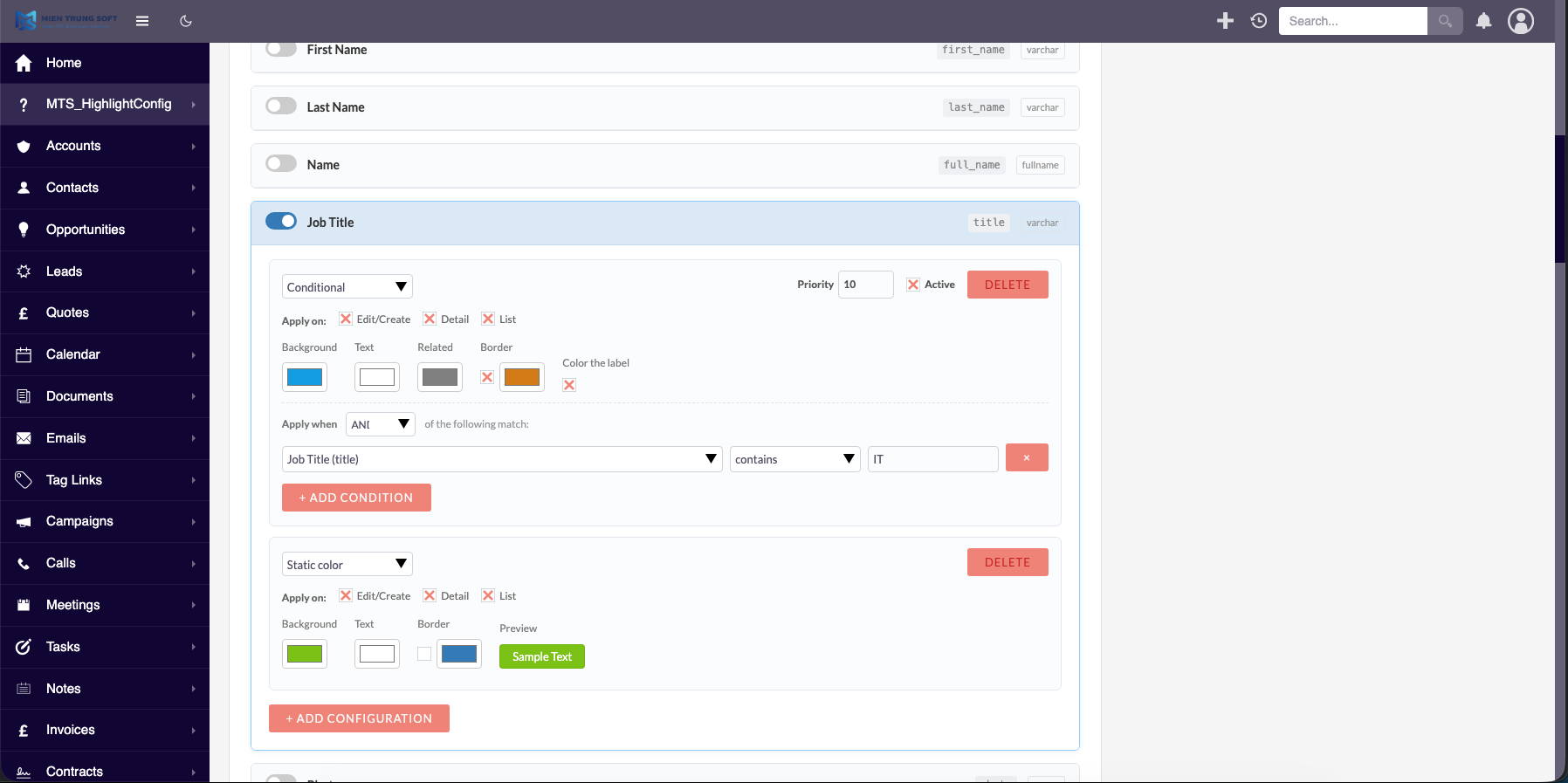
Conditional rule builder (choose target field, colours, border, conditions, priority, apply-on modes)
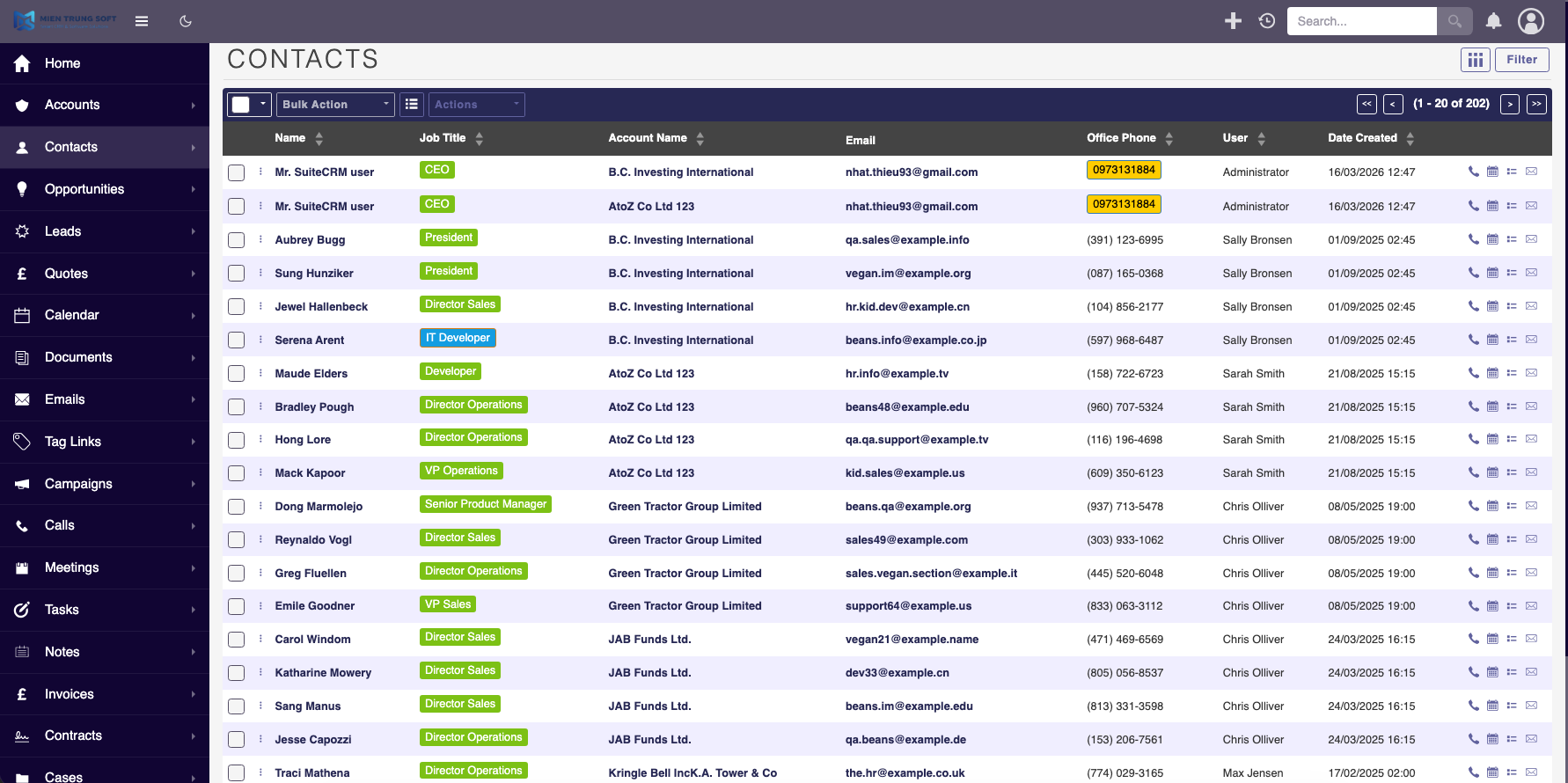
List view — fields highlighted conditionally
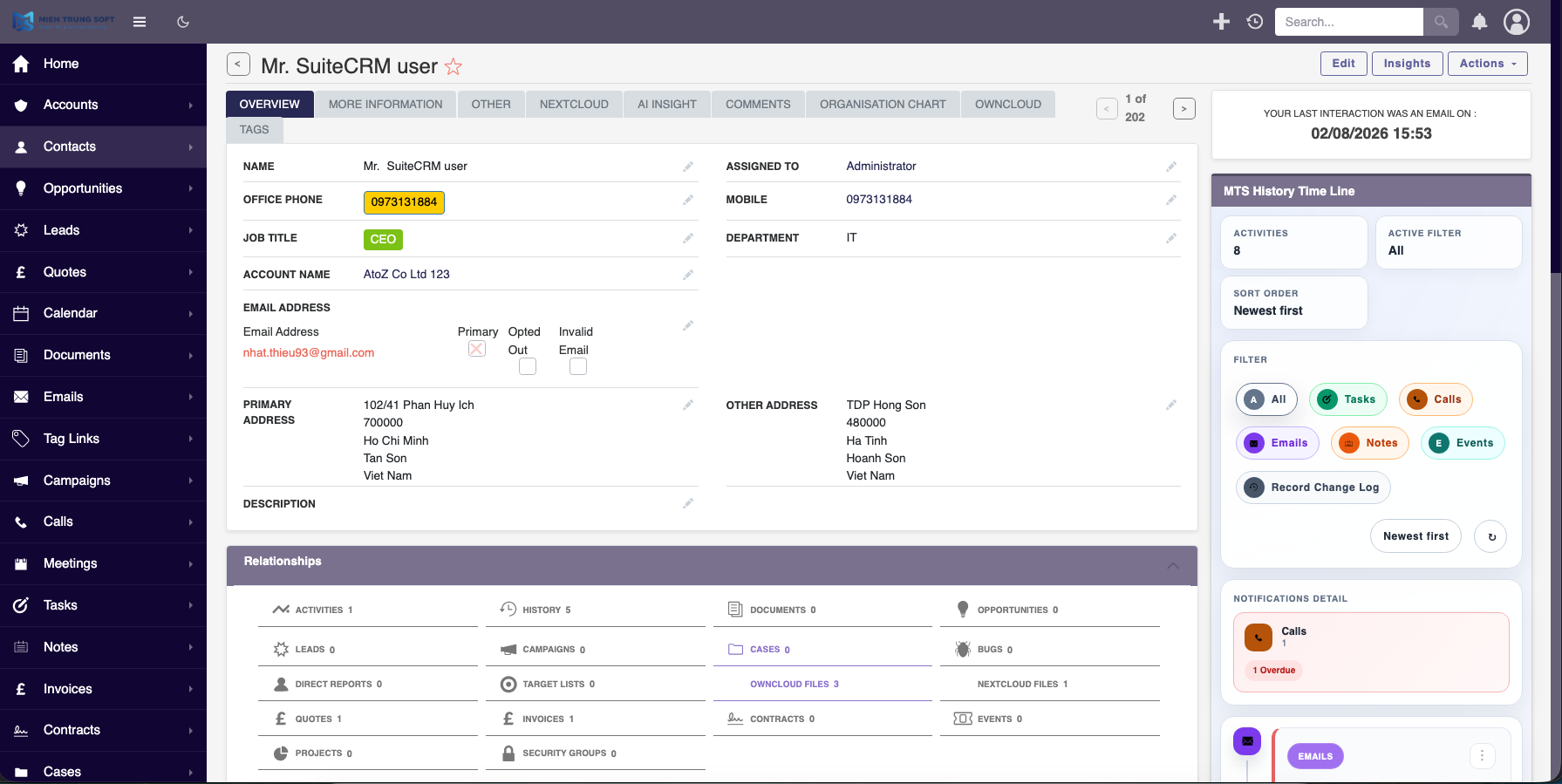
Detail view — field value and label highlighted
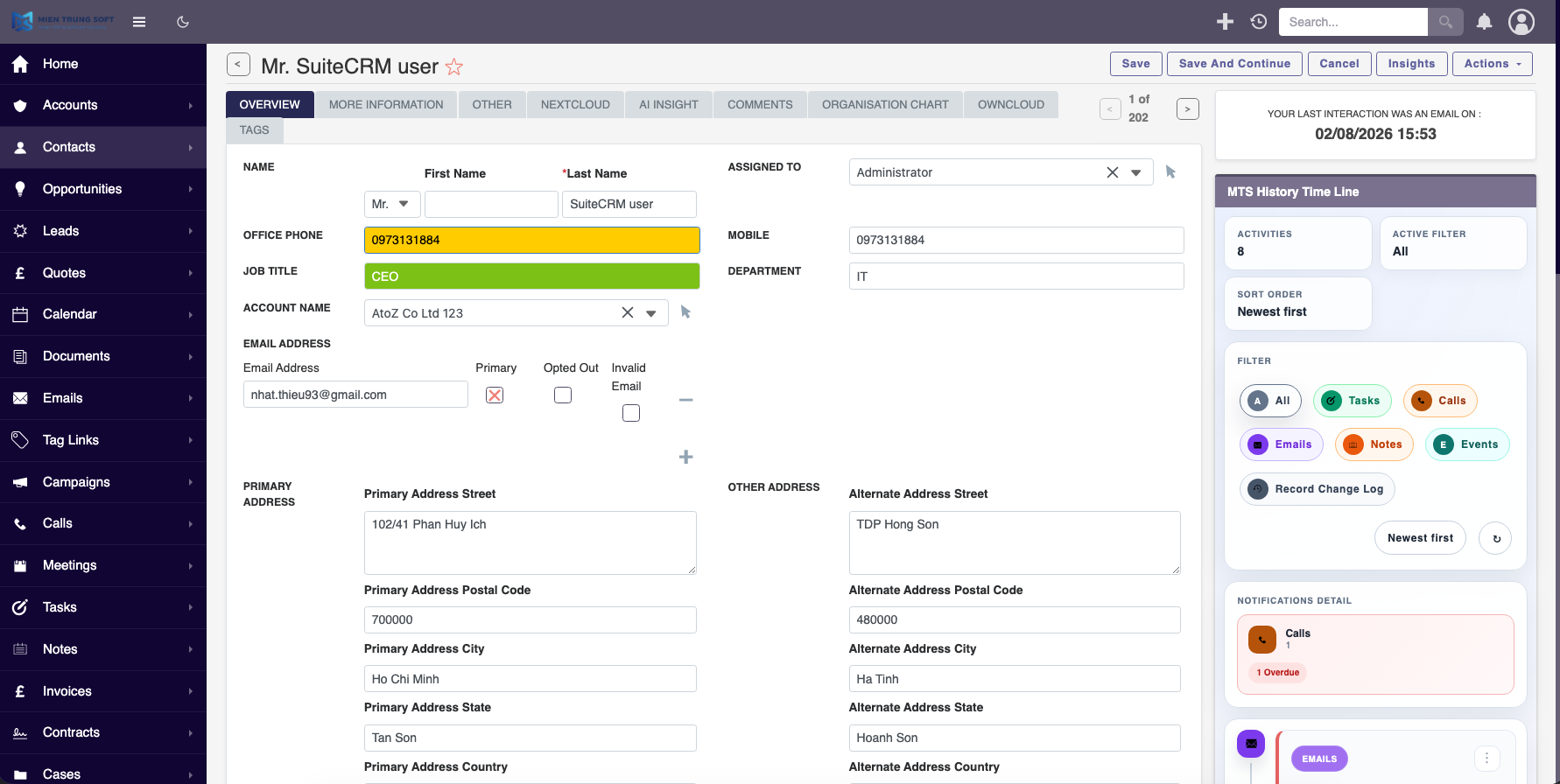
Edit / Create view — live conditional highlighting while editing
Classic highlighting (still included)


FAQ
Can SuiteCRM highlight a field based on another field's value?
Yes, with MTS Field Highlight v1.1.0 or later. For example, a field's background can turn grey when a checkbox is ticked, or a rule can require Country = US AND Industry = Banking.
Which operators are available?
Equals, not equals, is checked / not checked, is empty / not empty, contains, greater than, less than and is one of. Conditions can be grouped with AND / OR, and the highest-priority matching rule wins.
Which views are supported?
List, Detail and Edit/Create views. Each rule can be applied to any of them.
Do I need Studio or custom code?
No. Highlighting is configured in the add-on and applies to all users automatically, on standard and custom modules and all themes.
Does it support SuiteCRM 8?
Yes. It supports SuiteCRM 8 as well as SuiteCRM 7, with English and German UI.
Demo video
Our SuiteCRM Plugins Now Support SuiteCRM 8
All plugins developed by our team are now fully compatible with SuiteCRM 8.
If you are upgrading to SuiteCRM 8, you can continue using these extensions without any compatibility issues.
Productivity and Visualization
- History Time Line - Visualize record history in a timeline.
- MTS Organisation Chart - Display company hierarchy with an organisation chart.
- MTS Kanban - Manage records using a Kanban board.
Developer and Admin Tools
- MTS Code Generator - Generate SuiteCRM modules and components faster.
- MTS Dynamic View - Dynamically show or hide fields based on conditions.
- MTS Cleaner - Clean unnecessary files and optimize SuiteCRM performance.
Business and Finance
- MTS Advanced Invoice - Advanced invoicing features for SuiteCRM.
- MTS Stripe Integration - Accept payments directly from SuiteCRM.
Automation and Integrations
- MTS Notification - Real-time notifications for CRM events.
- MTS Telegram Notify - Send SuiteCRM notifications to Telegram.
- MTS Typeform Integration - Sync Typeform responses into SuiteCRM.
AI and Collaboration
- MTS AI Email Writer - Generate professional emails using AI.
- MTS Comment - Add discussion threads inside records.
- MTS Record Score - Automatically score records based on rules.
Utilities
- MTS Field Highlight - Highlight important fields in record views.
- MTS Language Translate Tool - Translate SuiteCRM labels easily.
- MTS User Activity Log - Track user activity in SuiteCRM.
- MTS Timesheet - Track working time inside SuiteCRM.
- SuiteCRM 8 Theme Editor - Customize SuiteCRM 8 themes without coding.
Our website
SuiteCRM Addon team

-
""Does exactly what it says it does and does it well." Im a fan. I am able to add conditional color to items in a record and it works in li..." - dwaynecasey
Read More Reviews
 hansjarlo