

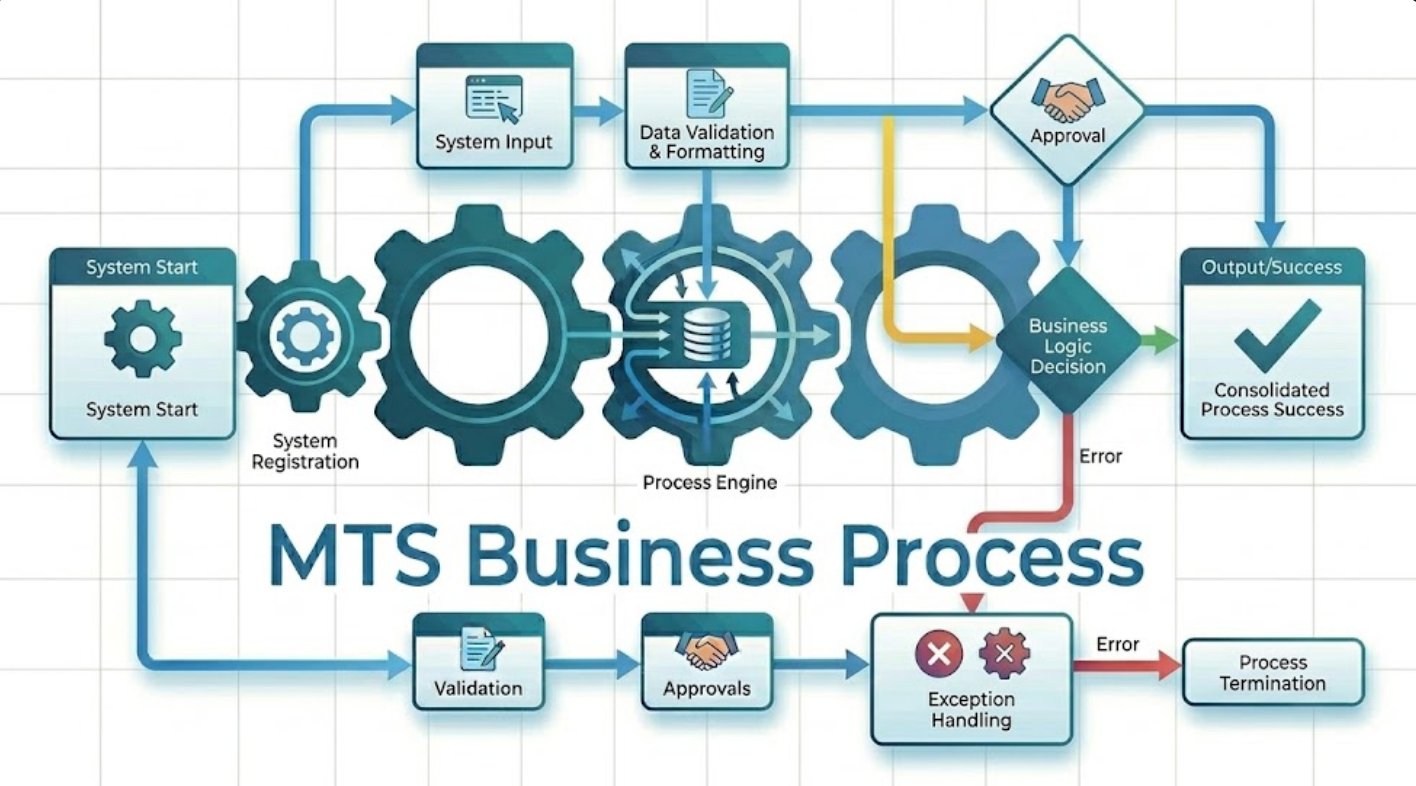
MTS Business Process is a SuiteCRM 8 plugin that lets you design and automate multi-step business processes directly inside your CRM — no coding required. When a record is saved, the process starts automatically: it checks conditions, runs actions, waits for the right moment, and logs every step. It is the only SuiteCRM plugin that combines a visual process designer, time-based delays, condition listeners, and a full activity log in one integrated package.
MTS Business Process — Visual Business Process Automation Plugin for SuiteCRM 8
Most SuiteCRM teams waste hours every week on manual follow-ups, missed escalations, and forgotten tasks — because there is no easy way to automate multi-step processes across records. MTS Business Process changes that: draw your workflow as a diagram, set your rules, click Activate, and let SuiteCRM handle the rest.
Does Your Team Struggle with These Process Problems?
- A new lead comes in, but the follow-up email only goes out if someone remembers to send it.
- A high-priority case stays unassigned for hours because no escalation rule exists.
- Your sales team closes a deal but forgets to create the onboarding task — every single time.
- You have business rules written in a spreadsheet somewhere, but no way to enforce them in your CRM.
- A manager has to manually check whether a record has moved through the right stages.
- You tried SuiteCRM's built-in workflow tool but found it too limited for multi-step processes with time delays.
How MTS Business Process Solves It
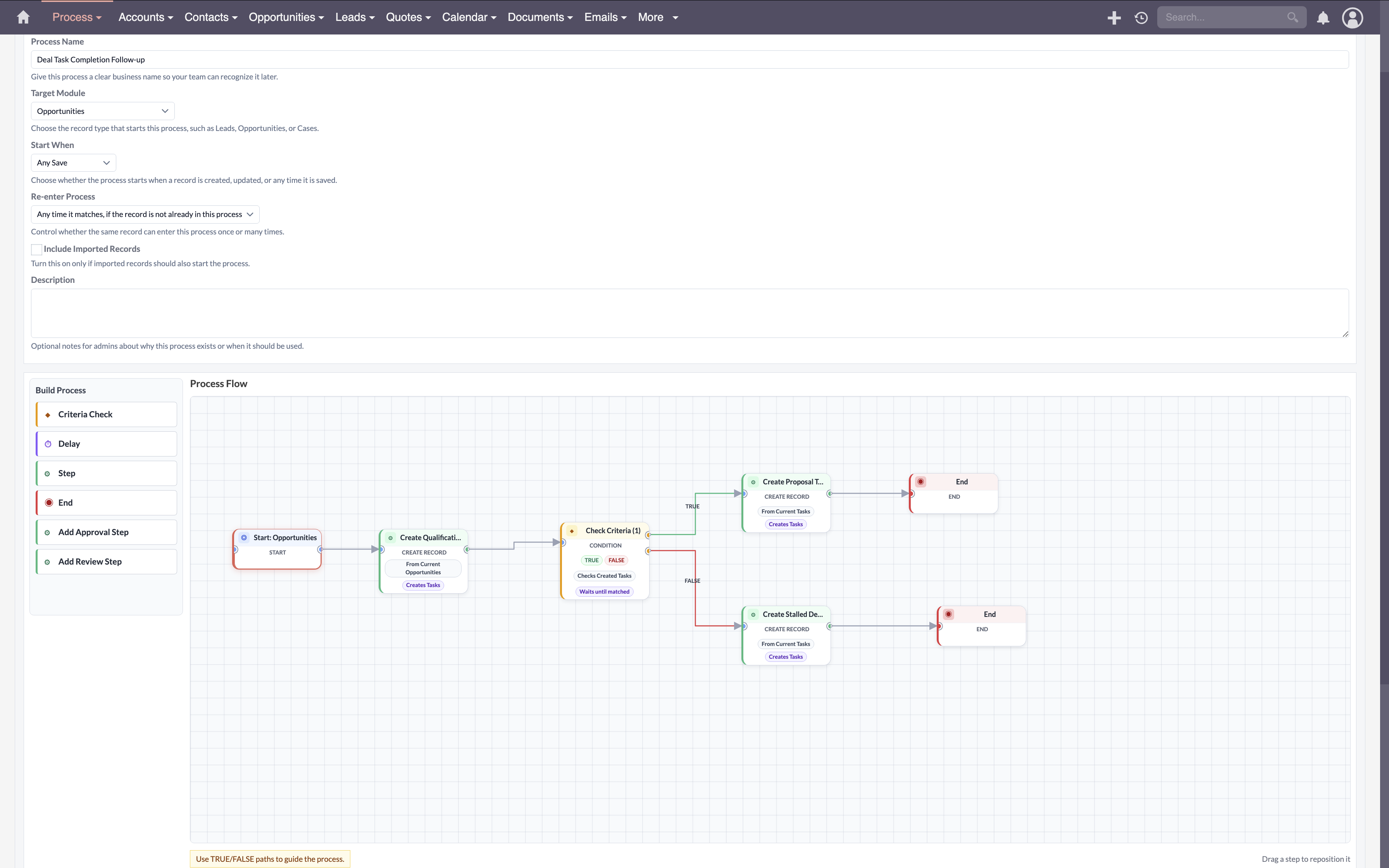
1. Draw Your Process, Don't Code It
Stop writing rules in documents nobody reads. Draw them on a canvas instead.
Open the visual designer and drag steps onto the canvas. Connect them with arrows. Your process map becomes the actual automation — what you see is exactly what runs. Any admin can read it, update it, and hand it off to a colleague without training.
2. Branch on Any Condition
Send the right record down the right path every time.
Add a Criteria Check step to any point in your process. Choose a field, pick a comparison, and set a value. The process takes the TRUE path if the condition passes, or the FALSE path if it does not. Combine multiple conditions with AND or OR logic. Compare fields against fixed values, against other fields on the same record, or check whether any field has changed since the last save.
3. Wait for the Right Moment
Some processes need to pause. Now yours can.
Add a Delay step anywhere in your process. Set the delay to minutes, hours, days, or weeks — or pick a specific date and time. The process pauses, and a background job picks it up automatically when the time arrives. No cron configuration needed beyond enabling the SuiteCRM Scheduler.
4. Listen Until a Condition Becomes True
Don't just check once — keep watching until the record is ready.
A Criteria Check step can be set to wait for a match instead of branching immediately. Choose how often to re-check (every 30 minutes, every day) and set a deadline. If the record never meets the condition before the deadline, the process continues on the FALSE path so nothing gets stuck.
5. Run Any SuiteCRM Action
Automate the same actions your team does by hand.
Action steps support the full set of SuiteCRM workflow actions: modify a field, send an email, create a related record, calculate fields, and more. When a Create Record action runs, the newly created record becomes the focus for all following steps — so you can create a Case and then immediately set fields on it in the same process.
6. Watch Every Run Live
Always know what is happening — and what went wrong.
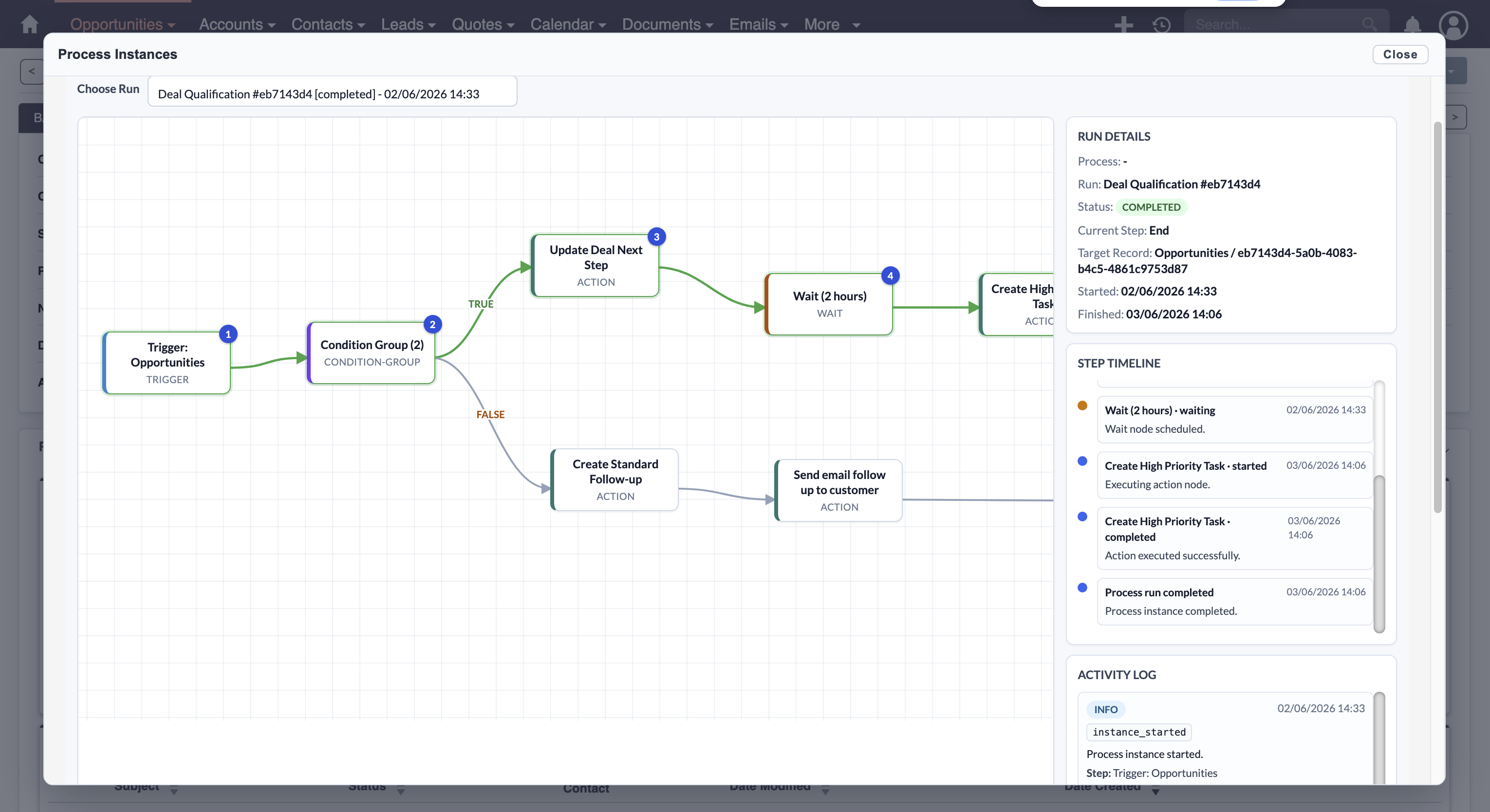
Open the Process Activity monitor from any process and see every run: which step it is currently on, when it started, how long each step took, and any error that occurred. On each record in SuiteCRM 8, a View Process Runs button opens an overlay showing the full history for that specific record. Every event — step started, condition checked, action completed, delay scheduled — is recorded with timing and context.
7. Keep Multiple Versions Safe
Publish a new version without breaking running processes.
Every time you activate a new version of a process, the previous version is preserved. Runs that started on an older version continue on that version until they finish. Change the active version at any time — past history is always available.
Results: Before and After MTS Business Process
| Situation | Before | After |
|---|---|---|
| New lead created | Sales rep manually sends welcome email — if they remember | Process sends email within 5 minutes of record creation, every time |
| High-priority case unassigned for 4 hours | No escalation — manager finds out days later | Process detects the wait and reassigns to senior support automatically |
| Opportunity marked Won | Team forgets to create onboarding task half the time | Process creates task the moment the field changes to Won |
| Contract renewal due in 30 days | Someone checks a spreadsheet — or misses it | Process fires 30 days before renewal date and notifies account manager |
| New contact from web form | Welcome sequence takes 3 manual steps across 2 people | Full welcome sequence runs automatically: email → task → follow-up reminder |
"Before MTS Business Process, we had a 12-step onboarding checklist in a Google Doc. Three steps were always skipped. Now the entire sequence runs inside SuiteCRM — we haven't missed a step in four months."
— Operations Manager, Professional Services firm, 45 users
Why Teams Choose MTS Business Process
- ✓ Works on SuiteCRM 7 and SuiteCRM 8 with the same plugin
- ✓ Processes start automatically — no button to click, no reminder to set
- ✓ Visual designer is readable by non-technical admins and managers
- ✓ Time delays and condition listeners handle complex, real-world process logic
- ✓ Every action uses the standard SuiteCRM workflow action library — no new actions to learn
- ✓ Full activity log on every run — know exactly what happened and when
- ✓ Version history protects live processes during updates
- ✓ Works with any SuiteCRM module, including custom modules
- ✓ Records are never blocked — processes run in the background after saving
- ✓ License managed from the SuiteCRM Admin panel — no server access required
Pricing
| Plan | Price |
|---|---|
| Yearly subscription | View Price |
| One-Time / Enterprise licence | Contact us |
Get MTS Business Process on the SuiteCRM Store →
Our SuiteCRM Plugins Now Support SuiteCRM 8
Productivity and Visualization
Developer and Admin Tools
Business and Finance
Automation and Integrations
AI and Collaboration
Utilities
- MTS Field Highlight
- MTS Language Translate Tool
- MTS User Activity Log
- MTS Timesheet
- SuiteCRM 8 Theme Editor
- Website: mientrungsoft.com
- Email: anhnhatuit@gmail.com
- WhatsApp: +84973131884
