


Stop typing. Start talking.
Leo: "your CRM Assistant" makes CRM updates faster, easier, and safer by letting sales reps work through natural language while preventing records from being linked to the wrong contact, lead, or account.
TalkerCRM for SuiteCRM
Voice-enable your CRM for hands-free productivity
TalkerCRM is a SuiteCRM add-on that transforms how users interact with CRM by enabling voice-driven operations via AI.
Instead of typing, clicking, and navigating menus, users simply speak — and TalkerCRM creates, updates, links, and retrieves CRM data automatically.

TalkerCRM allows sales teams, managers, and operational users to work hands-free, whether they are in the office, on the road, or between meetings.
Overview
TalkerCRM brings AI-powered voice interaction to SuiteCRM 8 and SuiteCRM 7, using Telegram as the primary voice interface and an embedded CRM chat widget to automatically populate records, update data, and support daily CRM operations.
With a single voice message, users can create and update CRM records, search and retrieve information, log meetings, calls and notes, assign tasks and follow-ups, and ask questions about CRM data and knowledge base content.
All actions are executed natively inside SuiteCRM, respecting permissions, workflows, and data governance.
See TalkerCRM Demo on SuiteCRM 8 See TalkerCRM Demo on SuiteCRM 7
→ SuiteCRM 8 Demo: experience TalkerCRM on the modern SuiteCRM 8 architecture
→ SuiteCRM 7 Demo: test TalkerCRM on the classic SuiteCRM 7 interface
Key Benefits
- Hands-free CRM operation — work without keyboard or mouse
- Faster data entry — capture information immediately after meetings
- Higher CRM adoption — users update CRM because it’s effortless
- AI-powered understanding — natural language, not rigid commands
- Zero data duplication — everything stays in SuiteCRM
- Scalable AI — from Free trial to Enterprise AI Agents
Editions
Starter
€29/user/month
Recommended for starting
✔ Up to 10 actions per message
✔ Chat Widget Reporting
✔ Enrichment Tool ⓘ
Professional
€59/user/month
✔ Up to 20 actions
✔ Advanced AI search (Fuzzy)
✔ Voice summaries
✔ Chat Widget Catalog (KB)
✔ Advanced Enrichment
Enterprise
€129/user/month
Custom
✔ Up to 50 actions
✔ AI Agents inside CRM
✔ Automation
✔ Advanced insights
How it works?
TalkerCRM allows users to interact with their CRM in a faster, easier and more natural way.
It introduces Leo – CRM Assistant, available on mobile through the dedicated Telegram Bot and on desktop through the SuiteCRM Chat Widget.
Leo helps users work with the CRM through three different modes:
- Actions – do something in the CRM, such as creating, updating, searching or linking records.
- Catalog – ask questions to your knowledge base and retrieve useful information from documents, JSON files or public URLs.
- Research – analyze what is inside your CRM, find records matching specific conditions and obtain structured business insights.
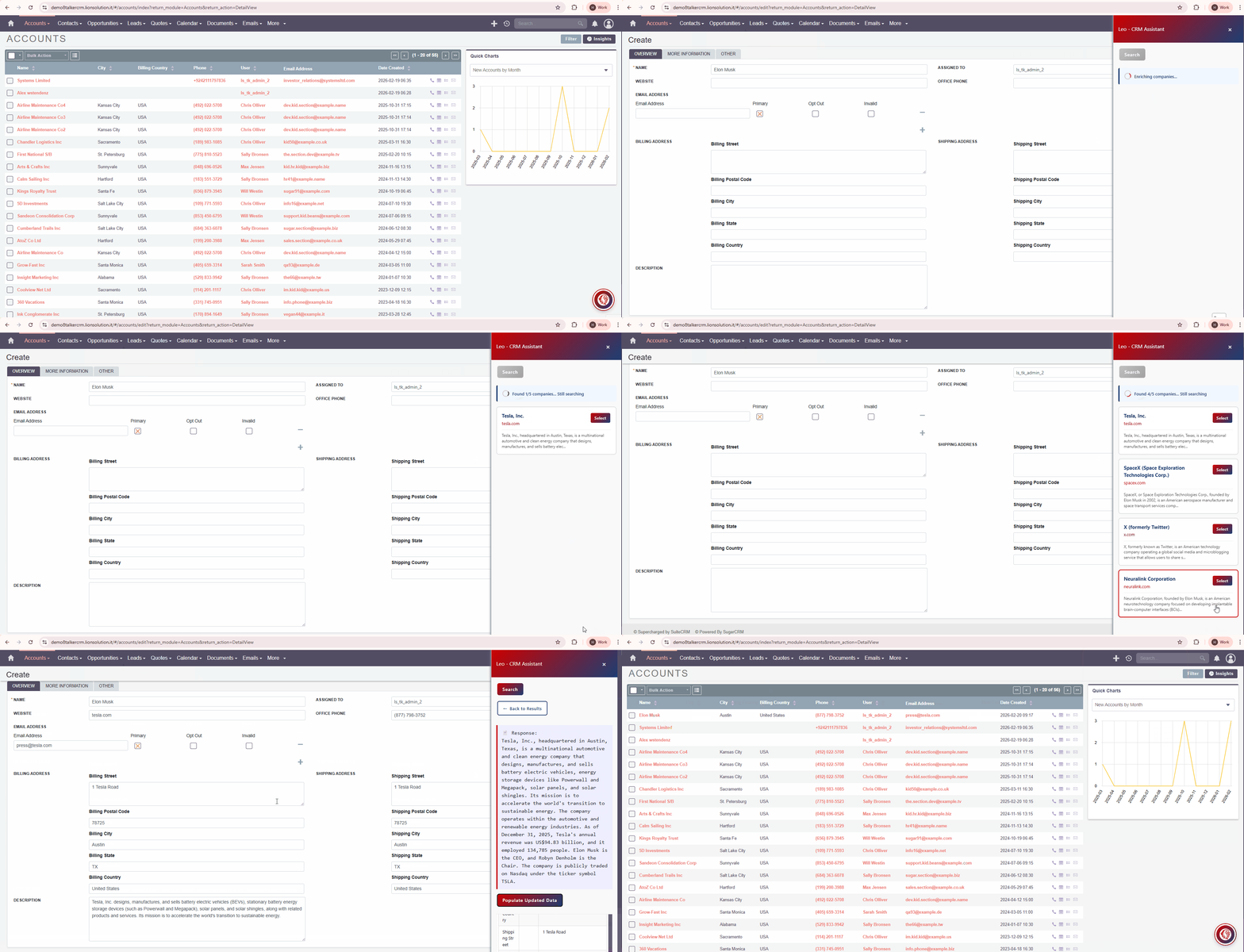
TalkerCRM also includes the Enrichment Tool, designed to automatically populate CRM records with relevant web information, reducing manual data entry and improving data quality.
Finally, TalkerCRM Core provides a complete administration interface to configure, control and manage every aspect of the solution.
Action mode
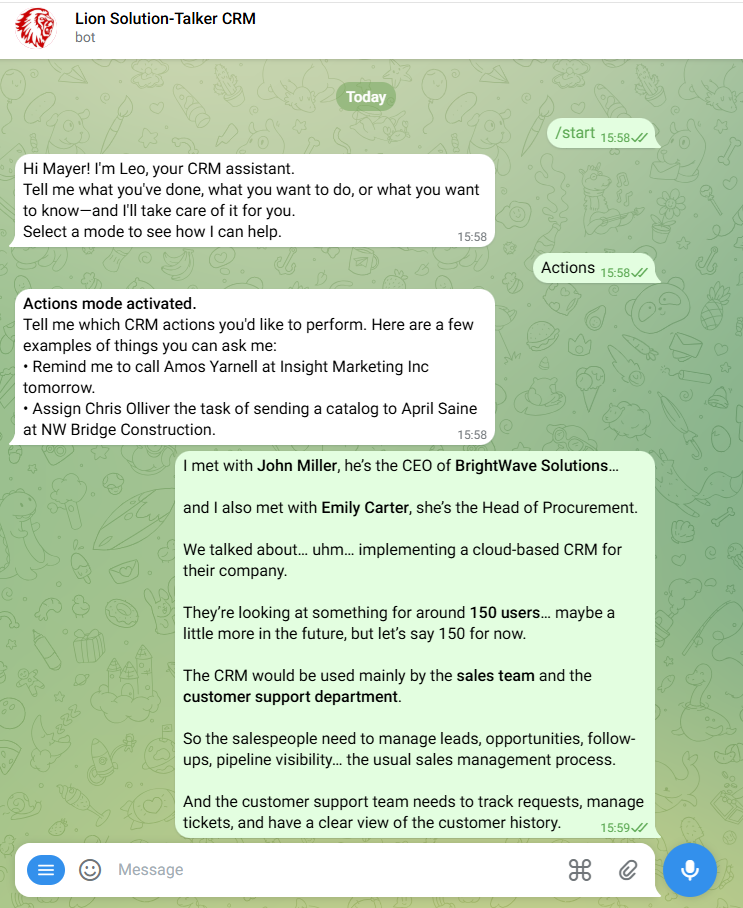
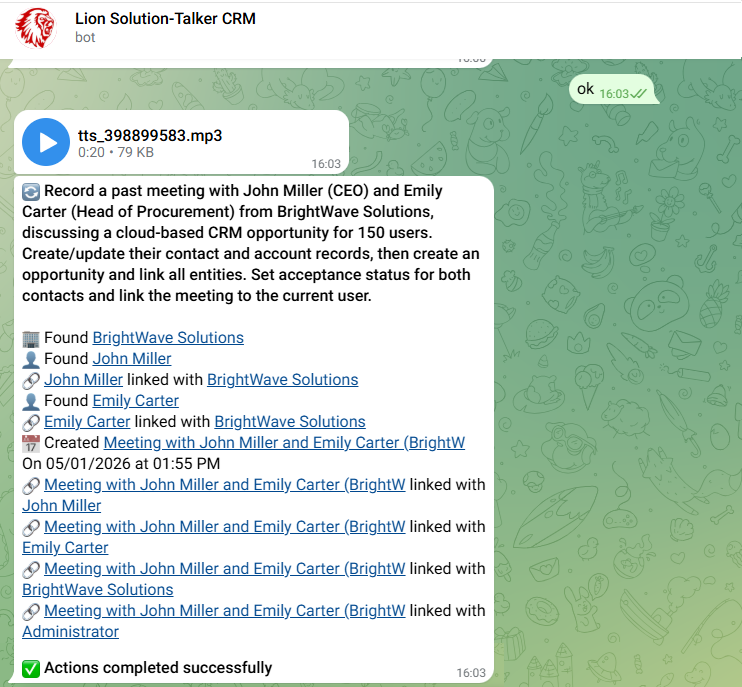
Action helps your team update the CRM simply by speaking.
Create, update, search and link CRM records using natural language, reducing manual work and improving data quality.
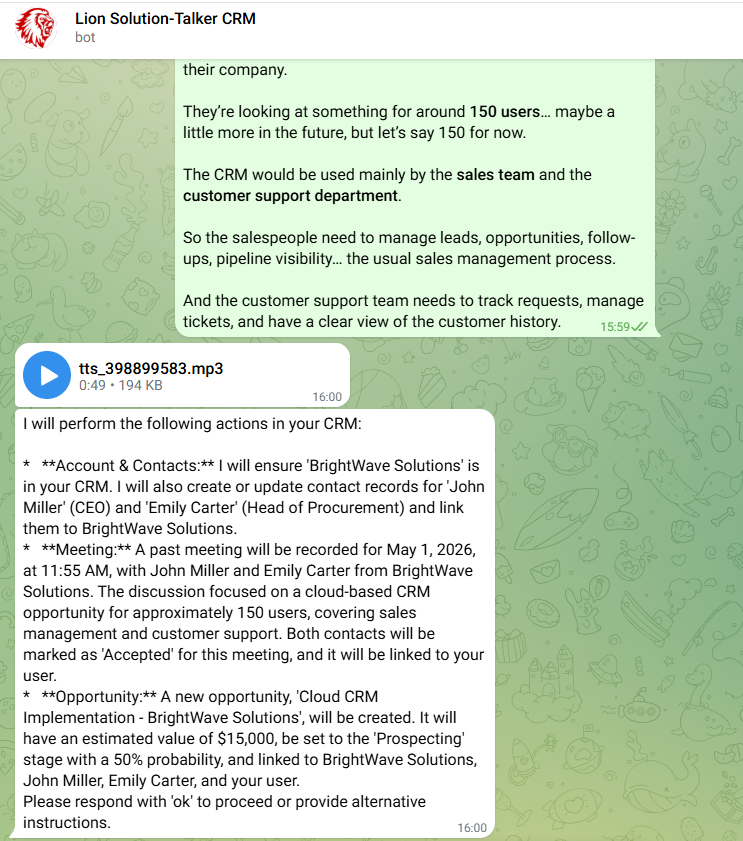
Voice Summary
Listen to the voice summary
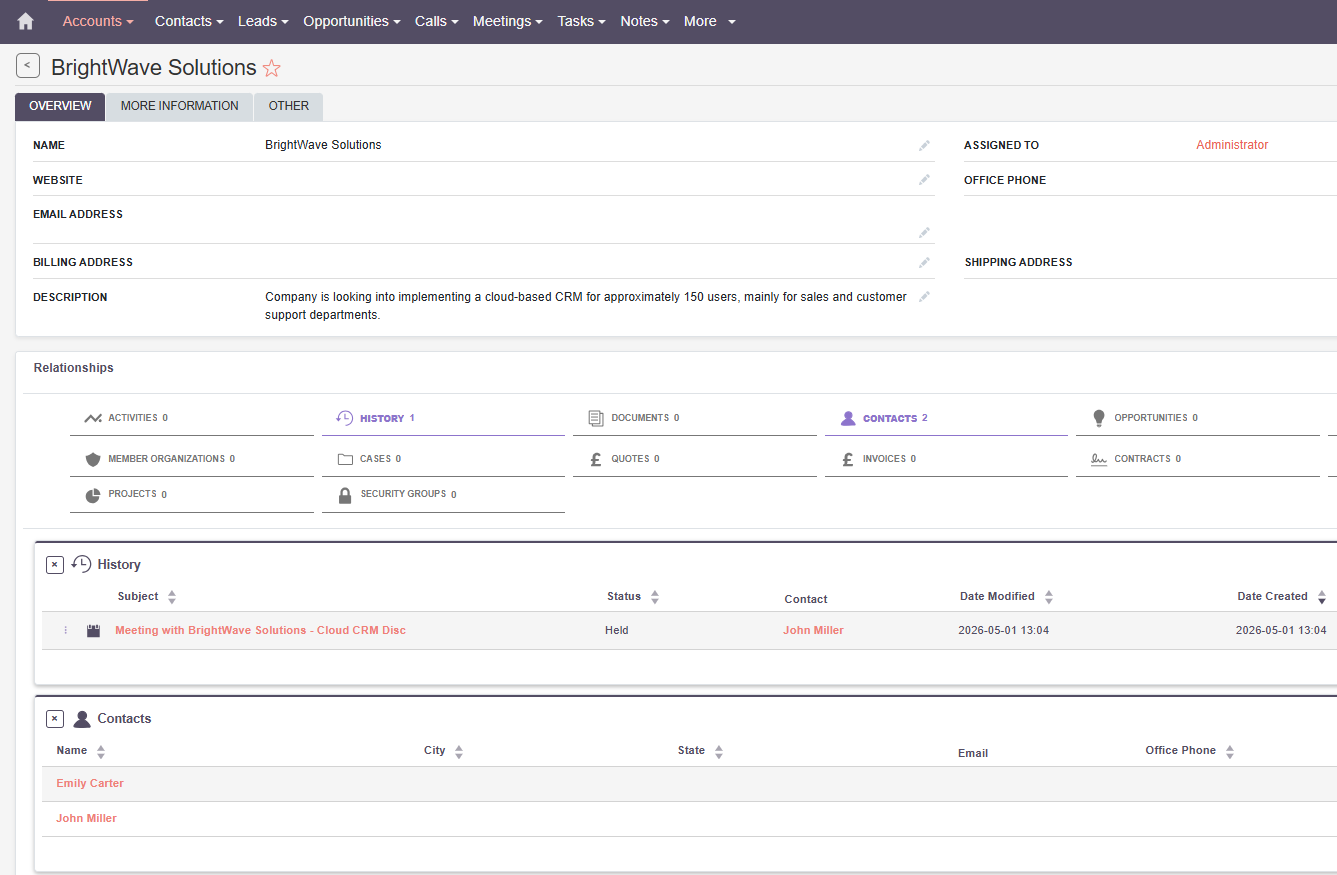
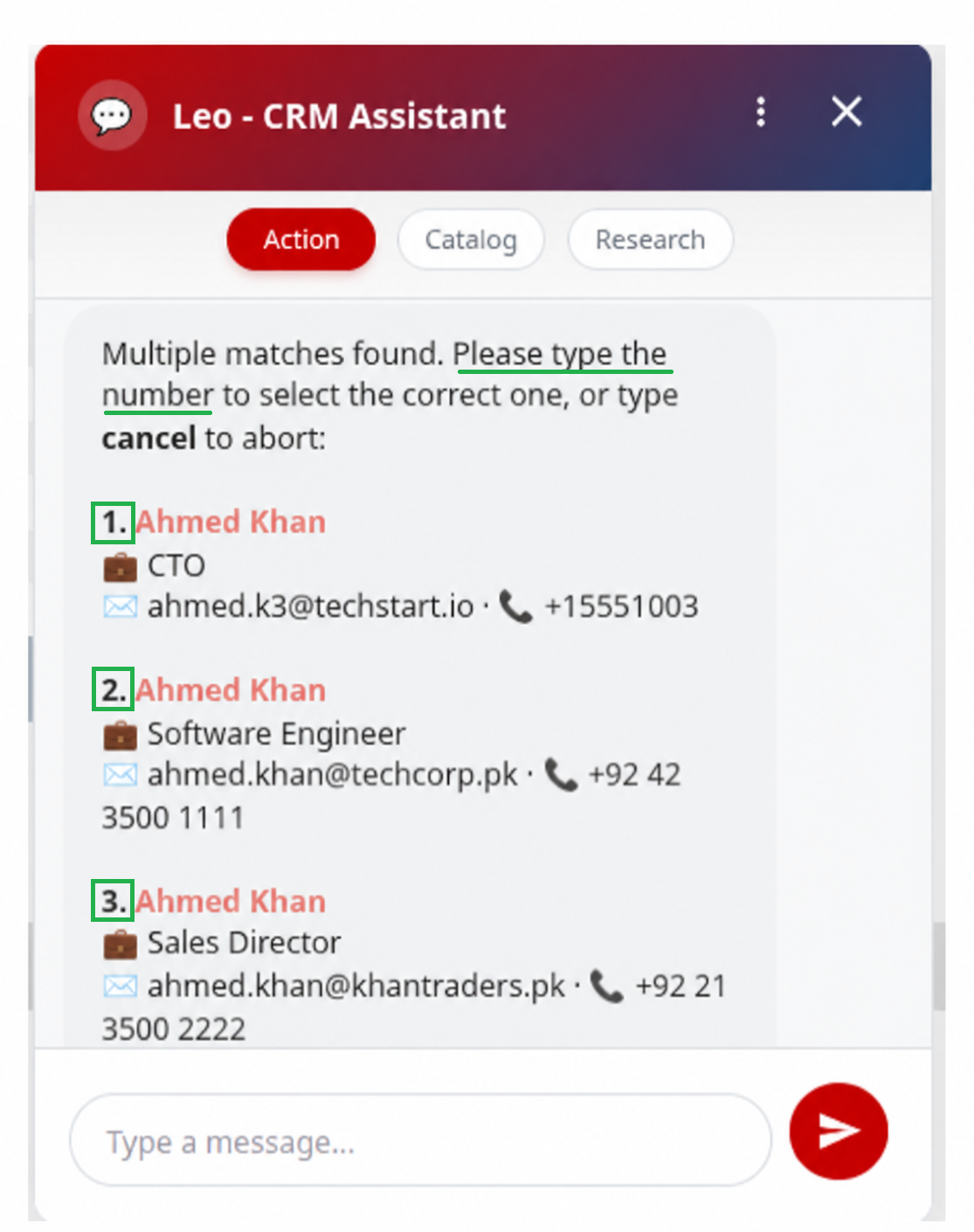
Leo automatically detects ambiguous CRM record names, guides users to choose the correct record, and prevents actions from being linked to the wrong contact, lead, or account.
Catalog mode
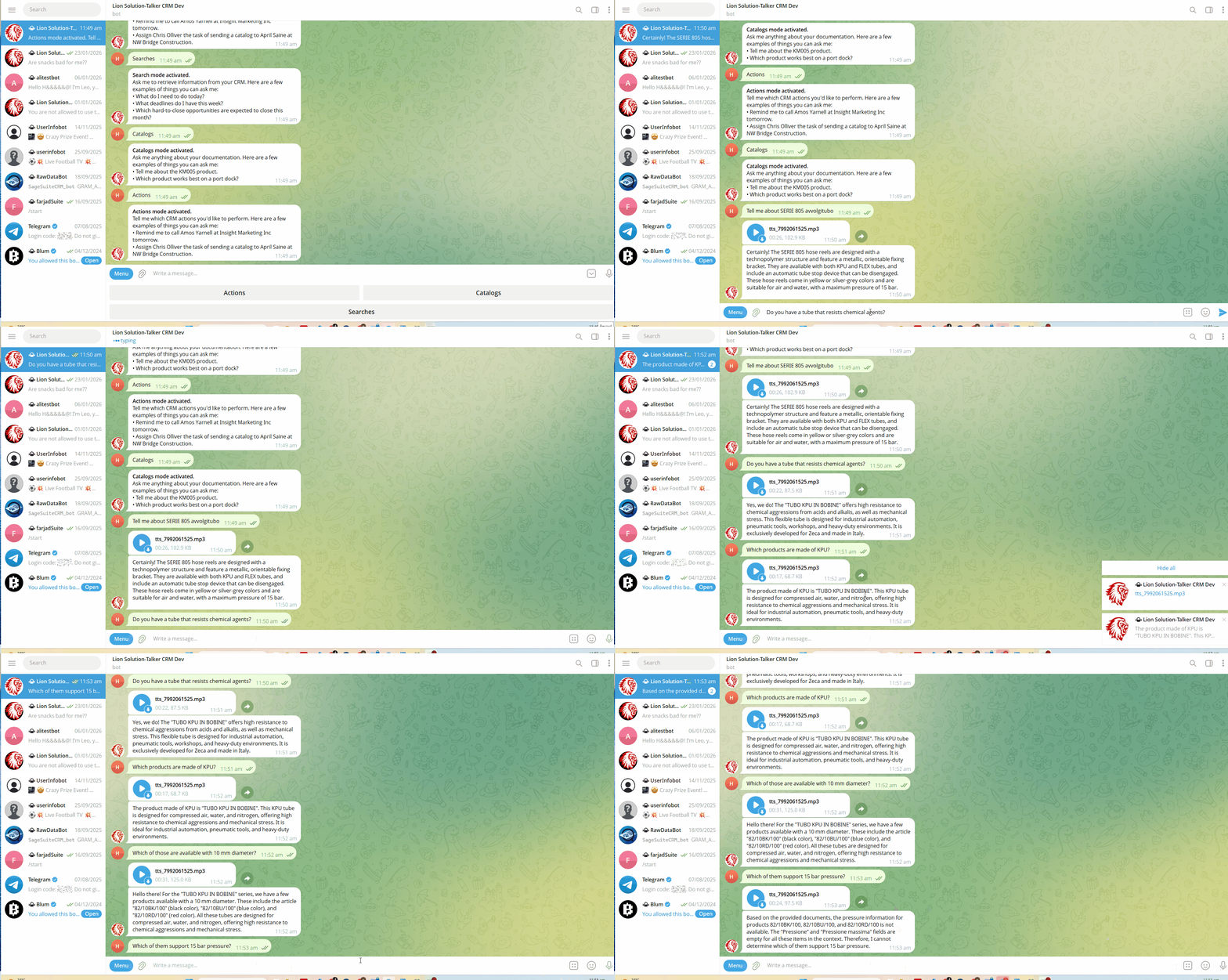
Catalog helps your team find answers inside your business knowledge.
Upload documents, product data or public URLs and let TalkerCRM provide useful insights, explanations and information directly from your knowledge base.
Research mode
Research helps you ask business questions directly to your CRM.
Find records that match complex conditions, summarize results and extract structured insights from your CRM data without building manual reports.
It goes beyond traditional reporting: it allows users to ask dynamic questions to CRM data and receive structured, actionable answers.
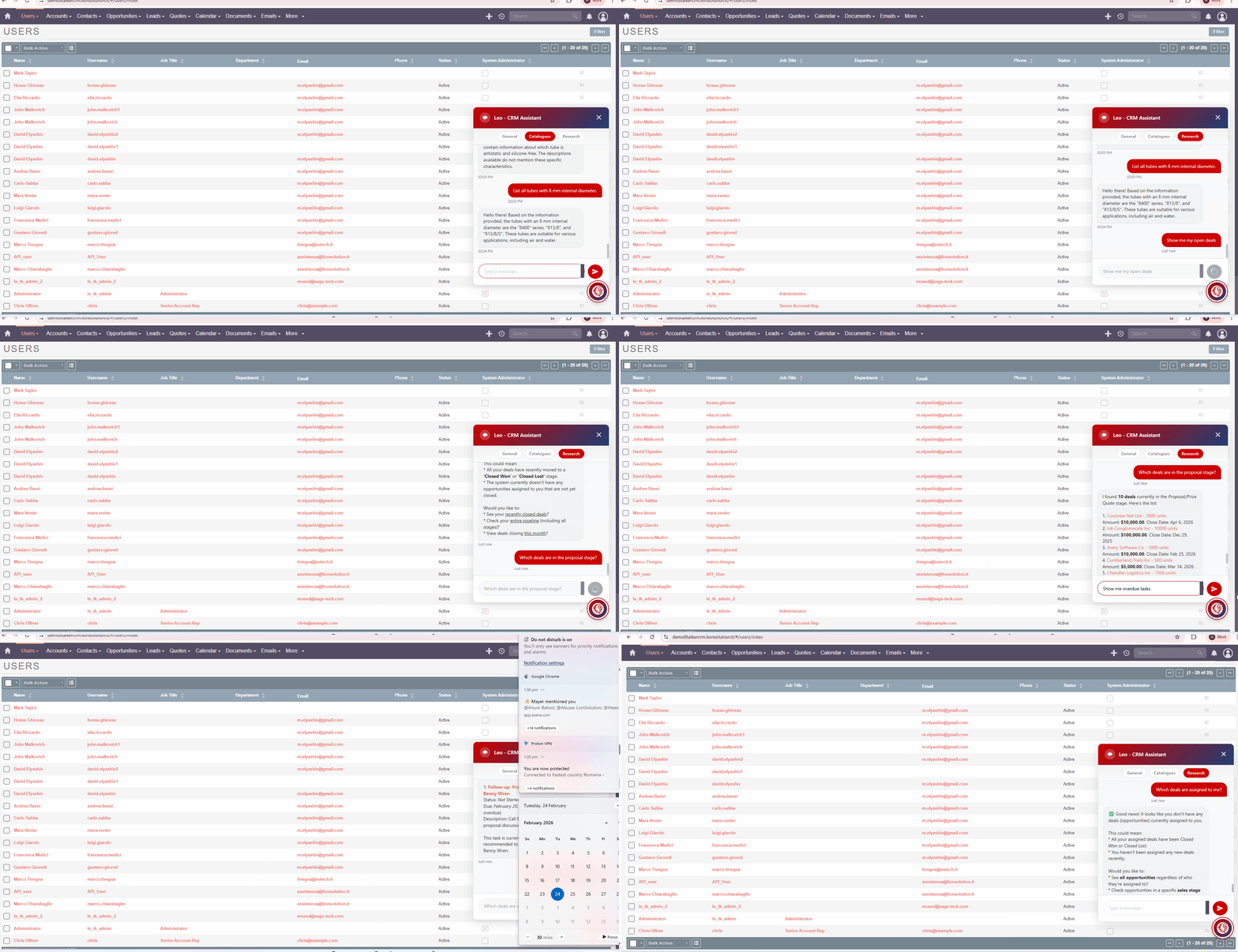
SuiteCRM Chat Widget
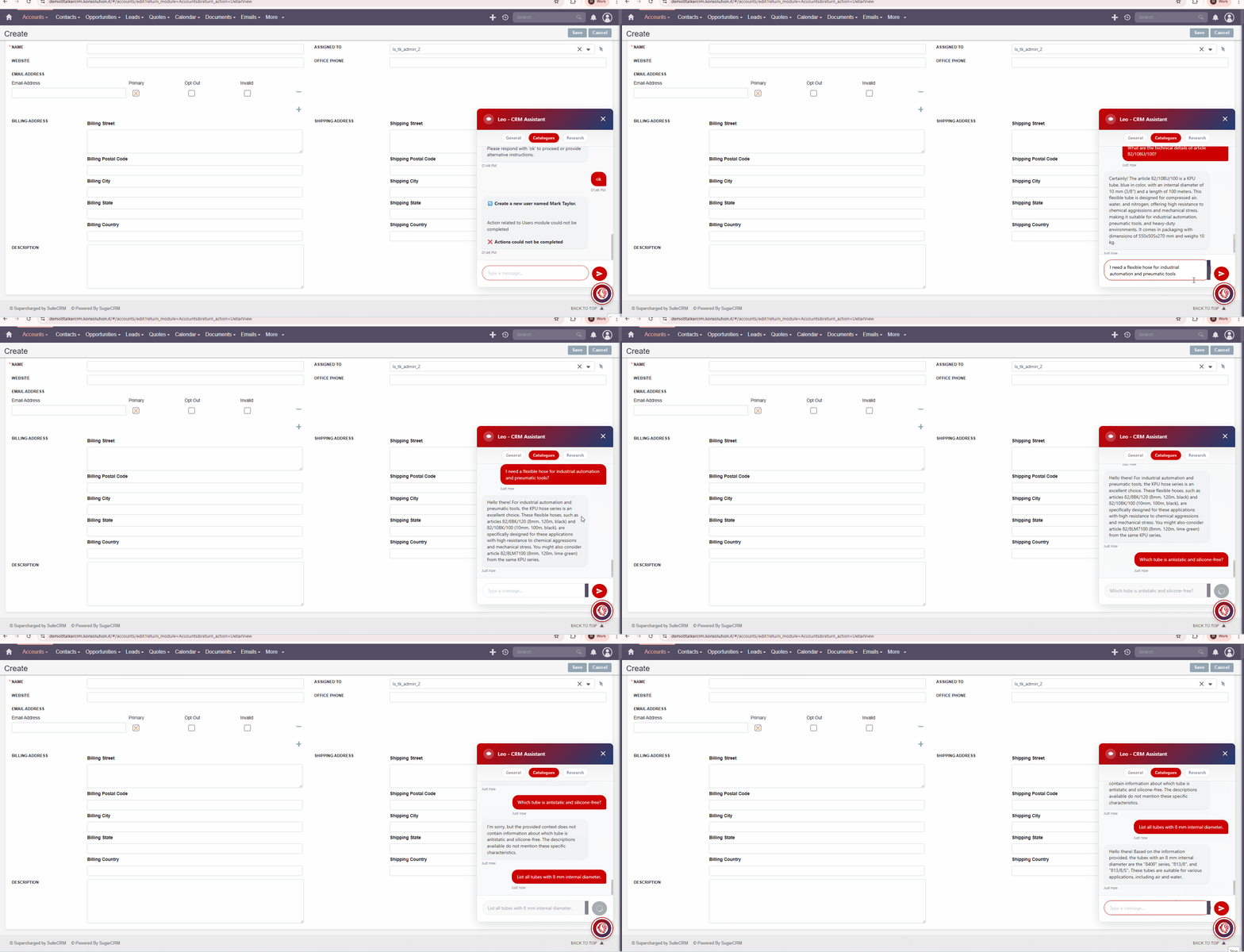
TalkerCRM is charged with a Chat Widget embedded in SuiteCRM8 and SuiteCRM7. Its features are the same as the Telegram Bot. According to your supscription, you can intteract with Leo, the CRM Assistant with the Action, Catalog or Reporting mode.
Catalog mode
Reporting mode
Enrichment Tool
TalkerCRM also offers a powerful Enrichment Tool to retrieve the information you need from the web. Simply open an Account or Lead record in Edit mode, then click the Enrichment button. TalkerCRM uses every populated field as a search filter to identify relevant information. On the Professional and Enterprise tiers, users can choose among multiple enrichment results before updating the CRM.
Compatibility & Requirements
- SuiteCRM 7.x and 8.x
- PHP 7.4 / 8.x
- MySQL / MariaDB
- Internet access (Telegram + AI service)
- Gemini AI (default) — custom API key supported

-
"TalkerCRM is a powerful and practical SuiteCRM add-on. It makes CRM usage faster and easier through natural language interaction, helping users create..." - zecaadmin
Read More Reviews
- Most Recent Love from Users
 zecaadmin
